
As a YouTube creator, forging deeper connections with your audience is essential for sustainable growth. YouTube channel memberships provide a straightforward, platform‑native method to reward loyal fans with exclusive perks and a predictable recurring revenue stream. However, memberships are just one of several monetization avenues, and they may not always align with every creator’s strategic goals.
This guide explains how channel memberships function, evaluates their advantages and limitations, estimates earning potential, and identifies which creators benefit most. We also compare alternative digital monetization models to help you select the most effective path for your creator journey.
What are YouTube channel memberships?
YouTube channel memberships enable creators to provide members with exclusive perks—such as members‑only videos, live streams, custom badges, and emojis—in exchange for a monthly subscription fee. The model mirrors Twitch’s subscription system, offering a stable income stream that complements ad revenue and deepens engagement with your most dedicated viewers.
Unlike free channel subscriptions that merely allow viewers to follow your content, memberships place premium content behind a paywall, granting members exclusive experiences and benefits.
YouTube membership costs and monetization
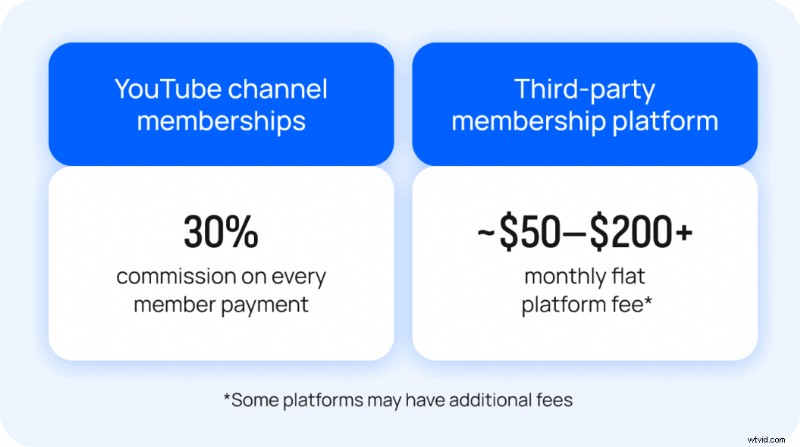
Like Patreon, setting up a channel membership incurs no upfront cost, but YouTube claims a 30 % cut of all revenue. Over time, that fee can erode earnings significantly. For instance, if you generate $100 in monthly membership income, YouTube keeps $30, leaving you with $70. In contrast, many third‑party platforms charge between 10 % and 30 %, and some offer even lower rates, giving creators a larger share of their income.
YouTube allows creators to set up to six membership tiers, priced between $0.99 and $49.99 per month. Each higher tier inherits all perks from the lower tiers. Your revenue depends on subscriber count, the tiers members choose, and the pricing you establish.
YouTube’s policies cap the range of permissible perks, which can constrain the value you can offer at higher price points. Typical perks include:
- Custom or default channel badges
- Custom emojis
- Members‑only posts
- Members‑first videos and Shorts
- Live streams and live chat access
- Member milestone recognition
While memberships are a stable way to monetize, YouTube’s fixed revenue share and restrictions on perks may limit your earning potential compared with third‑party platforms like Uscreen.
Learn more video monetization
How to qualify for YouTube Memberships
Since memberships are tied to the YouTube Partner Program, they’re only available to creators who meet YouTube’s monetization requirements.
The minimum fan funding requirements are:
- Your channel must be part of the YouTube Partner Program (YPP).
- You must be at least 18 years old.
- You must agree to YouTube’s terms and policies.
- You must reside in one of the locations where channel memberships, Super Chats, and other perks are available.
In addition to the above, you must also meet the following requirements to take advantage of the channel membership program:
- Over 1,000 subscribers.
- 4,000 valid public watch hours in the last 12 months or 10 M valid Shorts views in the last 90 days.
- Channel not set as “made for kids.”
- No significant number of videos marked “made for kids.”
- No claimed music in videos.
Keep in mind that you also must adhere to YouTube’s content guidelines when offering memberships—no 1:1 meetings, limited contests, or downloadable content directly from YouTube.
In September 2024, YouTube launched “communities,” a Discord‑like space within a creator’s channel, separate from memberships but usable by fans to post and interact directly on the creator’s channel.
If you seek greater flexibility and control over perks, consider a third‑party membership platform.
Who are YouTube channel memberships best for
Channel memberships are ideal for creators who:
- Have a sizable YouTube following.
- Prefer audience engagement primarily on YouTube.
- Boast a strong, recognizable personal brand.
- Wish to monetize without launching a full‑fledged business.
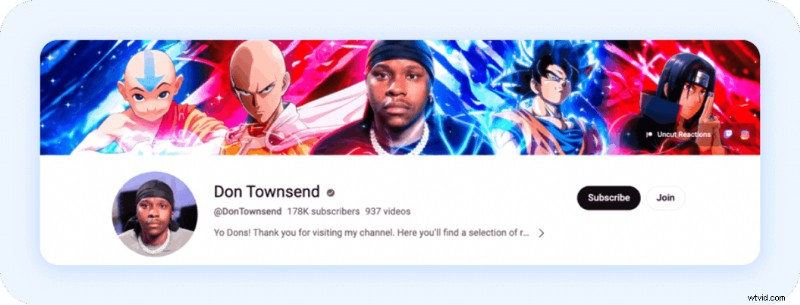
Take YouTuber Don Townsend as an example. He has over 178 K subscribers and operates within a niche popular on YouTube, creating reaction and review videos for anime and story gameplay. His loyal audience can support his content with two membership tiers—$6.99 and $14.99 per month. If Don wanted to expand beyond YouTube’s content and perk limitations, a platform like Uscreen would grant him more flexibility to offer longer‑form content, interactive polls, and deeper fan collaboration.
Pros and Cons of YouTube channel memberships
For creators, memberships provide a direct revenue stream from dedicated fans and foster closer engagement. For subscribers, they offer a way to support favorite creators while accessing exclusive perks.
What’s included for subscribers
- Exclusive content (posts, videos, live streams)
- Custom emoji for comments and live chats
- Loyalty badges beside their username
- Members‑only community posts
- Potential for direct interaction with creators
What’s included for creators
- Additional revenue stream
- Tools to offer tiered membership levels (up to 5 tiers)
- Ability to create member‑exclusive content
- Enhanced engagement with core audience
- Integration with existing YouTube features
While YouTube memberships are straightforward and effective for creators with a large YouTube following, they come with limitations that may not suit every strategy.
The recent introduction of the “communities” feature shows YouTube’s commitment to improving creator‑fan interactions, but it still lacks the flexibility of dedicated community platforms.
Combined with the high revenue share, restricted customization, and dependence on YouTube’s algorithm, memberships can feel less reliable and less optimized for long‑term success.
Creators must weigh these benefits against the limitations, especially if they aim to build a sustainable, independent business around their content.
For viewers, the familiarity of supporting creators directly on YouTube is appealing, yet the proliferation of membership options across multiple channels can lead to subscription fatigue. Both creators and viewers must navigate these trade‑offs to find the most valuable and sustainable ways to support and engage with unique content.
YouTube members’ only user experience
Updated as of 15th October 2025
YouTube has changed how members‑only videos surface, impacting subscriber experience and free‑video discoverability. Previously, members could access exclusive content by clicking the membership tab; now YouTube surfaces these videos in the main feed with a “members only” stamp. While this promotes memberships, many creators report a decline in overall views and increased viewer frustration.
Linus Tech Tips highlighted the issue in a video, noting that the platform’s algorithm favors paid content, causing friction for viewers. He said, “For every extra few bucks we’ve made from this extra promotion and spam, we’ve received a barrage of complaints from our viewers. It’s killing their interest in our channel.” Watch the video
Freakin’ Reviews also addressed the issue, noting a sharp drop in views as members‑only content received more impressions. He concluded that “3 million impressions that my normal videos didn’t get” were diverted to paid videos.
Key takeaways:
- Pros: Increased discoverability for memberships and potential sign‑ups.
- Cons: Reduced control over audience experience, potential negative impact on public video views, and difficulty gaining traction.
Examples of real YouTube Memberships
Many creators use memberships to offer a premium experience for engaged fans. Below are real-world examples to inspire your own setup.
Rose and Rosie Rose and Rosie
Membership tiers: 4
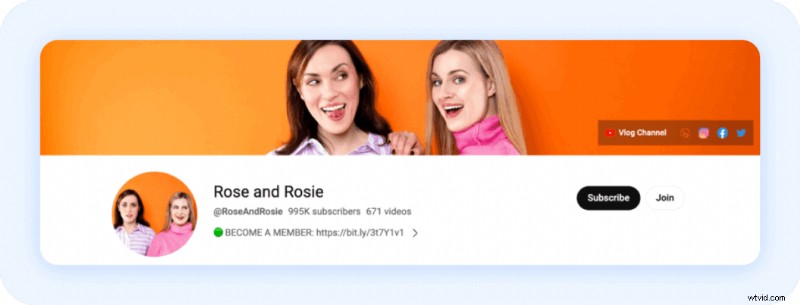
Rose and Rosie have almost 1 M subscribers and a thriving membership community. The join button on their channel opens a pop‑up with tier options. Their four tiers range from $0.99/month for “Tiny Taddies” to $14.99/month for “Frog Royale.” Higher tiers grant all lower‑tier perks plus exclusive videos, live streams, a members‑only podcast, and a monthly dinner experience.
Hughwizzy
Membership tiers: 3
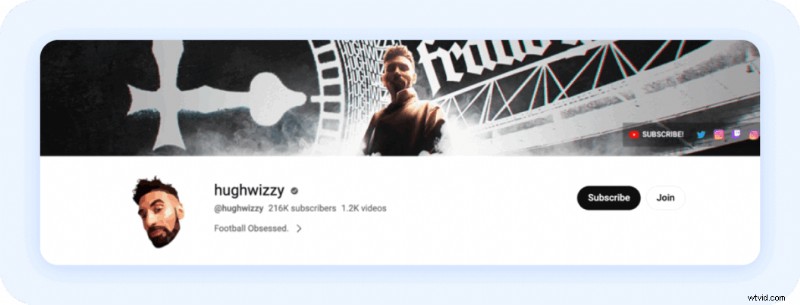 A screenshot of Hughwizzy’s YouTube channel membership account.
Hughwizzy offers three tiers ($3.99–$19.99) with custom badges, emojis, and exclusive posts. The top tier provides members‑only content and higher engagement, demonstrating that even a simple setup can keep a community active.
Are YouTube channel memberships worth it?
The answer depends on your goals. YouTube memberships suit creators with a large YouTube following and who are comfortable with platform restrictions and revenue share. However, if you want a fully independent business model, third‑party platforms may be preferable.
Considerations include algorithm dependence, high revenue split, and limited control over perks and pricing. Third‑party platforms like Uscreen offer lower fees, full audience ownership, and customizable perks.
Here’s a quick comparison of YouTube memberships versus third‑party platforms:
| YouTube Channel Membership | Third‑Party Platform | |
| Revenue share | YouTube takes 30% | Most earnings go to you (platform fees vary) |
| Audience ownership | YouTube controls access | You own your audience |
| Membership perks | Limited to YouTube‑approved perks | Fully customizable perks |
| Pricing flexibility | Set by YouTube | Set your own tiers |
| Platform control | Bound by YouTube rules | Full control over content and branding |
| Best for | Simple setup for creators with an existing YouTube audience | Creators who want full control and flexibility |
Choosing the right platform hinges on your audience, content type, and long‑term objectives. If you prefer YouTube’s ecosystem, memberships are a viable starting point. If you seek ownership and flexibility, explore a third‑party solution.
Uscreen: control your content monetization
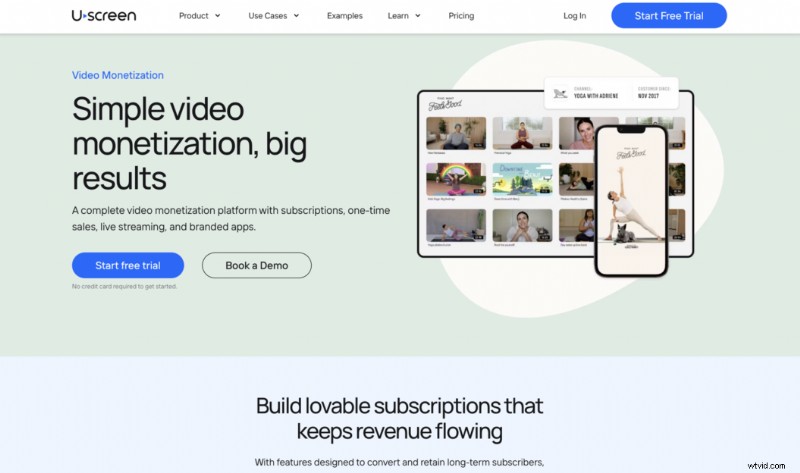
Uscreen is an independent video monetization platform that allows creators to monetize directly through subscriber memberships and earn income from recurring fees for exclusive perks and community interaction. Unlike YouTube, creators have total control over website design, pricing, and content library, enabling them to build a full‑featured, branded membership site.
Diverse monetization opportunities
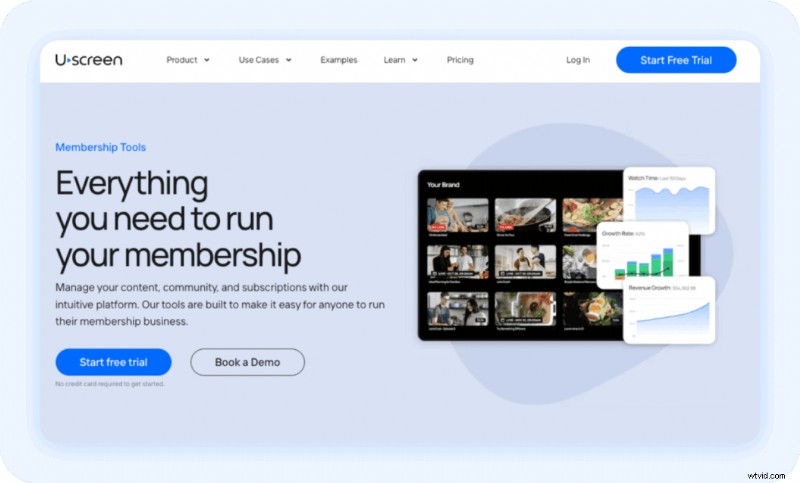
Uscreen supports subscriptions, pay‑per‑view, rentals, and one‑time purchases, including live streaming. Creators can offer tiered plans, free trials, and bundles tailored to audience segments. Integration with Stripe, PayPal, and 130+ currencies ensures smooth transactions.
High‑converting checkout pages and customizable branding boost sales beyond the limited YouTube windows. Creators can also build affiliate programs, track royalties, and manage payouts effortlessly. In‑app purchases on mobile and TV apps capture revenue wherever audiences prefer to engage. Reliable analytics help optimize monetization strategy, increasing lifetime value and reducing churn.
Engaging community features
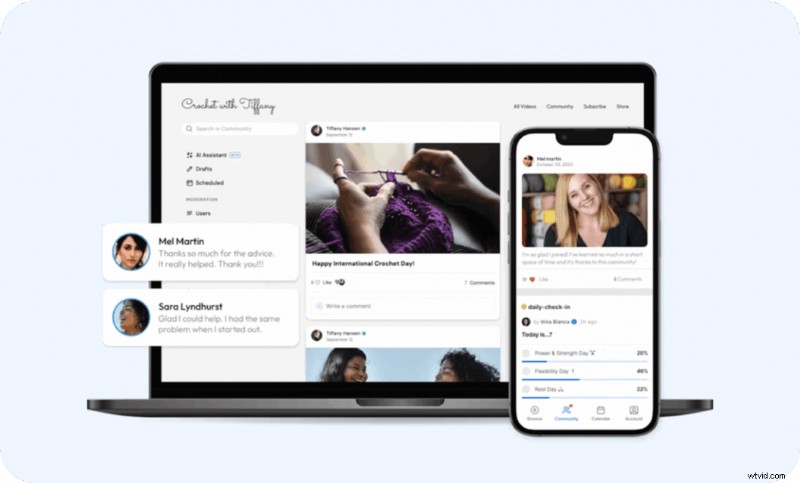
Uscreen’s community tools weave content and conversation into one seamless experience. Members can watch videos, ask questions, and connect with peers—all in one place. Customizable public and private channels, user‑generated videos, social profiles, and community challenges foster authentic interactions. Mobile app push notifications keep members engaged 24/7.
Creators report a 50% higher member retention when using these features, underscoring the value of a focused, community‑centered environment.
Video experience
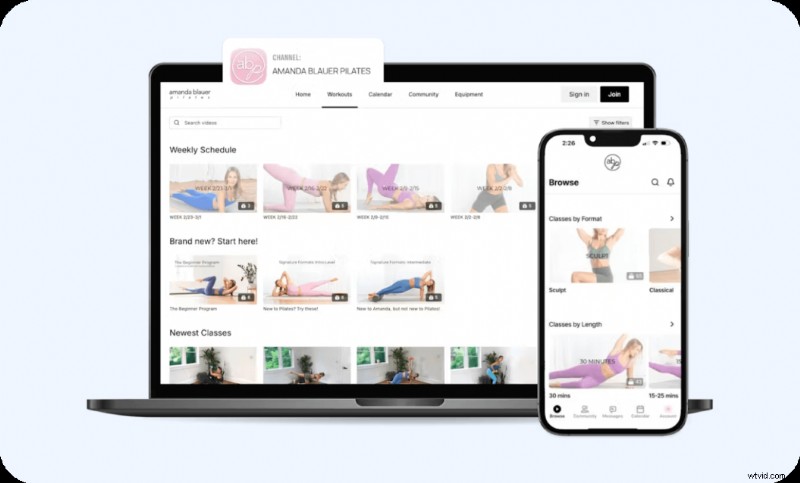
Uscreen places content front and center with a clean, customizable interface that works across web, mobile, and TV apps. Members can browse catalogues, create playlists, and enjoy on‑demand or offline viewing. Integrated community interaction lets members comment, participate in challenges, and stay connected around content. Push notifications and curated releases guide viewing and build loyalty, creating an immersive membership experience.
Uscreen in action: SarahBethYoga
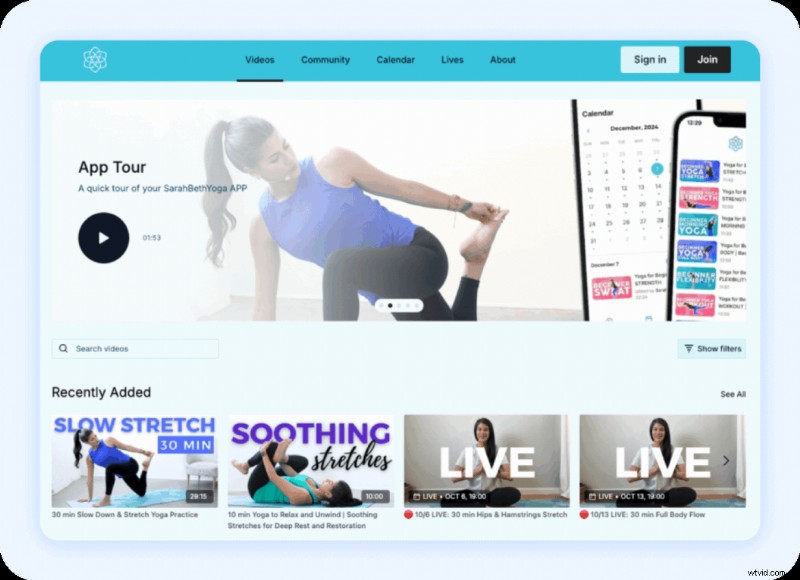
Sarah Beth, a yoga teacher with 1.74 M YouTube subscribers, partnered with Uscreen to launch a modern website and branded TV and mobile apps. The app ecosystem allowed her to reach subscribers where they were most comfortable, driving a 10‑fold business growth. She uses YouTube as a top‑of‑funnel channel to build influence, then offers a monthly or annual membership for loyal fans seeking deeper content.
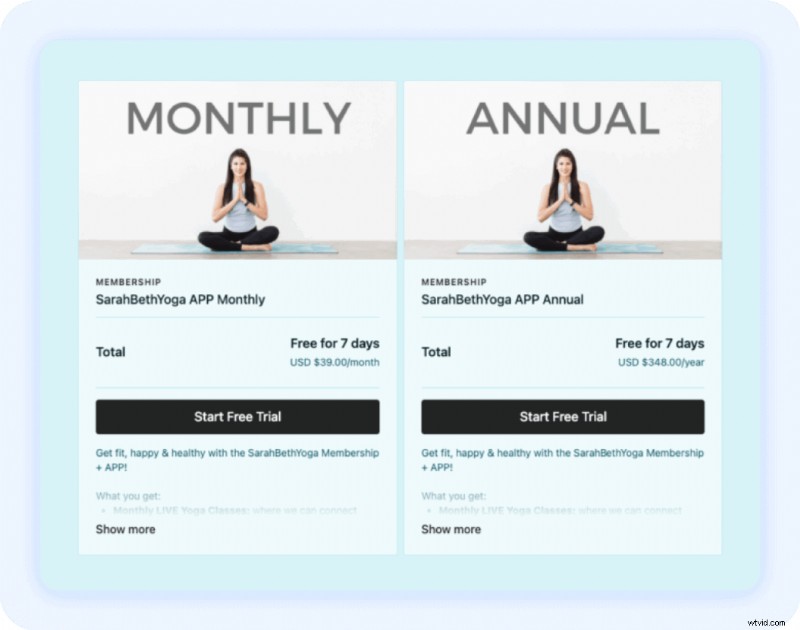
Embrace your memberships’ full potential with Uscreen
YouTube Channel Memberships are suitable for creators with a large YouTube following who accept the platform’s restrictions and revenue share. For those seeking a sustainable, independent business with greater control and flexibility, an independent video membership platform like Uscreen offers compelling advantages.
With an average of $67,196 in mixed revenue models over the past year, now is an ideal time to take deeper control of your monetization strategy. For example, Frances Long transformed her YouTube channel “Your Book of Memories” into an independent membership site, increasing monthly earnings from $380 to $4,000 in just four months while keeping YouTube as a conversion tool.
Whether you’re just starting to monetize or looking to grow your community, choosing the right platform for your long‑term goals is key. For creators ready to take full control of content, community, and revenue, Uscreen provides the tools to unlock your membership’s full potential.
YouTube Channel Memberships FAQ
How much can you earn with YouTube channel memberships?
Income varies widely based on subscriber count, the percentage who become members, pricing tiers, and the perceived value of perks. High‑engagement creators can earn thousands monthly, but the 30 % revenue cut and algorithm changes can affect earnings. For most creators, memberships should complement a diversified income strategy.
How is offering a YouTube channel membership different from the YouTube Partner Program?
YouTube channel memberships are a feature of the Partner Program that lets viewers pay a monthly fee for exclusive perks. The Partner Program itself is a broader monetization system that includes ads, memberships, and YouTube Premium revenue.
How do I turn channel memberships on and off?
In YouTube Studio, navigate to the Monetization tab, select Memberships, and toggle the feature on or off. Turning it off cancels recurring payments and removes perks; re‑enabling requires viewers to re‑join voluntarily.
What cut does YouTube take from my channel membership?
YouTube claims 30 % of all membership revenue. For a $5 monthly subscription, the creator receives $3.50 after the cut.
What do I get with my YouTube channel membership?
Subscribers pay a recurring monthly fee for perks such as exclusive badges, emojis, members‑only videos, live chats, and other exclusive content, tailored to the tier they select.