
Many aspiring musicians begin by recording covers of popular tracks or producing engaging music videos that often incorporate lyrics to connect with listeners. Lyric videos, in particular, are among the most popular formats for young audiences. If you’re unfamiliar with how to produce one, advanced AI‑powered tools can simplify the process.
These tools automatically generate lyrics, suggest compelling visuals, and synchronize text with audio, enabling you to produce polished videos with minimal effort. This guide explains how to create a lyric video for YouTube using the right resources.
In this article
-
- What is a lyric video?
- Why lyric videos are ideal for social‑media content
-
- Step‑by‑step creation with Filmora Desktop
- Creating a lyric video on your phone
Part 1. Understanding the Dynamics of a Lyric Video
🎶 What is a lyric video?
A lyric video displays the song’s words alongside its audio, using text animation and graphics to highlight the lyrics. Unlike narrative or performance videos, lyric videos focus on the words themselves, offering a minimalist yet engaging format that has become a staple on streaming platforms.
🎧 Why lyric videos are ideal for social‑media content
- Cost‑effective compared to full‑scale production.
- Encourages audience participation by making the song easier to sing along.
- Improves search visibility when the lyrics are synchronized with the audio.
- Assists non‑native speakers in learning new songs.
- Strengthens the emotional bond between artist and listener through text.
Part 2. How to Make a Lyric Video on YouTube Using Wondershare Filmora
If you want a high‑quality lyric video with minimal effort, Wondershare Filmora is an excellent choice. Its AI‑powered features generate synchronized captions and offer extensive customization options, from animation to background selection. Filmora is available on both desktop and mobile, enabling you to edit on the go.

Comprehensive Steps for Creating a Captivating Lyric Video Using Filmora Desktop
Follow these steps to produce a polished lyric video on YouTube:
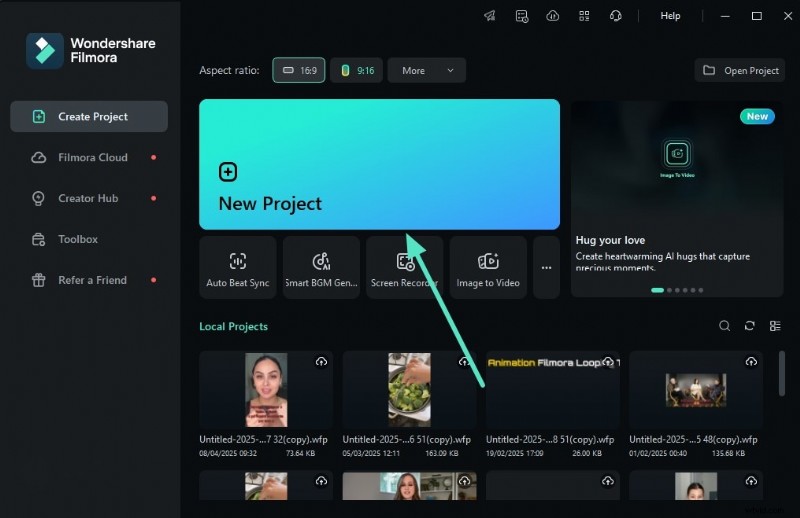
- Start a New Project
Open Filmora, click New Project, and import the audio file you want to use. Drag the file onto the timeline to begin editing.
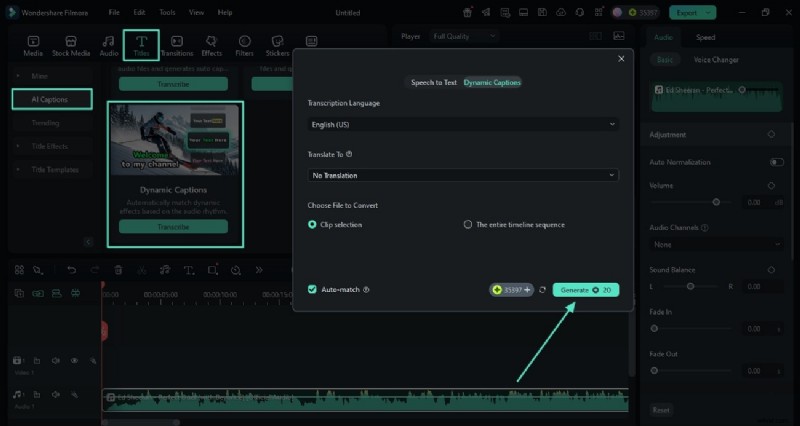
- Generate Dynamic Captions
Navigate to Titles > AI Captions, select Transcribe, choose the language of your track, and click Generate to produce synced lyrics.
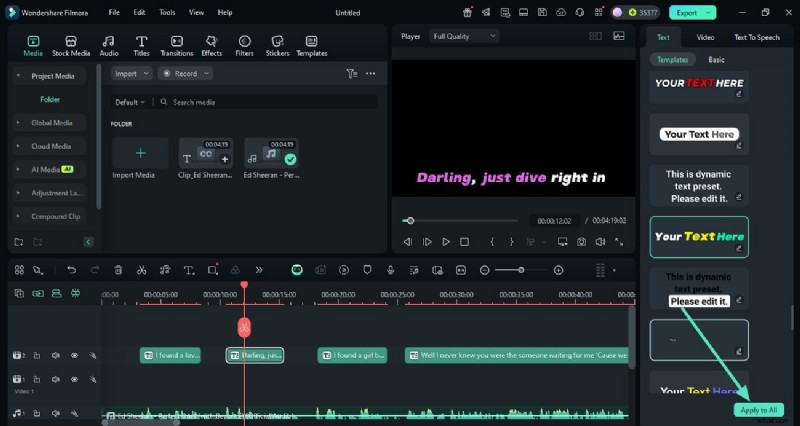
- Style Your Lyrics
From the left panel, choose a template and adjust font size, color, and other attributes. Apply the changes to all captions with Apply to All.
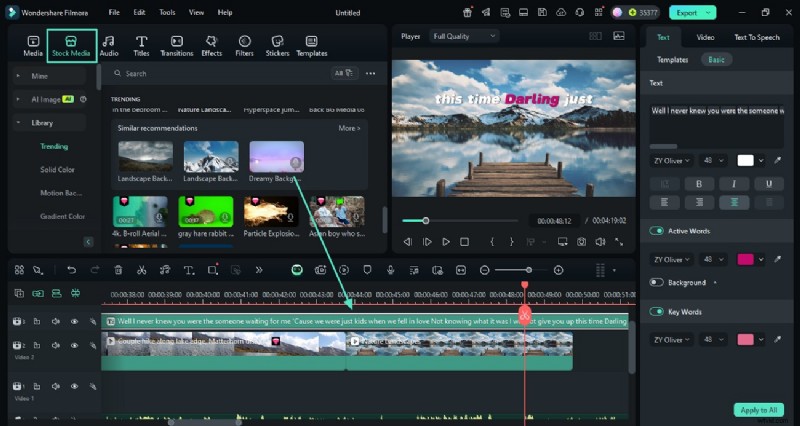
- Add Backgrounds
Use Stock Media to search for suitable background clips. Layer multiple clips to create a dynamic backdrop.
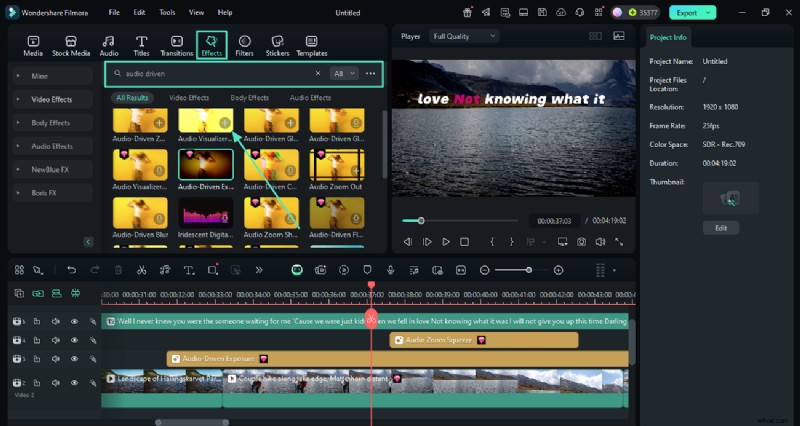
- Insert Audio‑Driven Effects
In Effects, find Audio Driven options and add them to sync visuals with the music.
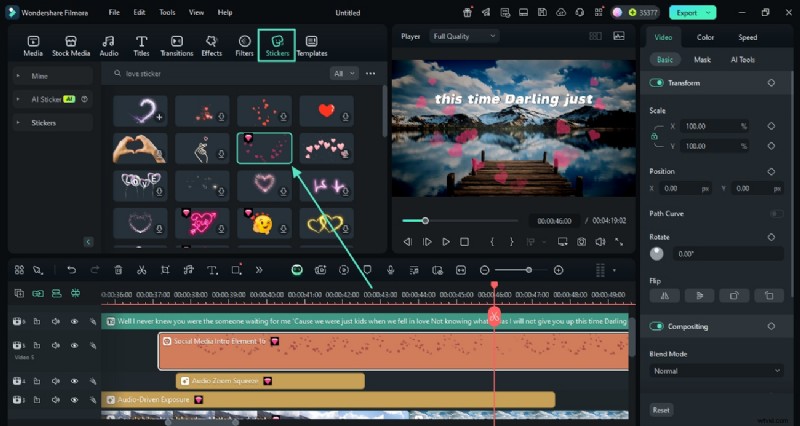
- Enhance with Stickers
Choose stickers from the library, then add them to the timeline for creative flair.
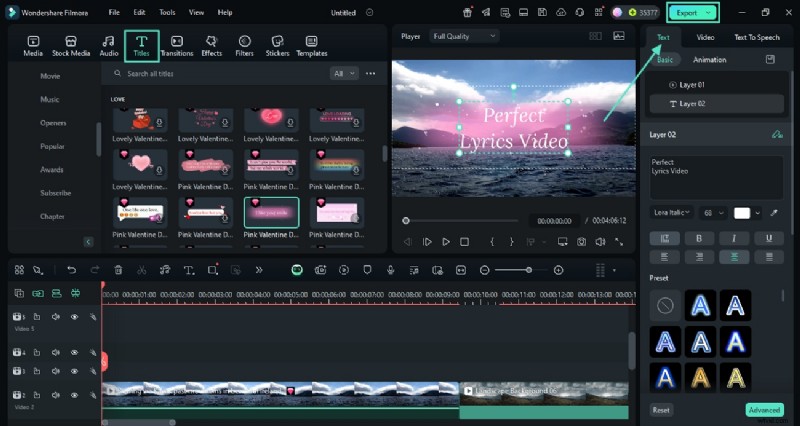
- Finalize and Export
Add a title from Titles, customize the text, then click Export to save the finished video.
Steps for Creating a Lyric Video From Your Phone
The Filmora mobile app (iOS/Android) offers a similar workflow, enabling on‑the‑go creation. Here’s how:
- Create a New Project
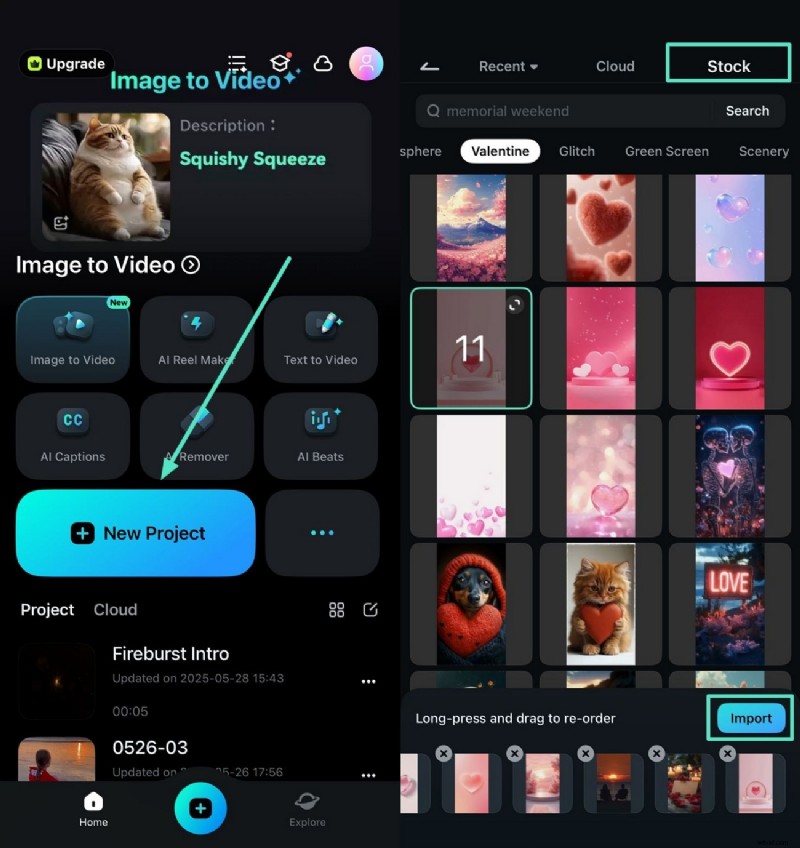
Open the app, tap New Project, select a stock background, and import it.
- Add Your Song Audio
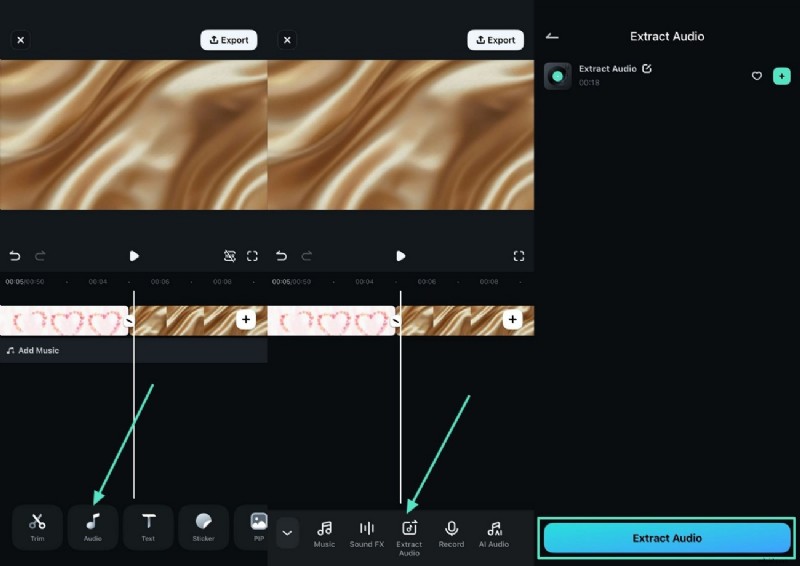
Tap Audio, choose Extract Audio from the background clip, then add the extracted track.
- Generate AI Captions
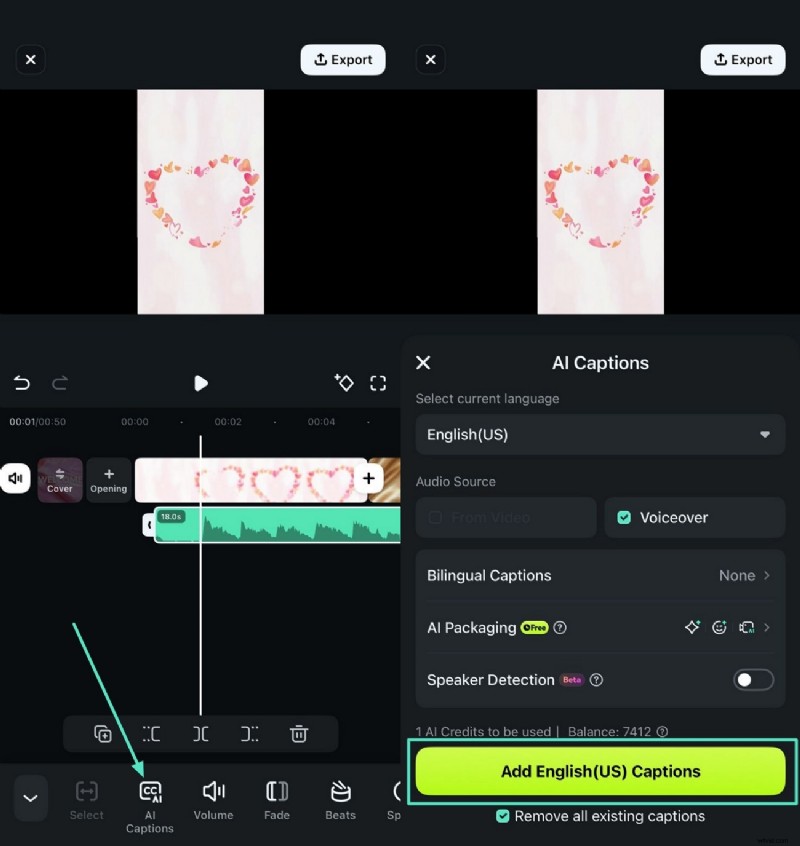
Tap AI Captions, set language and options, then add the generated captions.
- Stylize the Text
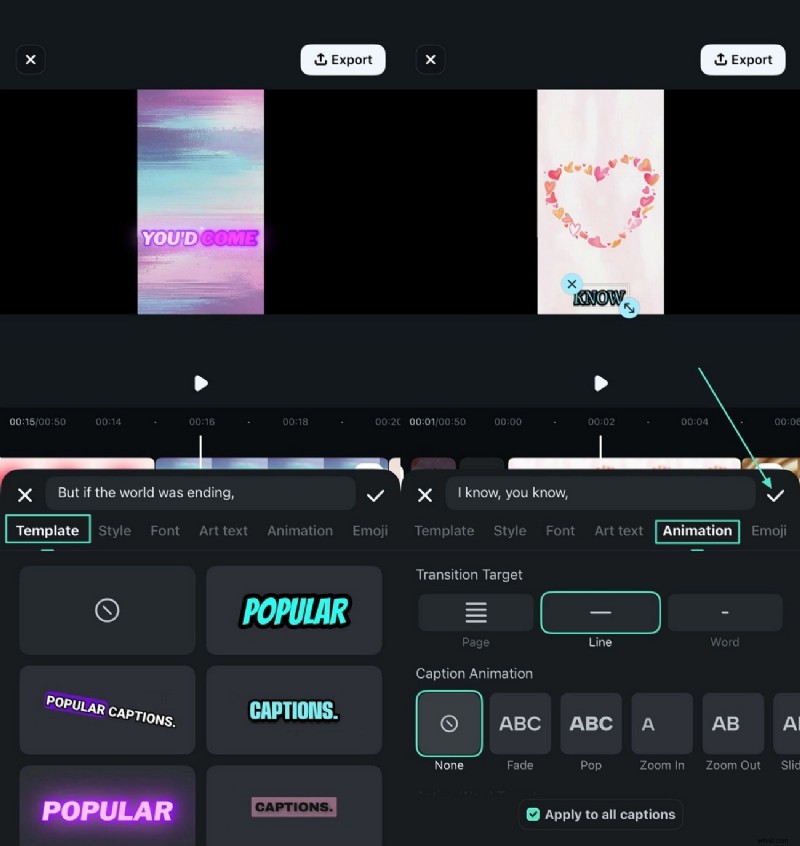
Tap the text track, choose a template and animation, then confirm.
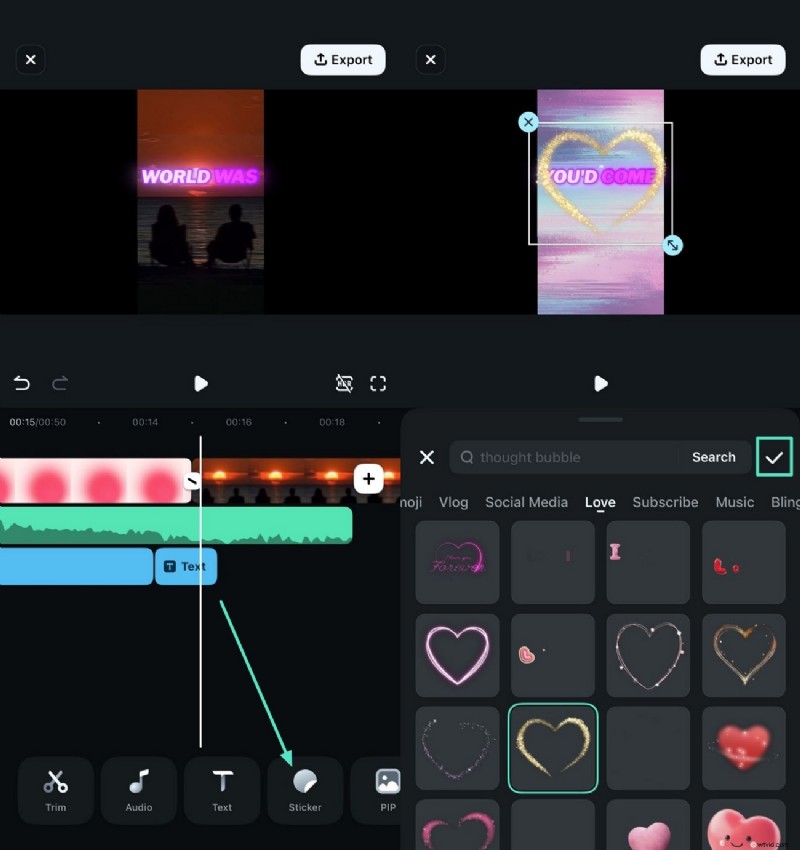
- Add Stickers
Use the Stickers icon to insert decorative elements.
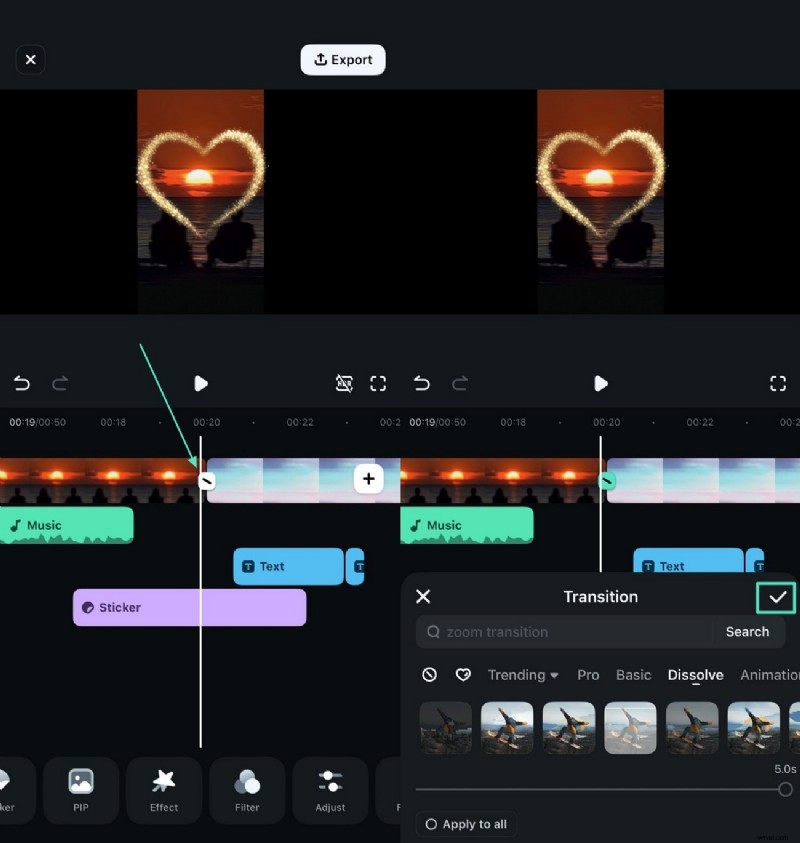
- Insert Transitions
Tap the transition icon between clips, select a style, and apply.
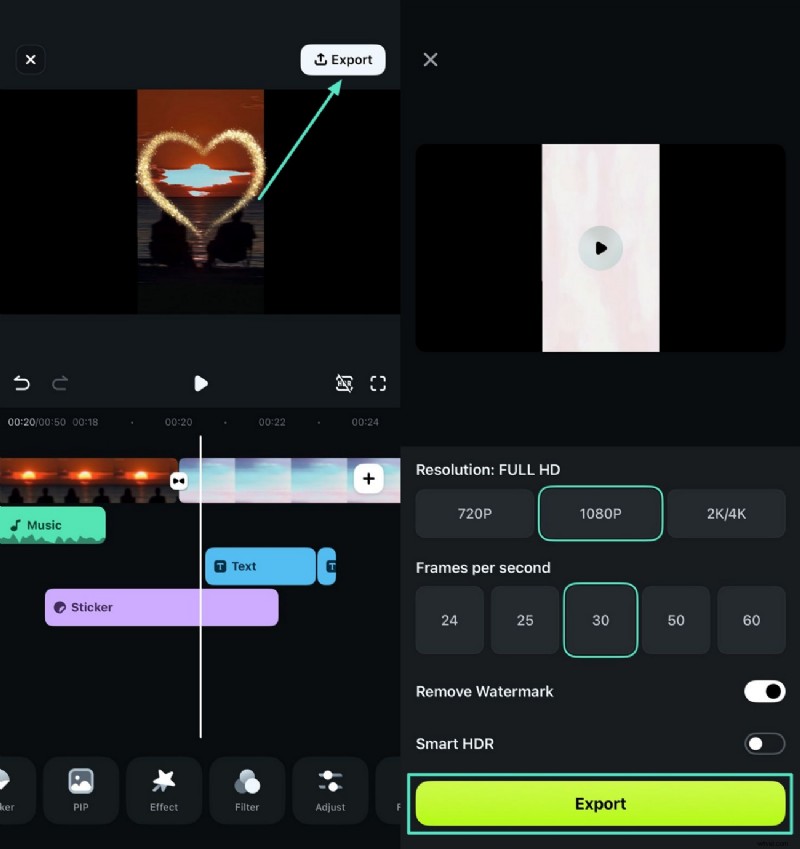
- Review and Export
Preview the video, then export using the Export button. Choose output settings and save to your device.
Part 3. Tips for Excelling in Lyric Video Production
- Sync Lyrics Precisely – Accurate timing enhances professionalism; AI tools can automate this process.
- Choose Readable Fonts – Select clear typefaces and contrasting colors that align with the video’s theme.
- Match Visuals to Song Mood – Use background graphics that reflect the song’s emotional tone.
- Keep Visuals Minimal – Avoid excessive animation that distracts from the lyrics.
Bonus Part: Publishing Your Lyric Video on YouTube
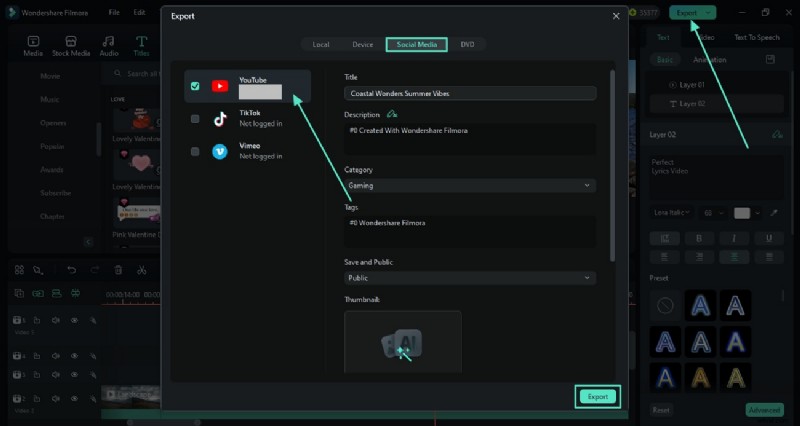
Filmora allows direct posting to YouTube. After clicking Export, enable the Social Media tab, select YouTube, configure your settings, and publish.
Conclusion
Lyric videos are an effective way to engage audiences and showcase your music. With Wondershare Filmora’s intuitive tools, you can create high‑quality lyric videos from both desktop and mobile devices, streamline production, and share your work on YouTube with confidence.