
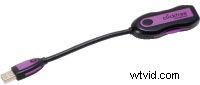
Transform with a Click
Even with current hard-drive technology, there is still a chance of the drive going bad. Sometimes a drive will last years while some fail within the first week. It is essential to keep a backup of important files. Losing your important data can result in many hours of work. There are many backup solutions out there, the most popular being a RAID or an external hard drive. The Clickfree Transformer is for those who use an external hard drive and don’t want the hassles of dealing with a complicated backup program.
How Does it Work?
The Clickfree Transformer performs as its name implies. Simply plug the device into a USB 2.0/1.1 port and Windows will automatically detect it. A window will pop up asking the user to plug an external hard drive into the device. Once an external drive has been plugged in, the Clickfree Transformer will begin scanning the computer’s hard drive for data to be backed up. If a backup has already been performed, only new files will be backed up. After scanning, the data will be copied to the external drive. When it is finished, the Clickfree Transformer program will display how much data was copied and what type of data it was. To restore any lost data, just plug the Clickfree Transformer and the correct drive into a computer and select the specific files that need to be restored. By default, the device backs up photos, music, emails, text and office files, images, videos and favorites. The user can specify any other file types wanted to be used in the backup. This is not a full hard-drive backup – if a hard drive crashes, the user will have to set up Windows and programs again.
Should I Buy This?
The Clickfree Transformer is essentially a backup program that requires no install and can be used on multiple computers. The emphasis of this product is ease of use. Other backup programs cost around the same price and require more effort and computer knowledge to use. This device is not a solution for a full hard-drive backup. But, if you want to be able to back up all your media with minimal effort, this is the best solution.
TECH SPECS
OS: Windows Vista, XP, or 2000 Interface USB 2.0 and 1.1 compliant
Weight: 1.1oz
Warranty: 1 year limited warranty
Strengths
- Easy to use
- No setup required
Weaknesses
- None significant
SUMMARY
The Clickfree Transformer easily backs up all your media without effort and costs the same as other more complicated backup products.
Lance Olinger is Videomaker‘s I.T. Assistant .
Storage Appliance Corporation
115-30 West Beaver Creek Rd.
Richmond Hill, ON L4B 3K1
Canada
www.clickfree.com
Price: $60