
REC

Recommended: Video Production, Editing & Gear Maintenance Guide

 WTVID >> WTVID >  >> video >> Video clip

Corel Launches MediaOne Plus: 50% Faster Startup and Cataloging Than Snapfire

Corel Launches MediaOne Plus: 50% Faster Startup and Cataloging Than Snapfire

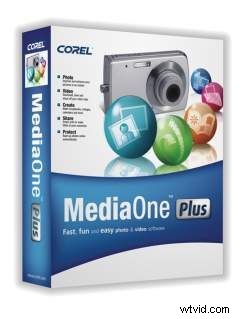
Corel announced today the new MediaOne Plus software, touting 50% faster start-up and cataloging speed compared to the Snapfire Plus software it replaces. The MediaOne line-up looks to be step in the right direction from Snapfire, adding more tools and features, including an improved video editing mode. The software comes in two flavors: MediaOne Starter (free) and MediaOne Plus ($49.95). The MediaOne Plus version basically adds more templates and the ability to burn to DVD. As far as MediaOne Plus is concerned, we think most video enthusiasts will find more joy using one of the more robust Corel titles. But, for consumers looking to actually do something with all those video clips and photos sitting around on their hard drive, MediaOne Starter's free download makes perfect sense.


  1. Ulead VideoStudio 11 Plus: Expert Review of Powerful Video Editing Software

  2. Best M4A Splitter Software: Split M4A Audio Files Effortlessly & Professionally

  3. 10 Expert Tips to Edit Videos Faster and Boost Your Workflow

  4. Fstoppers' In-Depth Review: Movavi Video Editor 14 Plus – User-Friendly Alternative to Adobe & Apple

  5. Getting Started with OBS Studio: Complete Beginner's Guide

Video clip
  1. Corel VideoStudio Pro X2 Review: Powerful, User-Friendly Video Editing Software

  2. Beginner's Guide to Free Video Editing Software: Easy Steps to Get Started

  3. MAGIX Movie Edit Pro 17 Plus Review: Powerful, Affordable Video Editing Software

  4. 10 Expert Tips to Edit Videos Faster in Adobe Premiere Pro

  5. Expert Review: Corel AfterShot Pro 3 – Powerful, Efficient Photo Editing Software

  6. Corel AfterShot Pro 3 Review: Powerful RAW Photo Editing for Professionals

  7. How to Stream on Twitch Using Your Filmmaking Camera: Complete Beginner's Guide

  8. Master Pancake Timelines: Supercharge Your Video Editing Workflow in Premiere Pro