
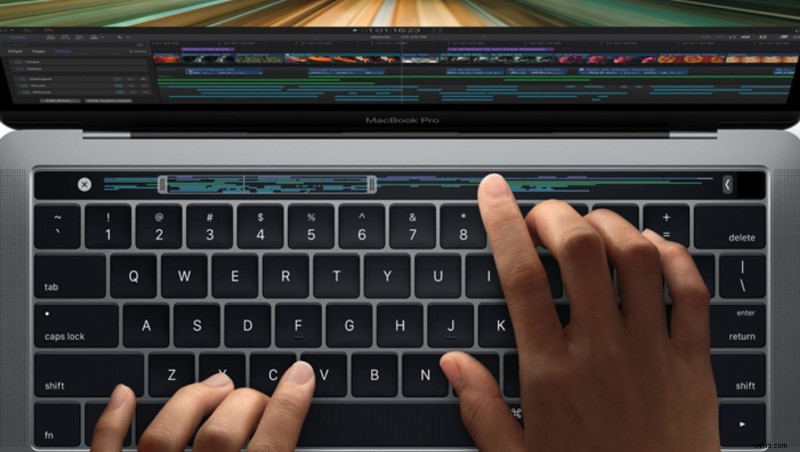
The new MacBook Pro's release has stirred the Internet with a mix of positive and negative reactions. We've seen praising and hating. We've seen reviews claiming faulty ports, cables, and adaptors. We've seen the fancy videos. However, there are still few real-life experience reviews from working pros. Here's one of them. It's quite intriguing.
Thomas Grove Carter, from video cutting studio Trim Editing, had a chance to work with the new MacBook Pro on high-resolution footage. Like many of us, he's been skeptical about the Touch Bar, USB-C Thunderbolt 3 ports, and other new features. Still, he decided to give it a try in his daily workflow.
The Setup
Although the exact specs of the MacBook Pro are not mentioned, Carter says he's cutting 5K ProRes videos with Final Cut Pro X. He has external Samsung T3 SSDs attached via USB-C and also two 5K external displays. While other users claim the MacBook Pro suffers from Wi-Fi and performance issues, he says working on the machine is "buttery smooth."
He's even incorporated the Touch Bar into his workflow, replacing some keyboard shortcuts, and says the new toy could be very productive. Examples of usage he gives are trimming shortcuts when in the appropriate context and changing between font or color options, etc.
What About the Newest Windows Machines?
Carter claims there's something extraordinary in the software plus hardware combination in the new MacBook Pros, that it completely tear strips off the currently superior spec'd Windows machines. His points out that old software may not utilize the new hardware which may lead to not-so-great performance results.
Conclusion
Honestly, I've been quite disappointed from the new MacBook Pros, but having more reviews from working pros could be of great help to make the right purchase decision. Although the review sounds optimistic, it doesn't give answers as to whether or not other setups would give the same or even better performance. What about other attached devices such as graphic tablets, NAS devices, and different external displays? Using Apple's Final Cut Pro X obviously helped utilize the new hardware to its fullest potential, but what if we use other available video editing applications? Are there issues with Premiere Pro, Photoshop, Lightroom, or Capture One? What about tethering?
Although I am not yet fully convinced, this review made me slightly more optimistic, and I'm looking forward to more reviews like this one.
[via Huffington Post UK]