
You have videos and now you're ready to share with the world! Here are the 5 most popular video sharing sites where you can upload your videos, along with an introduction to Wondershare Filmora Video Editor, which allows you to edit and format videos for optimized sharing.
Recommended Video Editing Software for All Creators: Wondershare Filmora
There are plenty of filters, transitions, overlays, titles presets, audio sounds, effects and elements available in Filmora. Editing videos in Filmora is easy because of the intuitive interface, watch the video below and get some ideas about how to edit videos in Filmora.
Check the more detailed information about How to Edit Videos >>
1YouTube

Approaching its decade anniversary, YouTube is far and away the world's most popular video sharing website, with over 1 billion unique visitors each month. YouTube hosts millions of videos, movies and clips, created professionally and by amateurs. YouTube does not allow pornography or sexually explicit content, violent content primarily intended to be shocking, hateful or dangerous content, threats, or material that is subject to copyright.
- Video formats accepted: almost any format
- Resolution required: all, including new 1440p and 2160p (or 4K)
- File size limitation: 15 minute max default, longer videos may be uploaded with account verification
- Regions & countries: localized for 76 languages
Check the Complete YouTube Video Editing Guide, which including the tutorials for YouTube Video Editor and alternatives to YouTube Video Editor and the Video Editing Tips.
2Vimeo

Vimeo is primarily used by professionals to showcase their work, including bands, artists and designers, and professionals in television, film and advertising. Vimeo has the same restrictions on content as YouTube, and also does not allow members to upload content that is not “theirs” (although professional users may upload content created by others for which they have specific permission).
- Video formats accepted: almost any format
- Resolution required: 1080p maximum
- File size limitation: Basic members have a limit of 500MB/week, with max video size of 500MB; Plus members have limits of 5GB/5GB
- Regions & countries: localized for English, Spanish, French and German
3 Dailymotion

Dailymotion is a French site that allows users to upload and share videos, and includes robust tagging, channel and group-creation systems. Content restrictions are similar to YouTube.
- Video formats accepted: almost any format
- Resolution required: 1080p maximum
- File size limitation: 4.1GB/60 minutes
- Regions & countries: localized for 35 countries and 18 languages
4 Metacafe

Metacafe hosts video gameplay vids, sports clips, music, movies and television episodes, and does not allow duplicate content. Metacafe is unique because users are paid directly for popular videos. After reaching a 20,000 view threshold, each additional 1,000 views earns a $5 payment.
- Video formats accepted: MPEG, MOV, WMV, AVI, MP4, 3GP, QT
- Resolution required: 1080p maximum
- File size limitation: 10 minutes
- Regions & countries: English localization only
5 Flickr

Flickr earned fame as an image sharing site, but it has also become one of the most popular services for sharing short videos. Because of the file size restrictions, Flickr is optimized for very short videos, including gameplay vids, personal videos and more.
- Video formats accepted: almost any format
- Resolution required: 1080p maximum
- File size limitation: 1GB/3 minutes
- Regions & countries: localized for 10 languages
Optimizing Video Sharing with Wondershare Filmora Video Editor
Sharing to the full range of online sites can be difficult because the specifications for each are different. Your video might be too long for some sites, or the file size too large. Your video format may not be supported. The solution: Wondershare Filmora Video Editor.
Filmora Video Editor is simple to use, powerful and free to try. With Filmora you can cut, edit, merge and trim clips. Add music and text. Apply special effects. Convert formats. Fully customize your video and even create a professional-looking movie in minutes. After editing, you can upload your video to YouTube and Vimeo directly without exporting the video to .mp4 first.
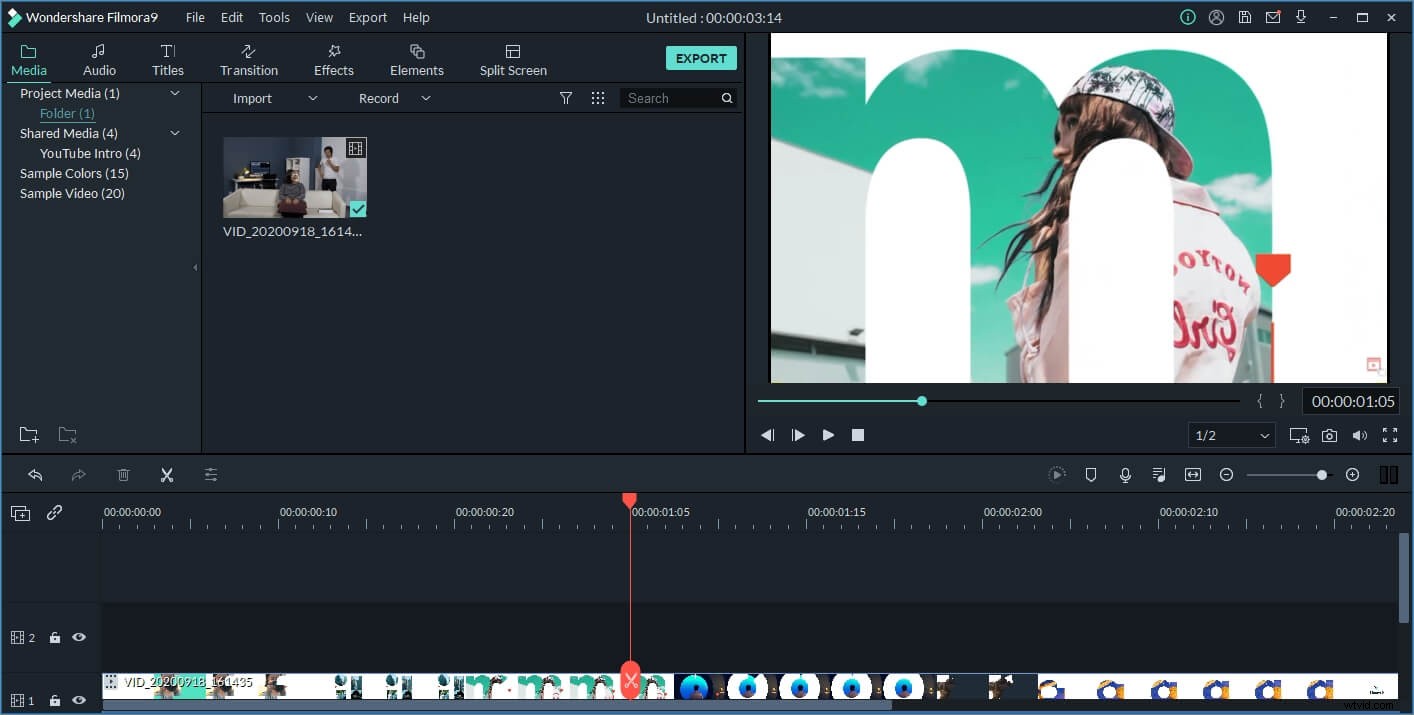
Filmora Video Editor combines powerful capabilities with a user-friendly interface that is easy to learn and fast to use. It's versatile enough that advanced users can explore sophisticated editing and customization techniques to make each video unique, and simple enough that Mom and Dad can just adjust videos to meet individual sharing site specifications.
The full universe of online uploading and sharing is open to your videos with Wondershare Filmora Video Editor. Visit the Filmora website to try it for free and to learn more about the possibilities. Or download a free trial below.