
Why use a color match app?
Making a project requires using different cameras. The variety of cameras can differ not only in brands but also in their specifications. The same scene shot from different cameras results in a color difference, which puts the audience off. But, lucky for us, color match apps are now available to provide an easy fix. You can sync the color of two shots by using these color match apps. Color match tools can also make shots captured at different places or time look very similar and produce a consistent look.
Moreover, sometimes you wish to match your video's color to a reference shot from a famous movie like 'Joker.' The extraordinary visuals in this movie must've made you want to copy the same to your video. And to cater to this need, color matcher apps were built; believe it or not; they are incredibly easy to use.
How does a color match app work?
You must be wondering how this magic comes into play. The advancements in technology have brought the color matcher technique to even the most novice video makers. Various color match apps are now available for free use and offer color match tool, which is a click away. Yes, one-click is all it takes. The color match app takes it upon itself to make the necessary adjustments. All you have to do is select the reference and target clip and click the color match.
You might need to make a few color corrections before you sync colors, but that is optional.
Best Color Match Apps to Color Match Videos for Windows and Mac
Here is a list of some of the most advanced yet easy apps to match the color. Whether you are a Windows user or a Mac lover, one of these apps will fit your requirements and your likings very well.
- 1. Wondershare Filmora
- 2. Adobe Premiere Pro
- 3. PowerDirector
- 4. Final Cut Pro X
- 5. Adobe Photoshop
- 6. Sony Vegas Pro
1. Wondershare Filmora
Wondershare Filmora takes the lead as one of the most outstanding video editors. It is famous for its user-friendly intuitive interface. The latest version, Filmora X, is specially designed for quick yet professional scale editing. Pre-set animations and templates make it incredibly easy for novice editors to create Hollywood-style effects in their videos. Audio ducking, motion graphics, and keyframing are some of the cool features of Filmora X.
Filmora X is frequently used as a color match app owing to its ease. If you want to match color from one scene to all the others, Filmora X has got you covered. Just press Color Match and watch the magic as the videos are color matched accurately.
Follow these steps to copy color from one video to another.
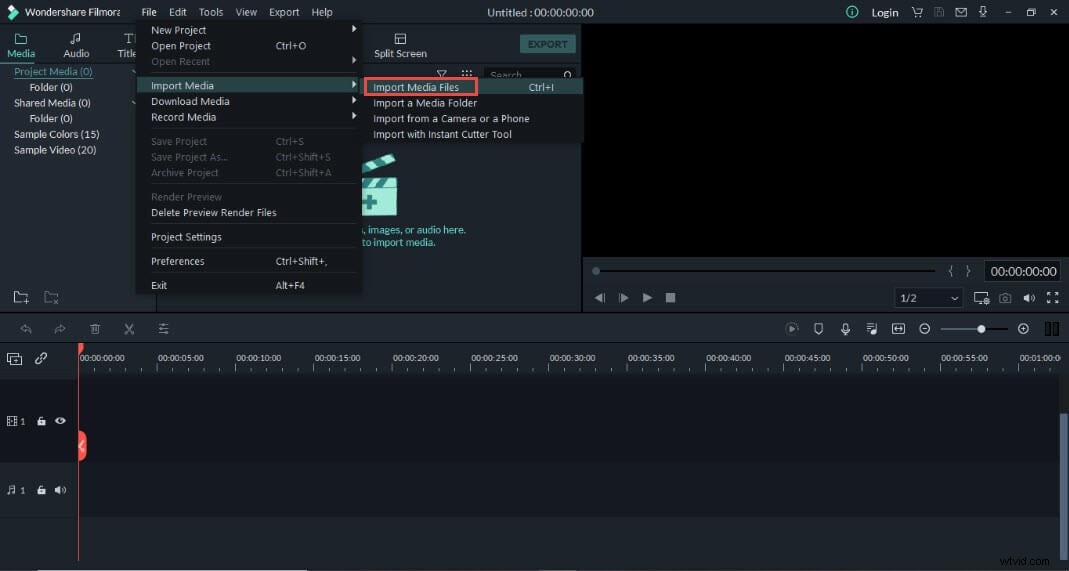
1. Install and launch Filmora. Press Files and tap Import Media Files.
2. Drag and drop the videos to the timeline. Move the playback head to the video you want to use as a target.
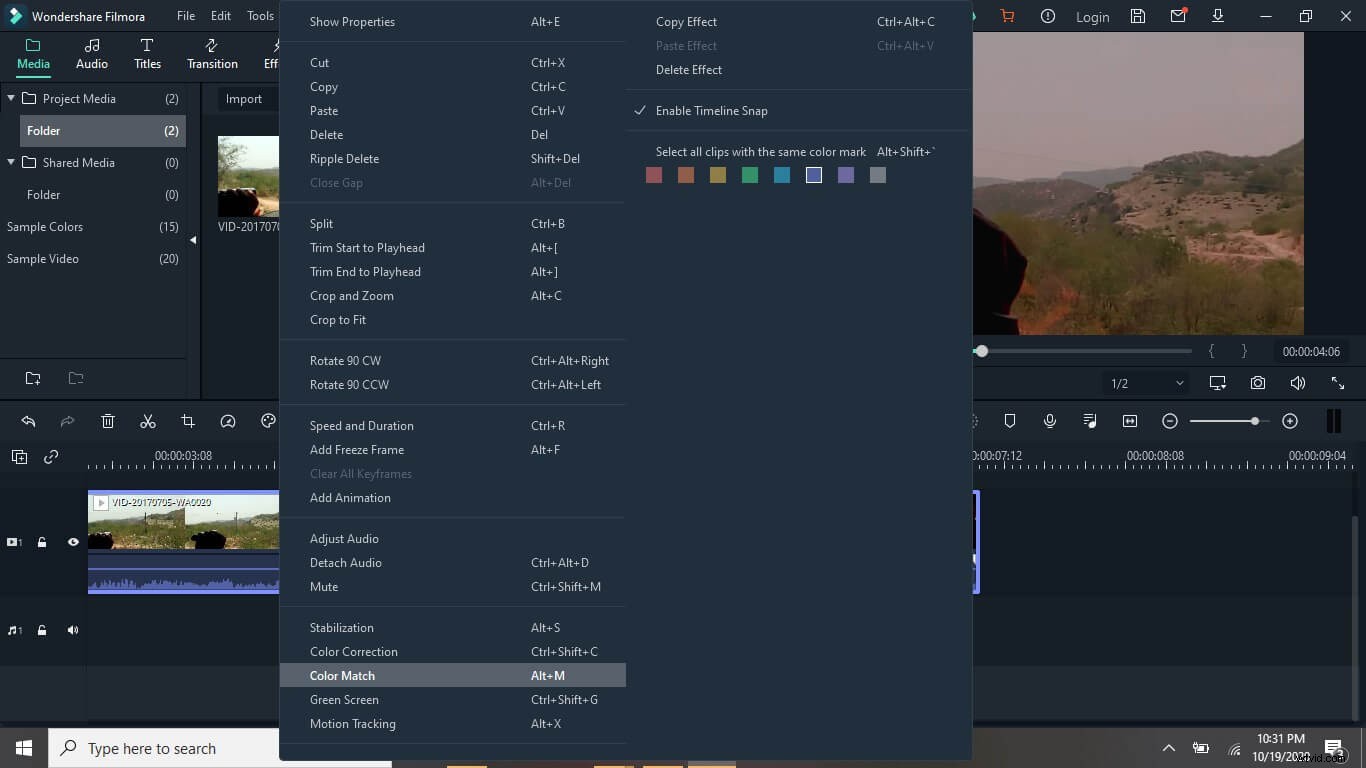
3. Select the videos on the timeline and right-click—tap Color Match. Or press the Color Match icon above the timeline.
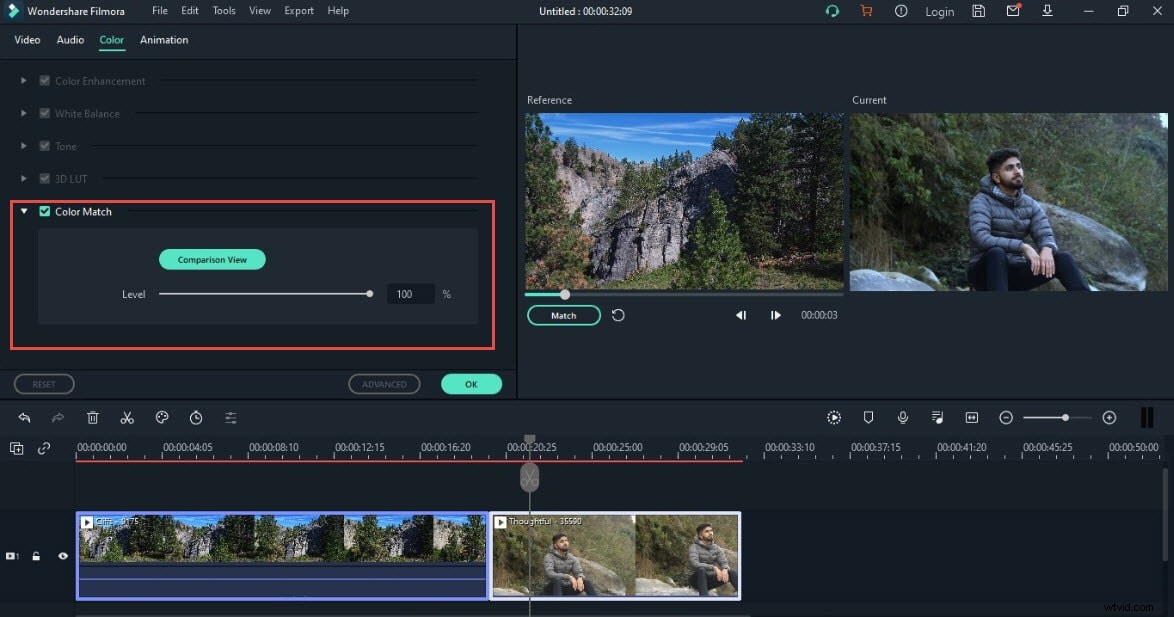
4. Select the exact point in the video you want to use as a reference and press Match.
2. Adobe Premiere Pro
The all-in-one video editor, Adobe Premiere Pro, is amongst the best color match apps. Not playing favorites, but Adobe takes the lead with its advanced features such as automatic reformat to the desired frame, Lumetri color tools, and other special effects.
Well, the steps to match the color of two footages are fairly straightforward in Adobe.
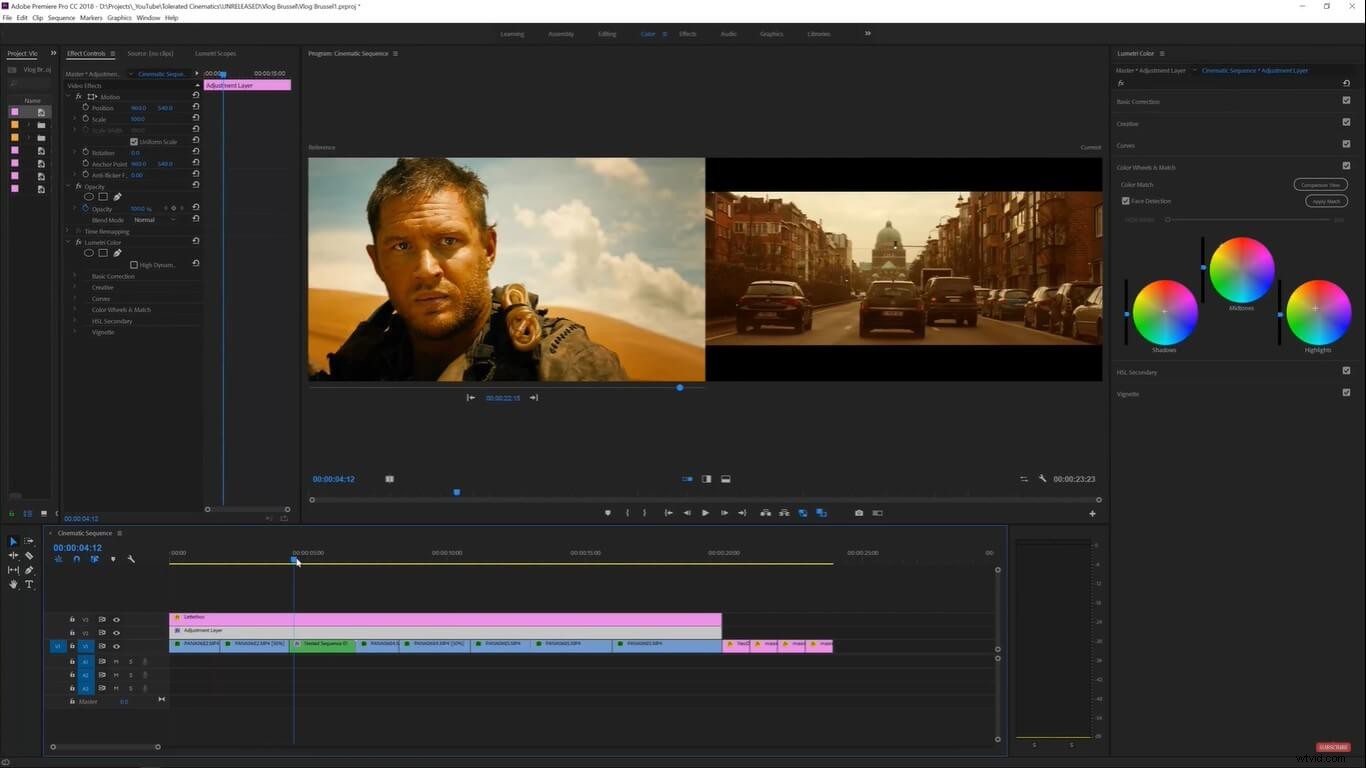
1. First of all, you need to drag your target footage to the timeline, followed by the reference footage.
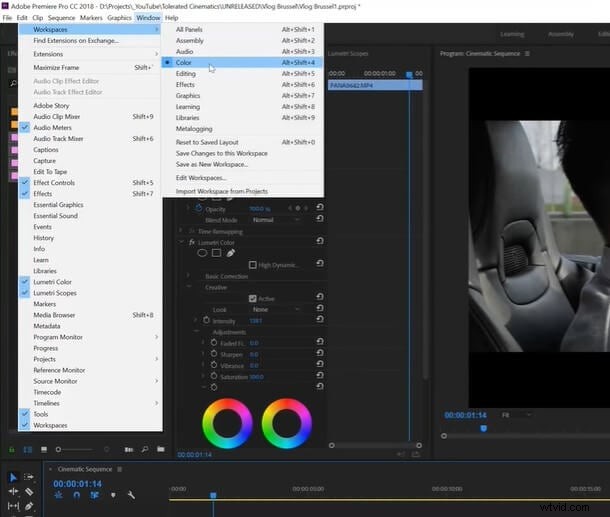
2. Next, click the Window tab at the top. Tick the LumetriColor or select color in the Workspaces tab.
3. Now the Lumetri color options will appear on the right panel. In the ColorWheelsandMatch tab, select the Comparison view, so the target and reference footage are displayed side by side.
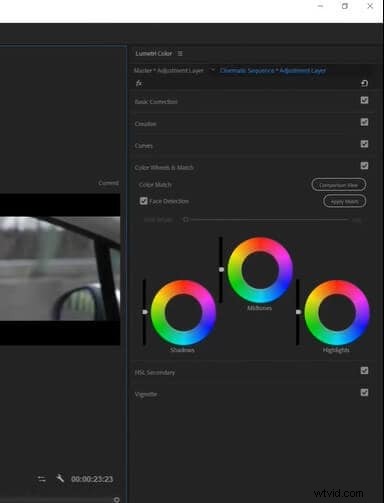
4. Add a new adjustment layer on the timeline, and click on ApplyMatch. Your target shot will be instantly transformed and will look like a scene from your favorite reference movie selected.
3. PowerDirector
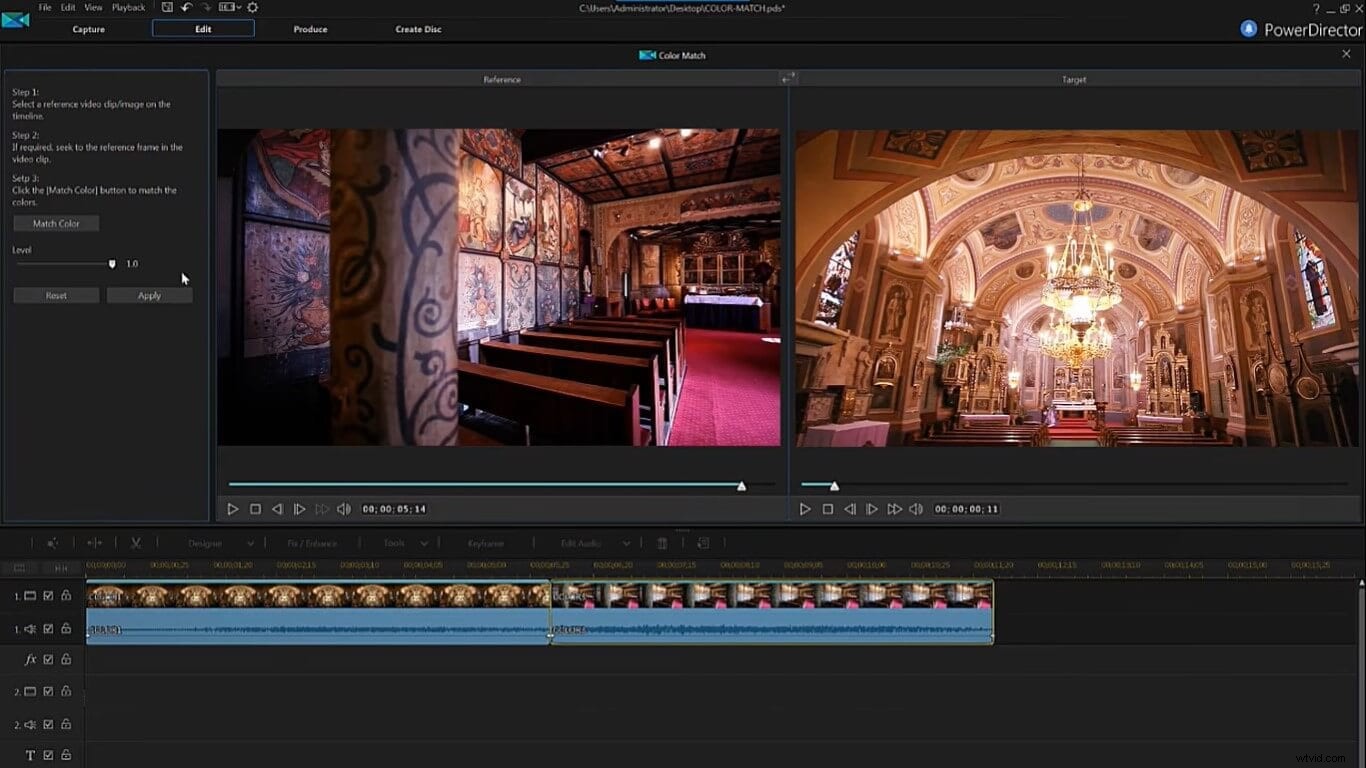
I have frequently used Cyberlink's PowerDirector as a color match app. Apart from the color match tool, PowerDirector offers a range of other advanced editing tools. Chroma key, customizable animated texts, LUT presets, slow-mo or freeze-frame are just a few cool features. You should download the free version to experience more tools. But its coolest feature is the color match tool.
1. Install and launch PowerDirector in Timeline mode. After importing the target and reference videos to the library, drag and drop them to the timeline.
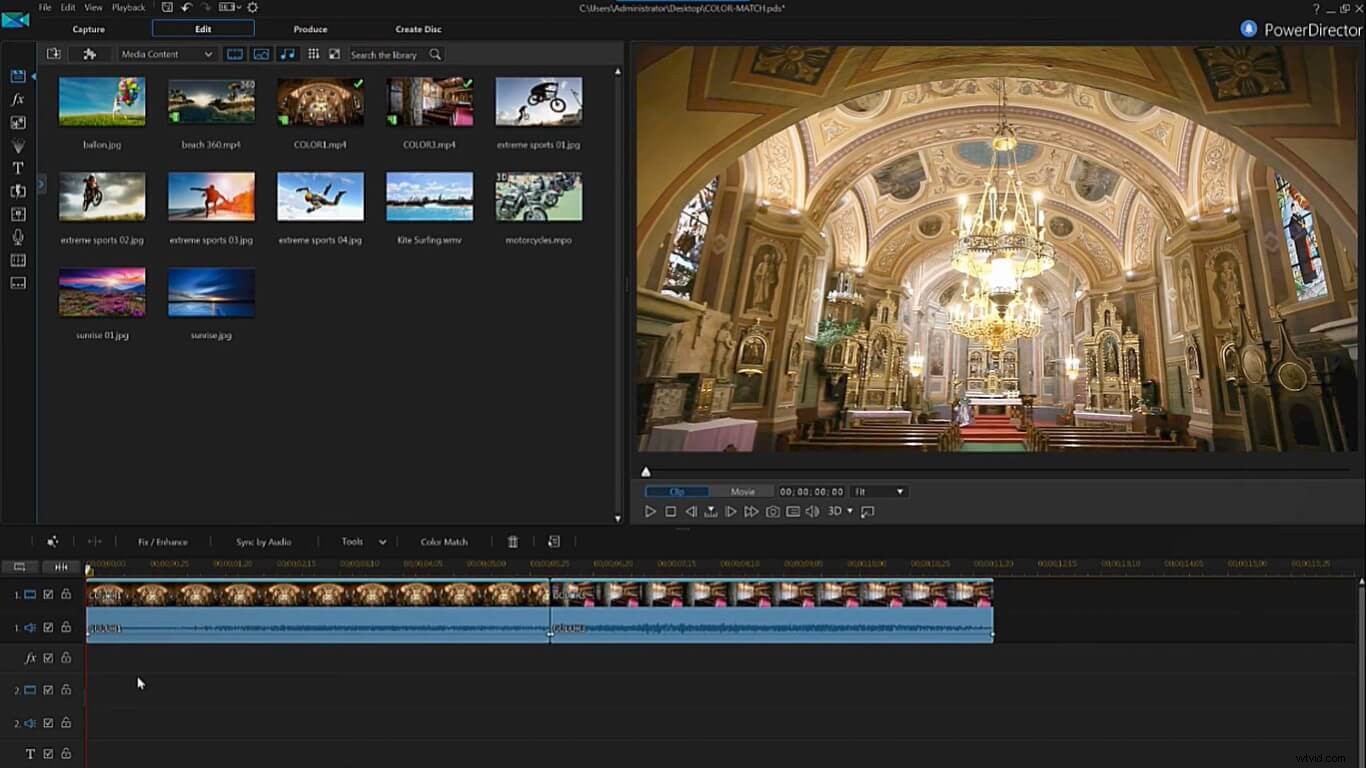
2. Click on the first video, tap on Fix/Enhance, tick the ColorMatch checkbox, and press ColorMatch.
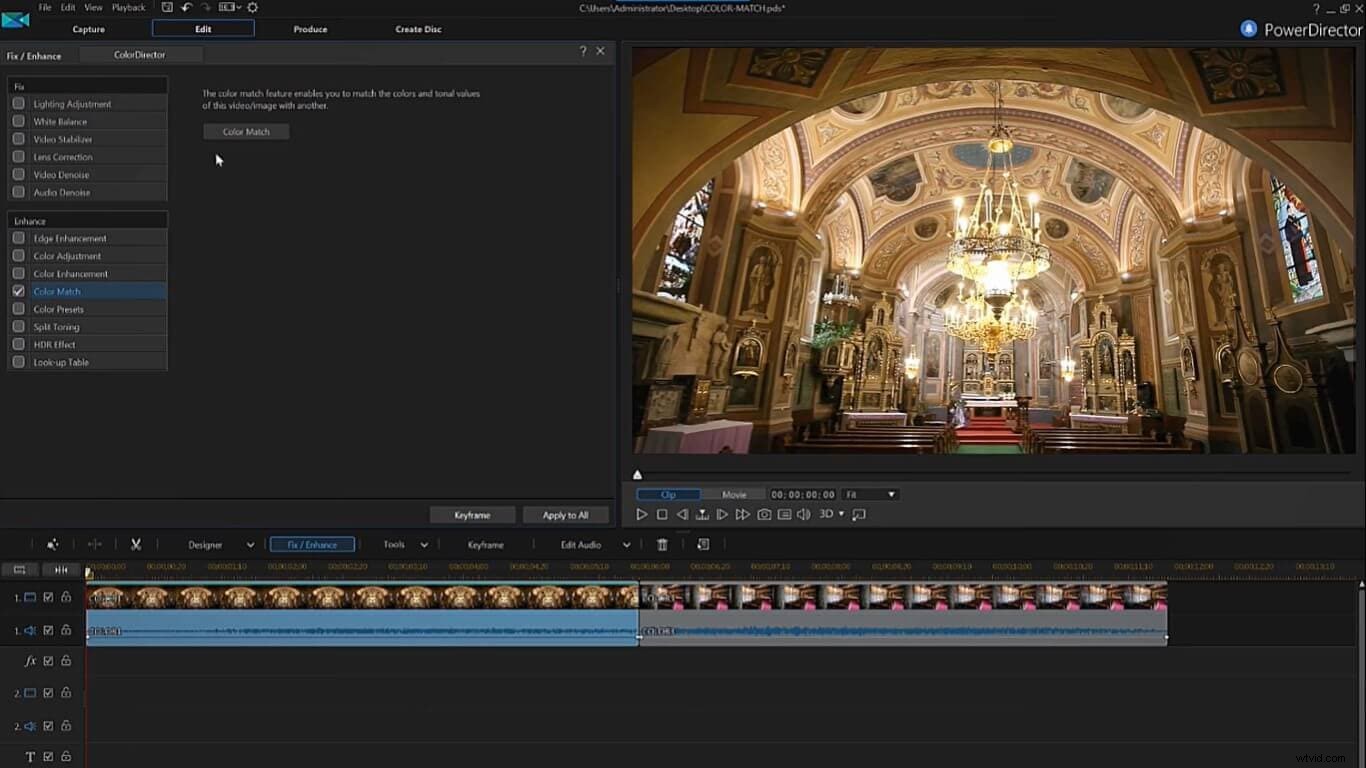
3. The first video will appear on the right as a target video. Then click on the second video in the timeline, so it appears in the left reference section. If you mess up the order, you can always swap the video's position by clicking the swap button on the viewer panel's mid-top. Now click MatchColor, which will instantly sync the color of the target video to the reference. Finally, click Apply to finish and preview your edited video.
4. Final Cut Pro X
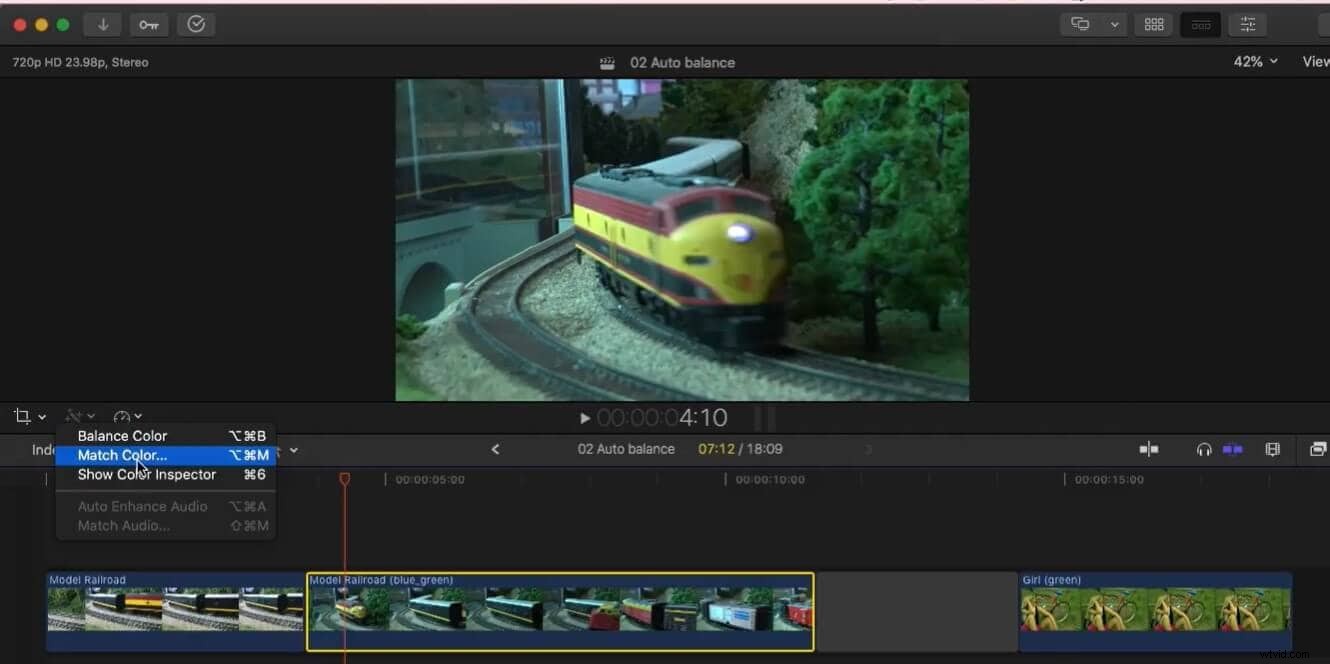
Another top of the list video editor you can use as a color match app is Final Cut Pro X. However, this app is restricted to Mac devices only. You can easily adjust color correction and grading due to its intuitive interface. Better yet, you can transform your raw footages into enhanced, visually appealing videos for the bigger screen. Final Cut Pro X also auto-adjusts the frame sizes according to the social media standards (Almost as if it read your mind, right?)
1. Open Final Cut Pro X on your Mac. Add the two videos to your timeline. Now click on the target video in the timeline and tap on the magic wand icon above the timeline. Select MatchColor.
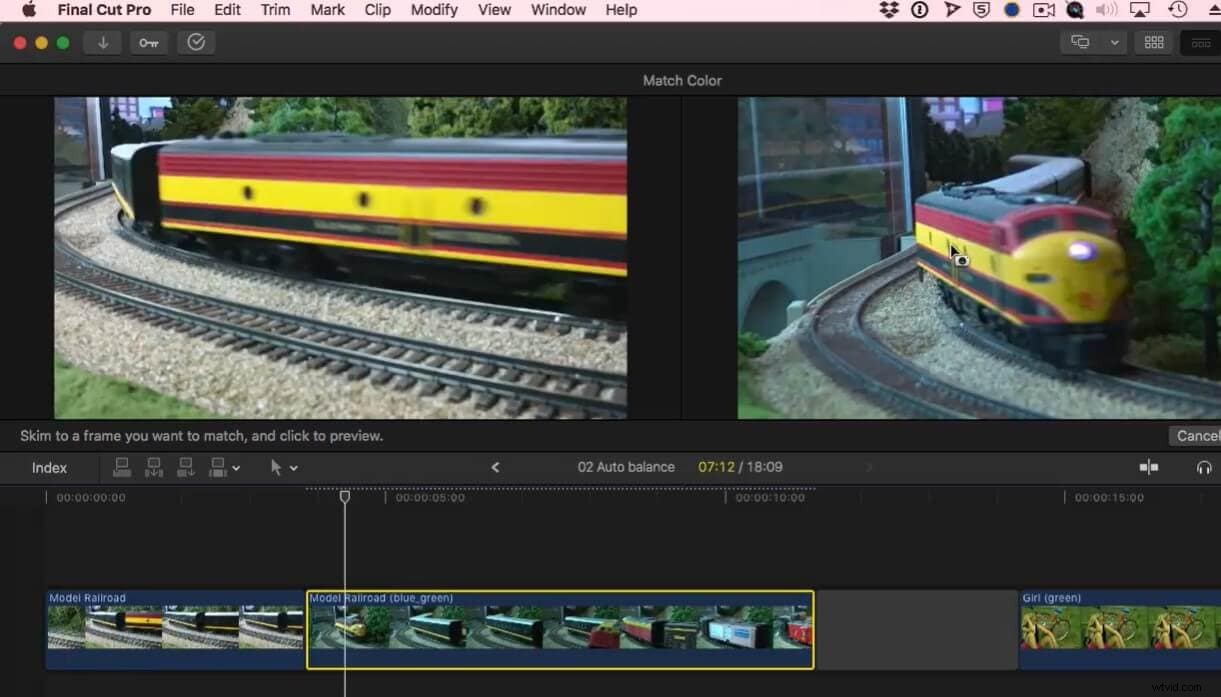
2. In the reference video, select the frame you wish to match color from and click it. You will see the color matcher tool take effect in the viewer panel. Once you are satisfied, click ApplyMatch, and it is done.
5. Adobe Photoshop
Adobe Photoshop is yet another editor offering the color match tool. Use Photoshop on your desktop as well as on the iPad. Bring your imagination to life by editing and enhancing the audio and video of your footage. Multiple overlays and Pattern Fill Layers can be used to adjust pattern orientations. Add composite, mask, or change colors to achieve a stunning cinematic look.
Let me show you how you can use the color matcher technique in Photoshop.
1. Open Photoshop and click on File to Open the image or images to wish to color Match.
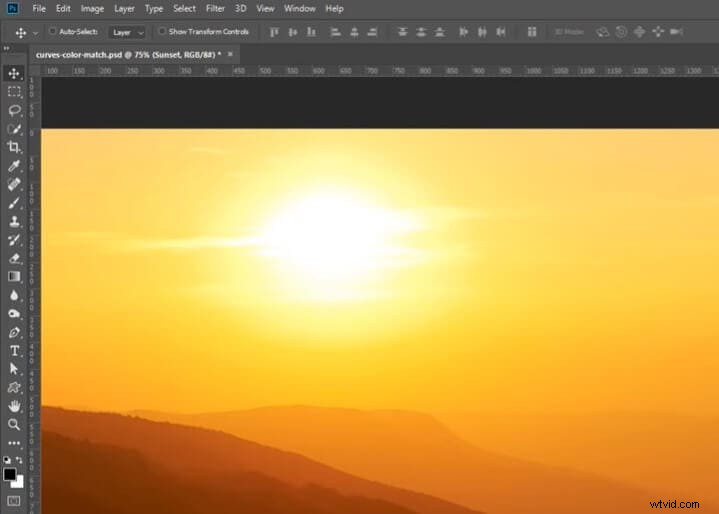
2. On the bottom right corner, click on the Ball icon and tap Curves to create an adjustment level.
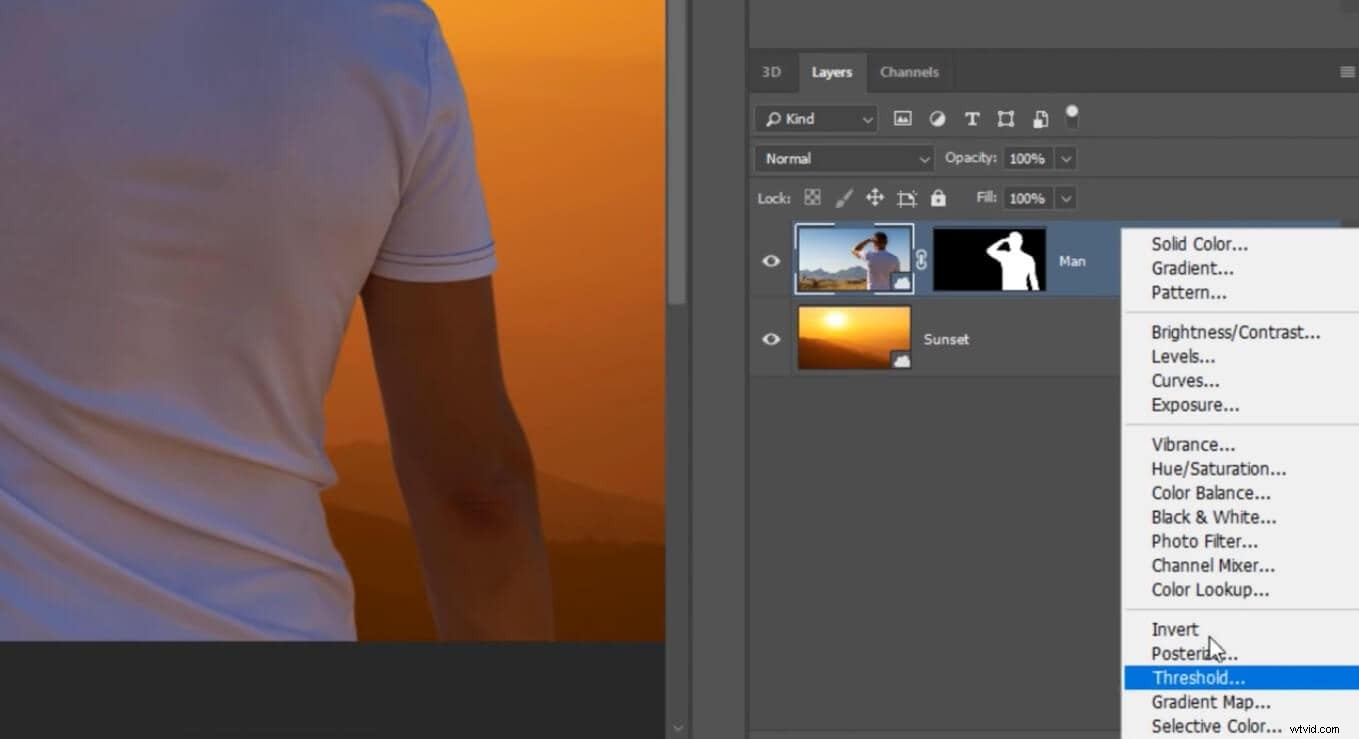
3. Then press Ctrl-Alt-G to make a clipping mask.
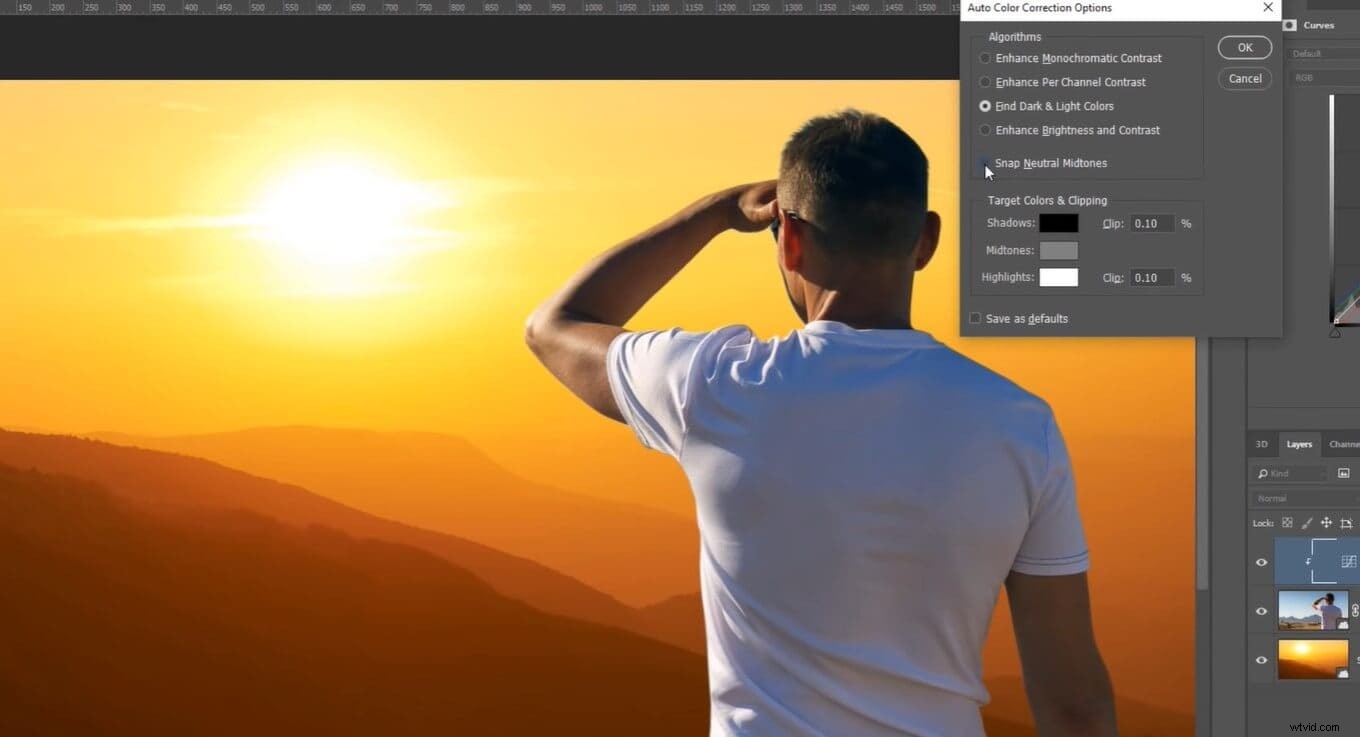
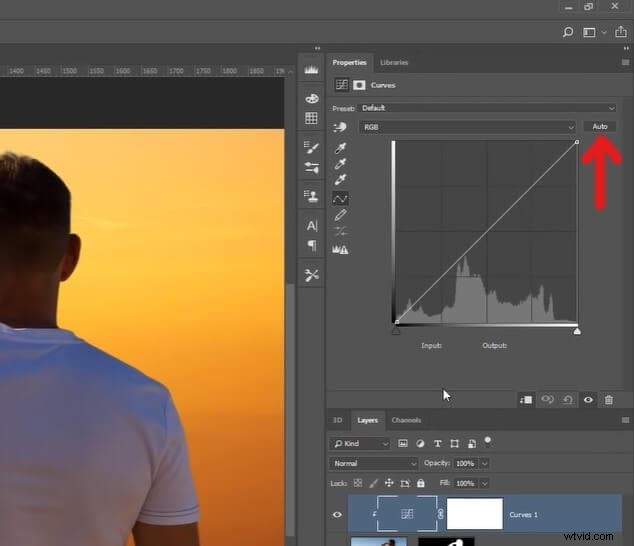
4. Press Alt and click Auto.
5. Select FindLight & Dark Colors to deselect Snap Neutral Midtones.
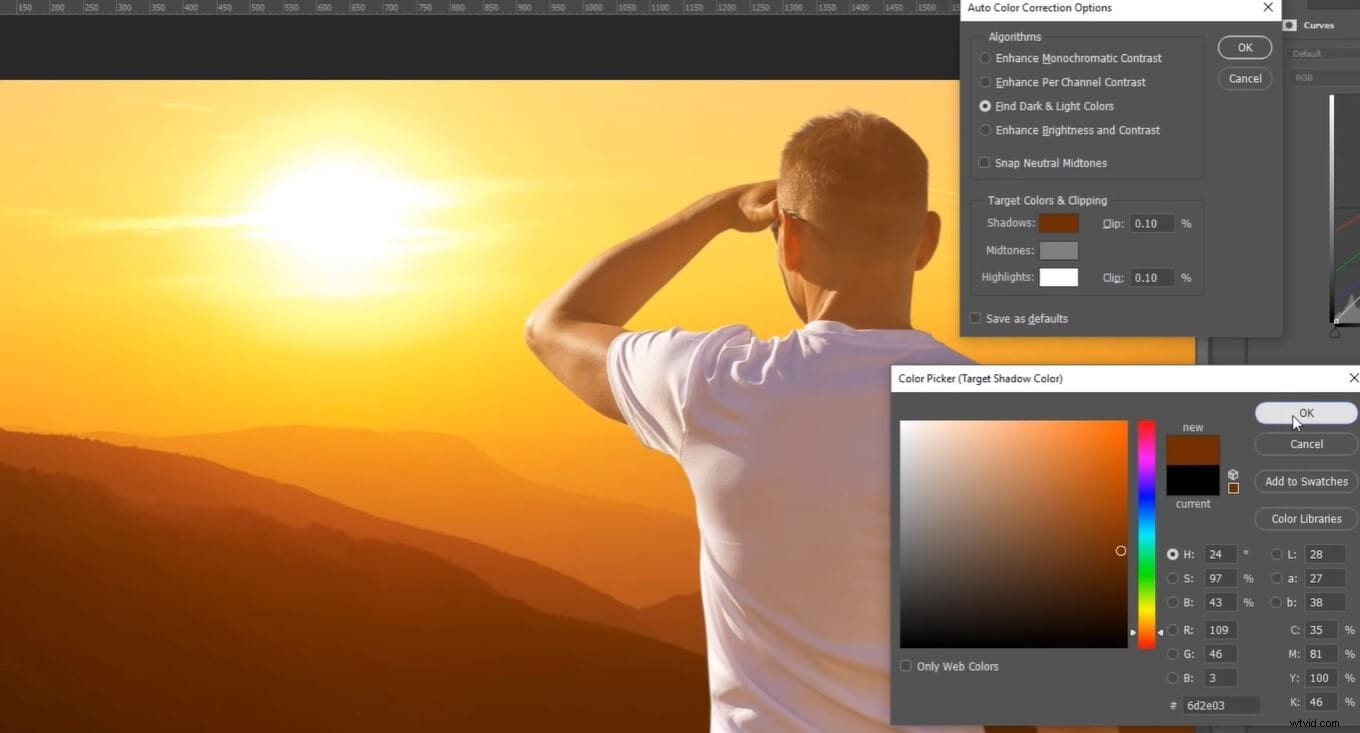
6. Now click on Shadows, click on the darkest color in the target image or background, click Highlights, select the lightest shade, and press Ok. Ta-da! Color match achieved.
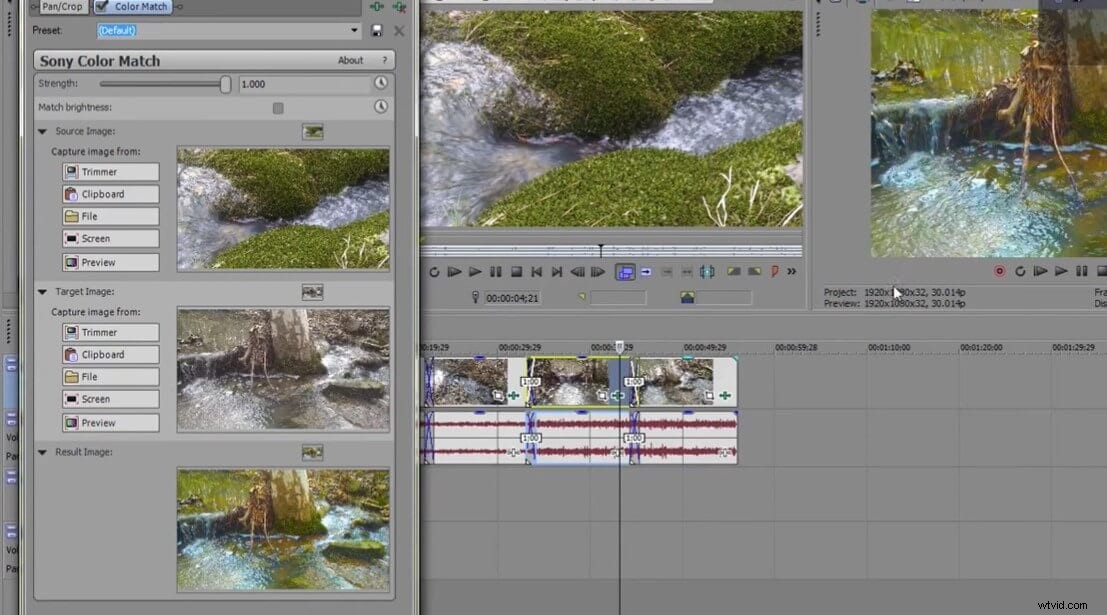
6. Sony Vegas Pro
Now you can push the boundaries of your creativity with this color match app. Vegas Pro is a video editor with a modern interface. The Vegas takes color grading to a whole new level with HDR grading tools. Color wheels and curves are also available. Also, it offers manual or automatic color correction to create stunning visuals.
1. Open Vegas Pro. Drag and drop both the source and reference video from the library to the timeline—Right-click on the reference video in the timeline and tap Open in Trimmer.
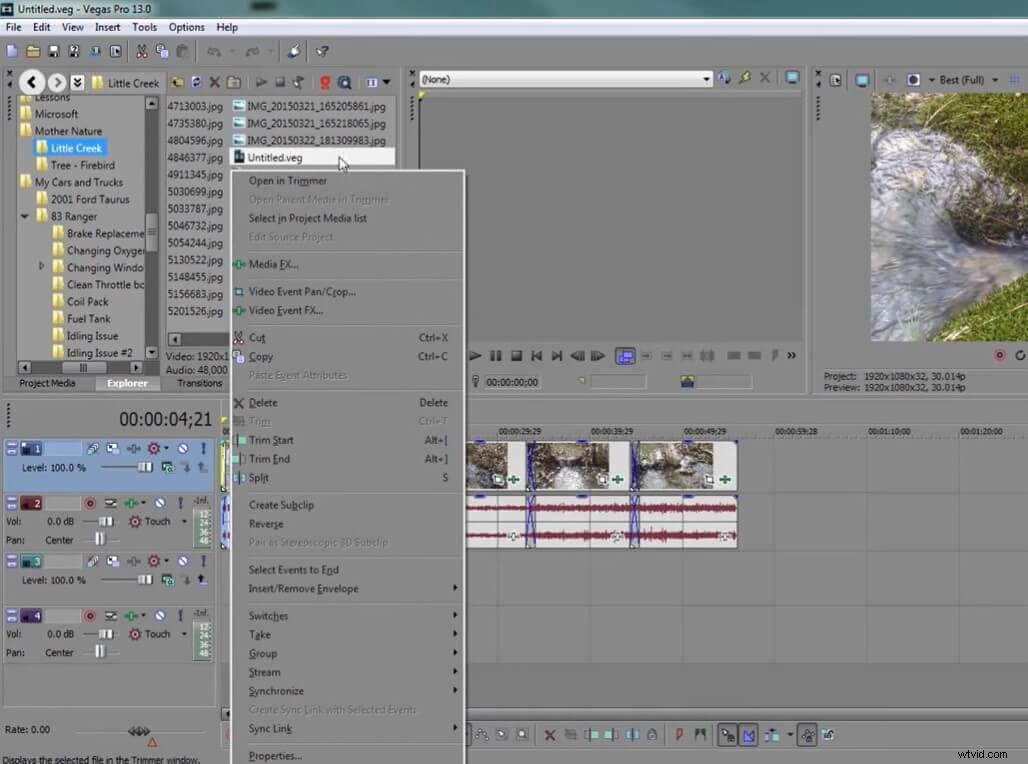
2. Click on the source video so that it displays in the preview panel.
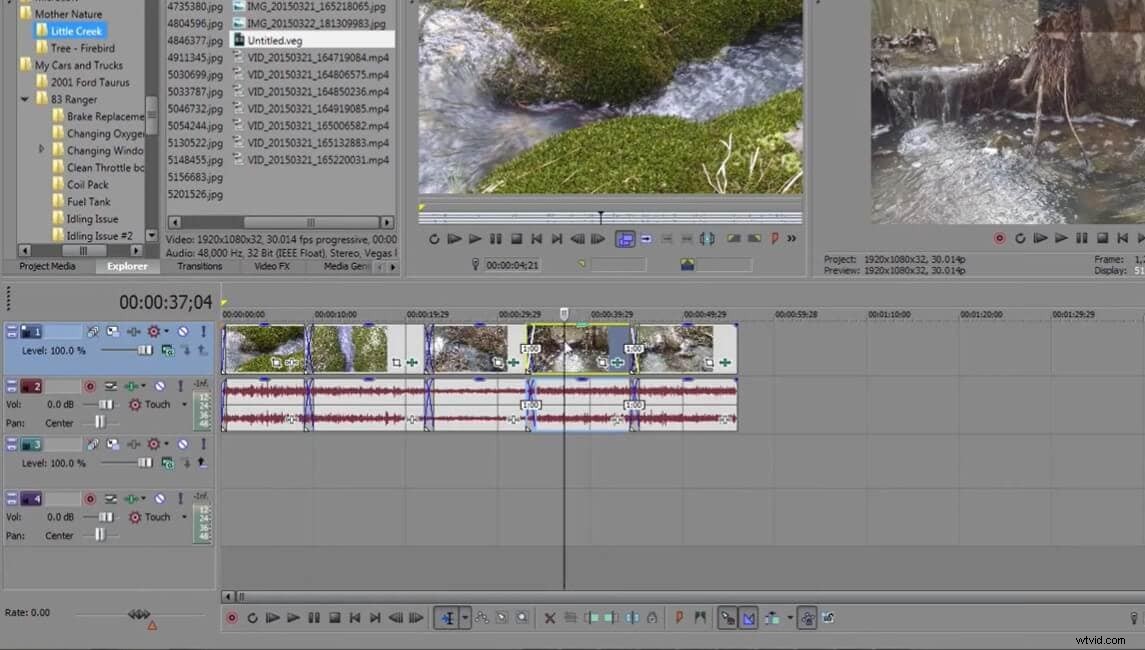
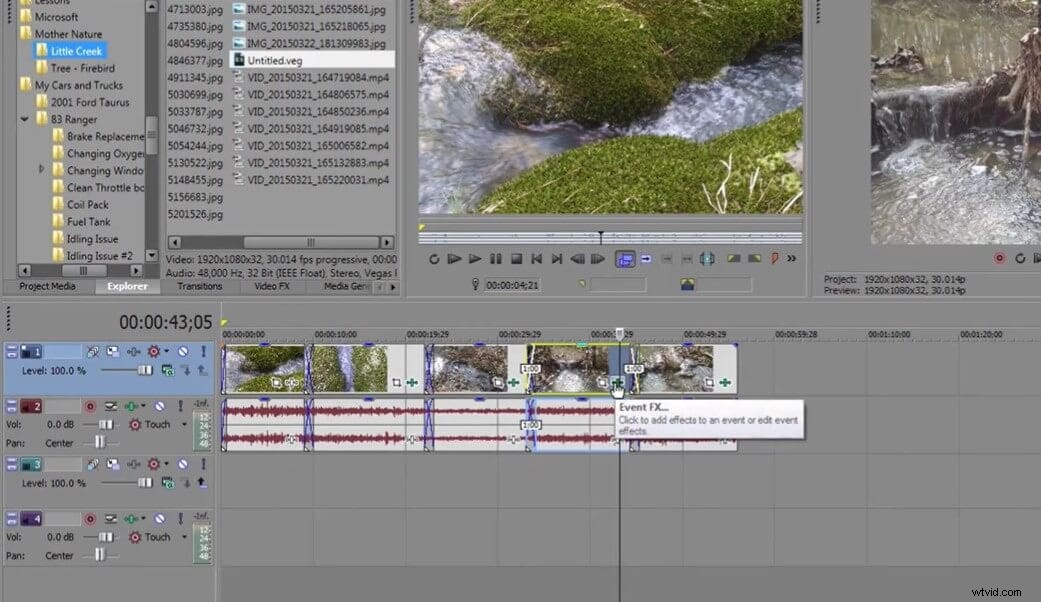
3. Click on Event FX in the timeline.
4. Tap Sony and select Sony Color Match.
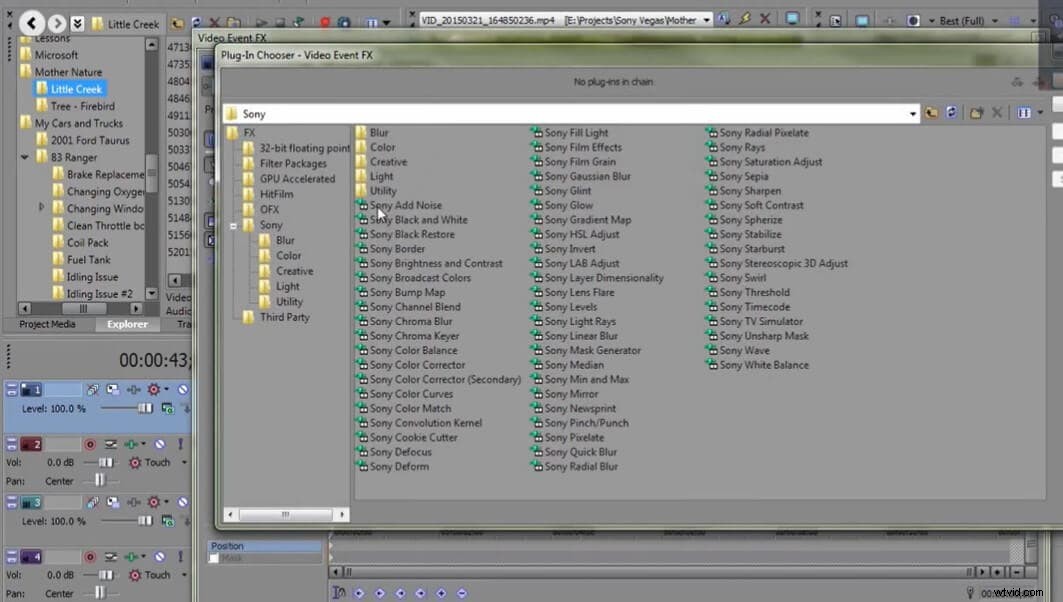
5. A new window will appear. Since our reference video is in the trimmer view, we select Trimmer in Source. And for Target, we choosePreview. Boom! The color match is complete.
Bonus tip: Use the Strength bat to adjust the intensity of the color match.
Ready to Color Match Your Videos?
Color match is unquestionably one of the most sophisticated parts of any video, and you need to have a good grip on editing techniques to pull it off. But thanks to these color match apps, it has been made easier than ever. And the color match tools in the apps mentioned above don't even require any designing or editing expertise. What a relief!
The color matcher technique has taken video editing to the next level. Now, you can sync color to make your shots look like they're taken from a Hollywood movie.
Use color matcher and shine brighter! Good luck.