
Mixing your favourite music has become incredibly accessible in recent times. Rather than requiring savings for turntables and a mixer, you can initiate your DJing journey right from your laptop without any cost. There’s plenty of freeware out there that equips you with professional features, whether you’re planning on testing out a few tracks to mix before a big gig or need an app to use with your new DJ controller. Some software is even capable of connecting streaming services, isolating stems in a track and video mixing.
- READ MORE: Best freeware for music-making: Top free apps, DAWs, plug-ins, instruments and more
We’ve rounded up the best free software for DJing on both Windows and macOS that will have you mixing in no time and for no cost at all.
The best free software for DJs at a glance:
- Atomix VirtualDJ
- Beatport DJ
- Serato DJ Lite
- Rekordbox (Free plan)
- Mixxx
- Mixvibes CrossDJ Free
- UltraMixer
- WeDJ
Atomix VirtualDJ
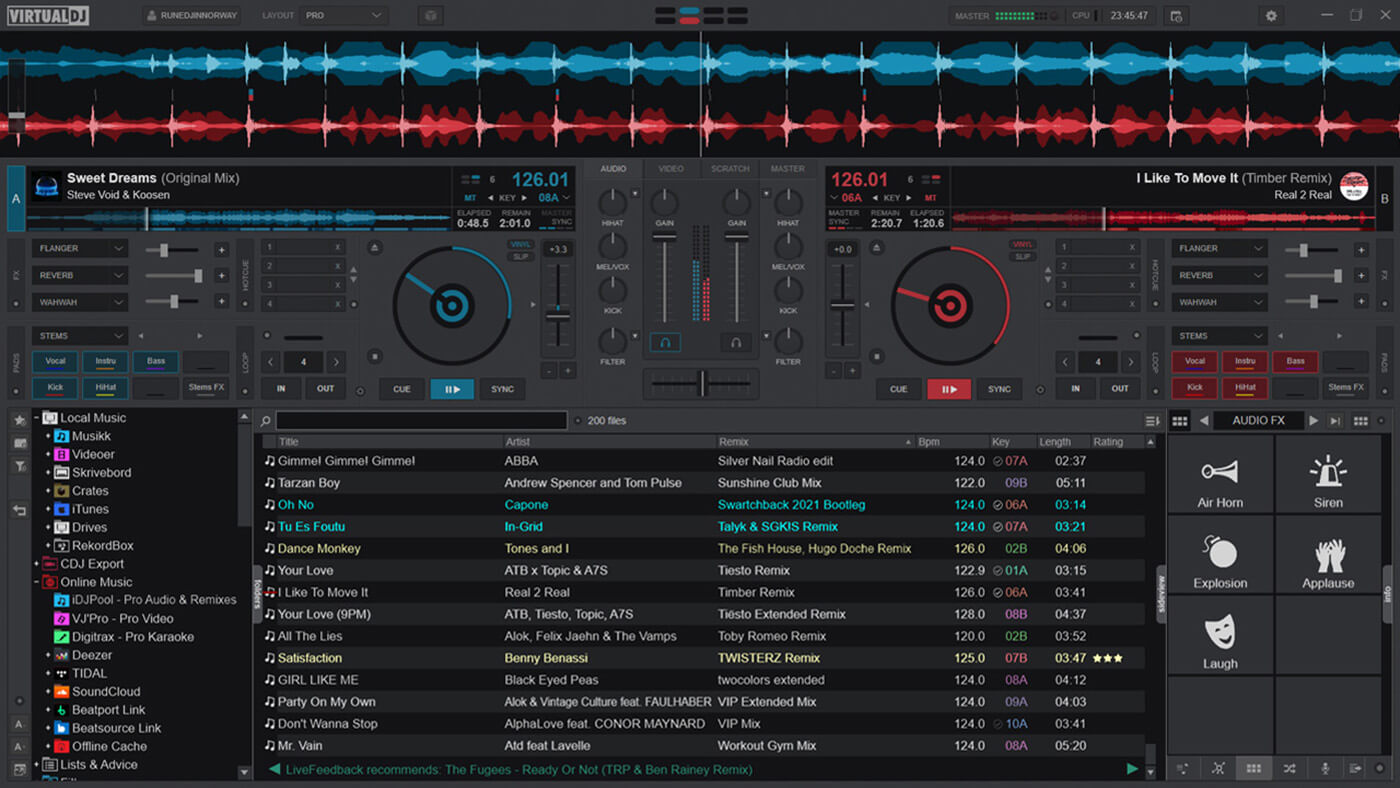
With over 100 million downloads, VirtualDJ is a superb choice for beginners and experienced DJs alike. The free software boasts state-of-the-art stem separation, streaming platform integration, customisation and essential mixing tools. You’ll have access to a bank of effects, a sampler and a library management system for quick searching, smart folders, playlists and more. The downside is that you’ll need to pay for a VirtualDJ License if you plan on using a DJ controller.
Pros
+ Stem separation and ModernEQ for creative mixing
+ Access to millions of songs on SoundCloud, Deezer, Beatport and Tidal
+ Customisable interface with multiple decks
+ Video mixing capabilities
Cons
– No controller support with a free license
Download: Atomix
BeatportDJ
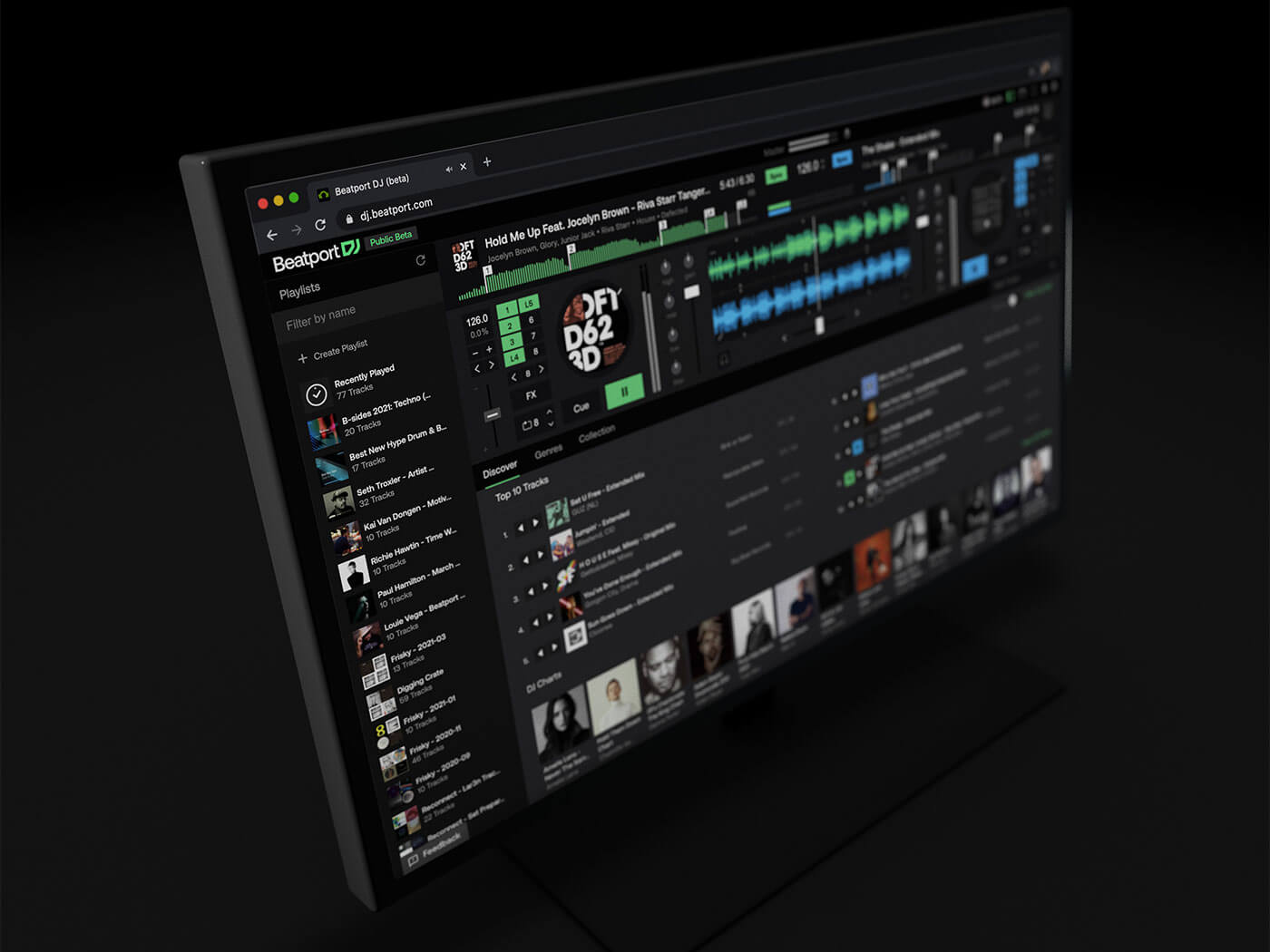
BeatportDJ is a cloud- and browser-based DJ app. That means you simply subscribe to Beatport account and get mixing from your browser. It has all of the expected features, such as four-channel mixing, looping and effects, but you can also Create and discover shared playlists from Beatport LINK’s vast catalogue, drag and drop in music, take the party to your mobile device with the Beatport DJ app, and even play B2B in real-time with friends from anywhere in the world using Party Mode. You can use it for free in Preview Mode, or pay a monthly subscription to unlock a plethora of features.
Pros
+ All online – no need for installations
+ Access music from Beatport LINK
+ Party Mode lets you mix B2B with friends remotely
+ Create and share playlists
+ Connect to DJ and MIDI controllers
+ AI-powered automix function
Cons
– All music you use must be purchased from Beatport
– Requires a subscription for full use of features
Download: stream.beatport.com
Serato DJ Lite
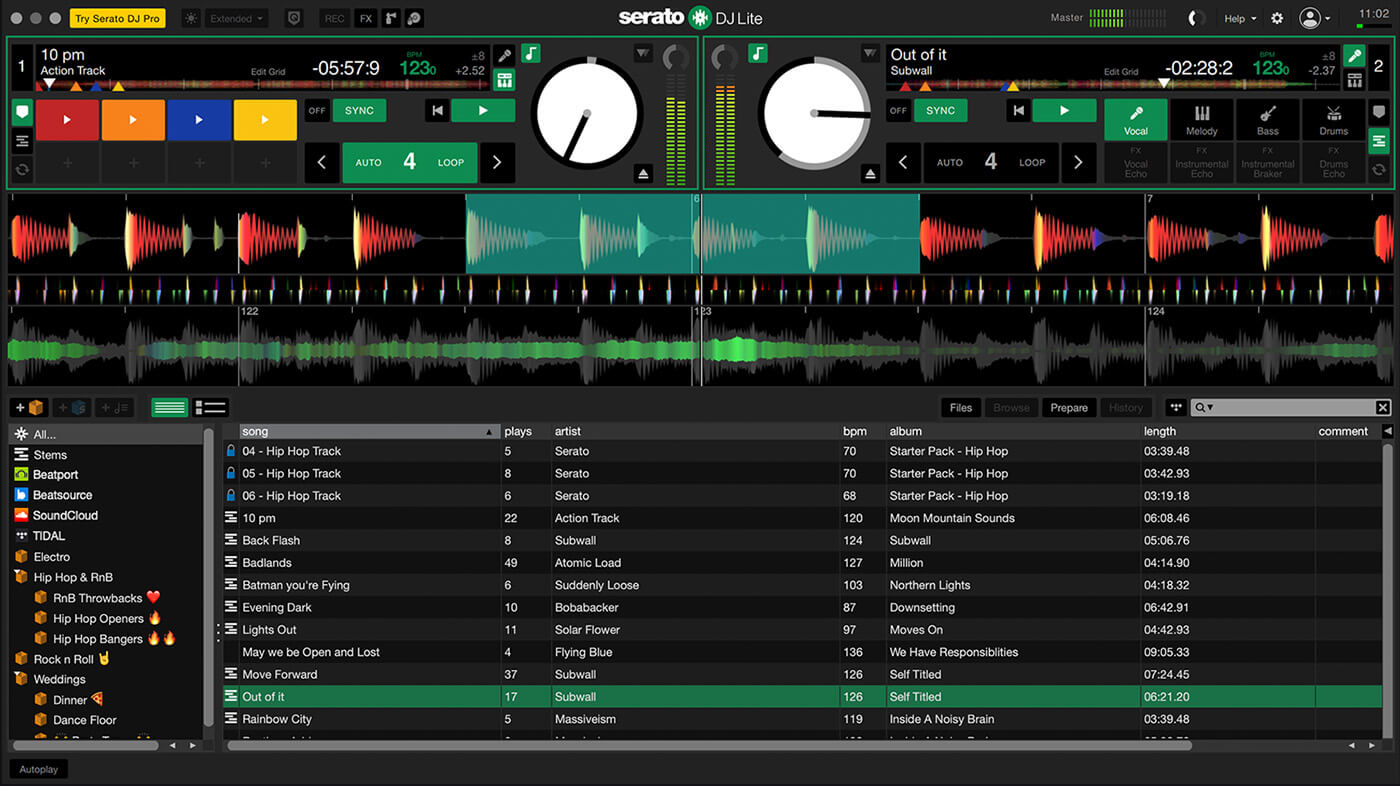
Serato DJ Lite is the stripped-back version of the brand’s leading DJ software, used by some of the best DJs in the world. This version has incredibly limited features unless you’ve got a DJ controller that comes with a Serato DJ Lite unlock. But, you can stream and mix music from SoundCloud, Tidal, Beatport and Beatsource, provided you’re subscribed to those services. If you’re looking to get a feel for the very basics of DJing, Serato DJ Lite will prove useful.
Pros
+ Fair amount of features to get started with DJing, including cue and loop points to jump and sample slots
+ Streaming from Beatport, SoundCloud, Tidal and Beatsource
+ Livestreaming capabilities
Cons
– You’ll need supported hardware to access filters, EQ, and effects
– Can be difficult to navigate without Performance Mode
Download: Serato
Rekordbox (Free plan)
 Rekordbox
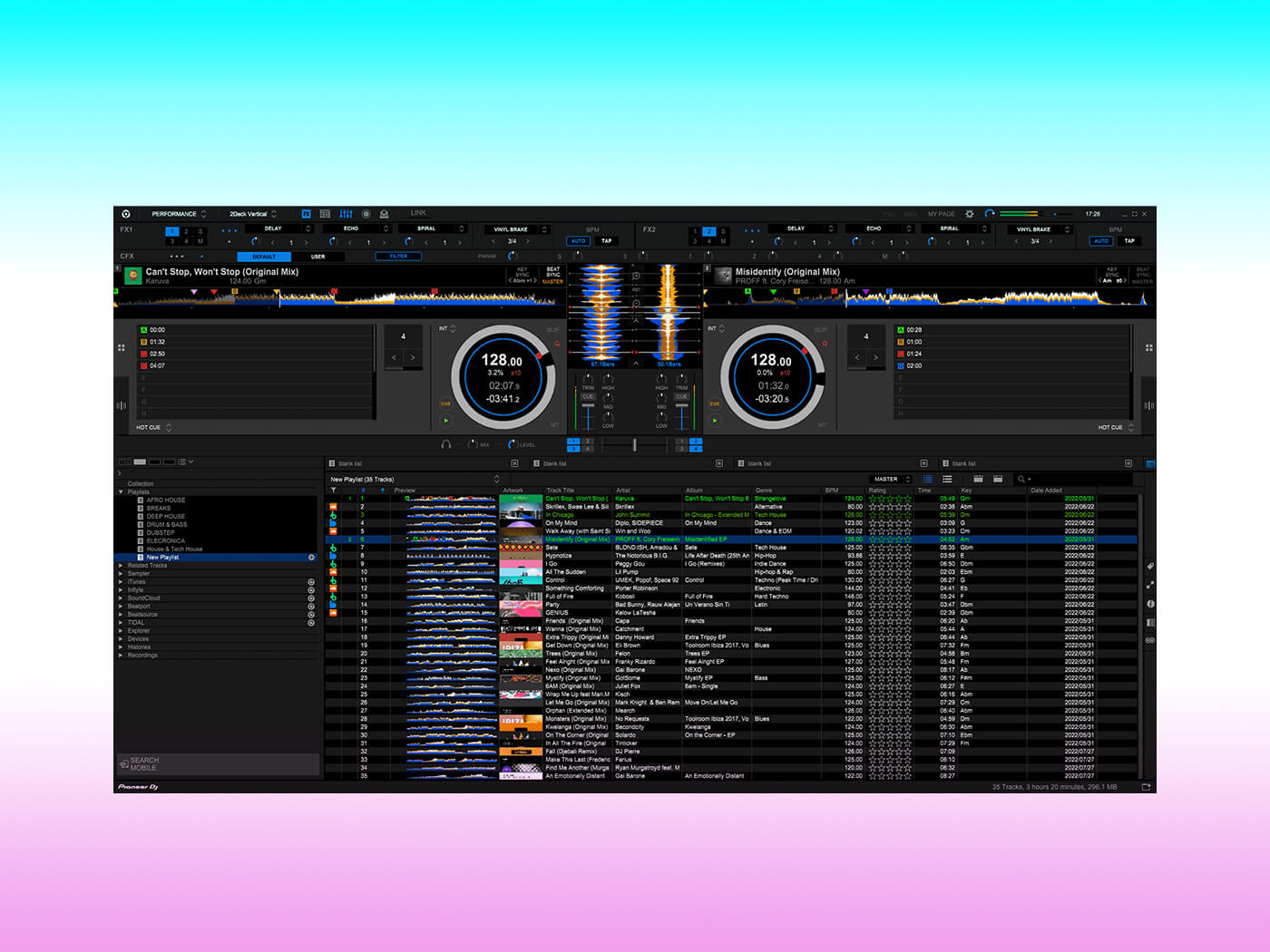
Rekordbox is a robust piece of DJ software built for professionals. For that reason, the full-feature and hardware-compatible version of Rekordbox can cost an arm and a leg (the Professional plan costs $30/month). Even with the free version of Rekordbox, however, although you can only use it by itself and without a controller, you can mix your music on an interface that, because Rekordbox is owned by Pioneer DJ, has a similar look and feel to CDJs.
Pros
+ Brilliant music library management
+ Seamless compatibility with Pioneer DJ equipment
+ Basic DJ performance features included
Cons
– Limited features compared to the paid version
– No hardware compatibility
– Dependency on Pioneer DJ equipment for optimal performance
Download: Rekordbox
Mixxx
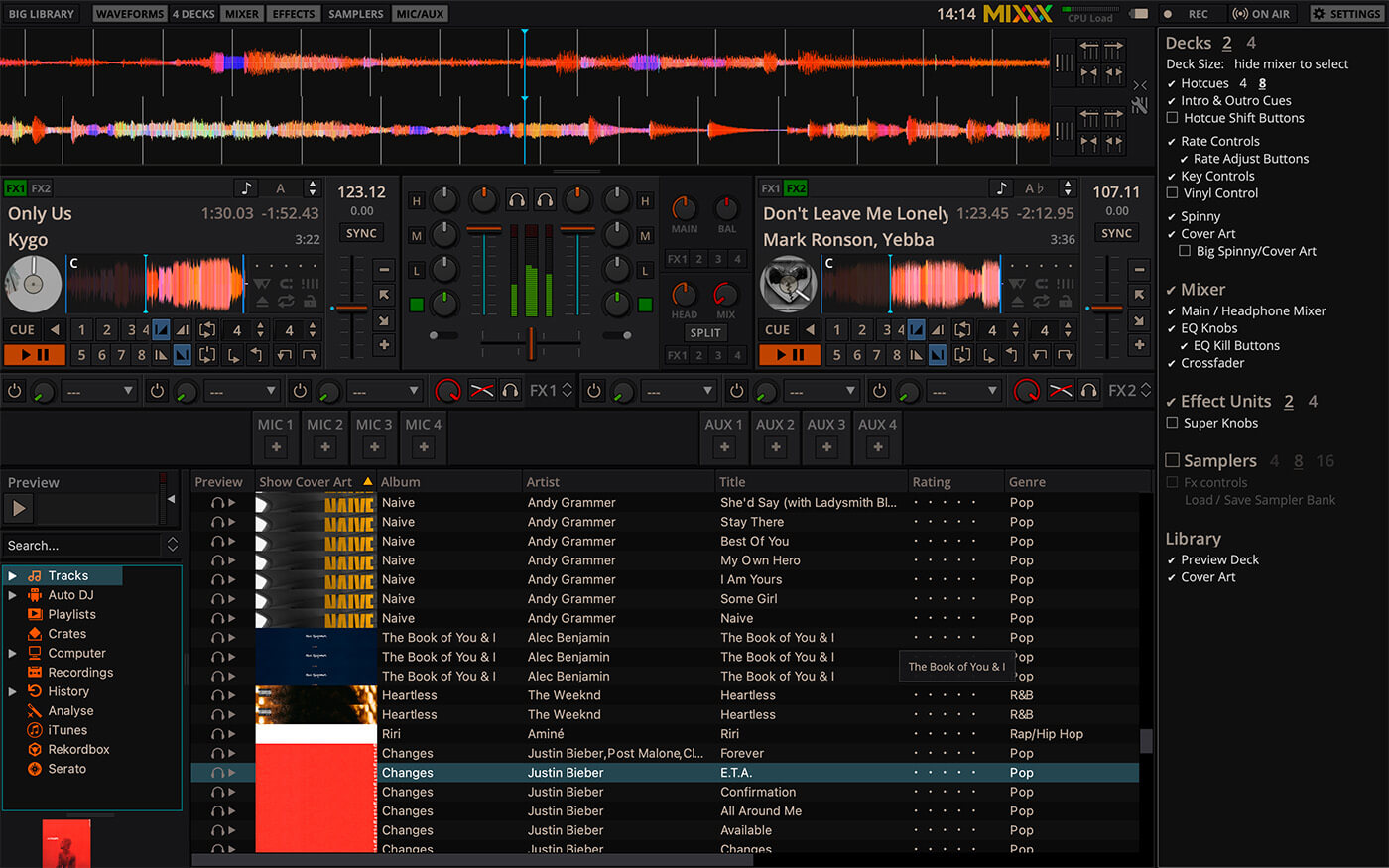
Mixxx goes above and beyond as a free application, giving you four decks to mix with sync, looping, pitch and key controls, and quantisation. You can also use up to 64 sampler decks to pepper sounds over your mixes. Happily, you can connect a range of DJ controllers to Mixxx, and even use timecode vinyl and CDs without having to pay the price of high-end DJ software. Some basic features are noticeably absent, but if you’ve picked up a second-hand DJ controller, you’ll want to try out Mixxx.
Pros
+ Built-in mapping for a range of DJ controllers and timecode support
+ Four decks of mixing
+ Effects chains for linking multiple effects
+ Easy broadcasting
Cons
– Missing some basic features
– BPM detection is not always on point
Download: Mixxx
MixVibes CrossDJ Free
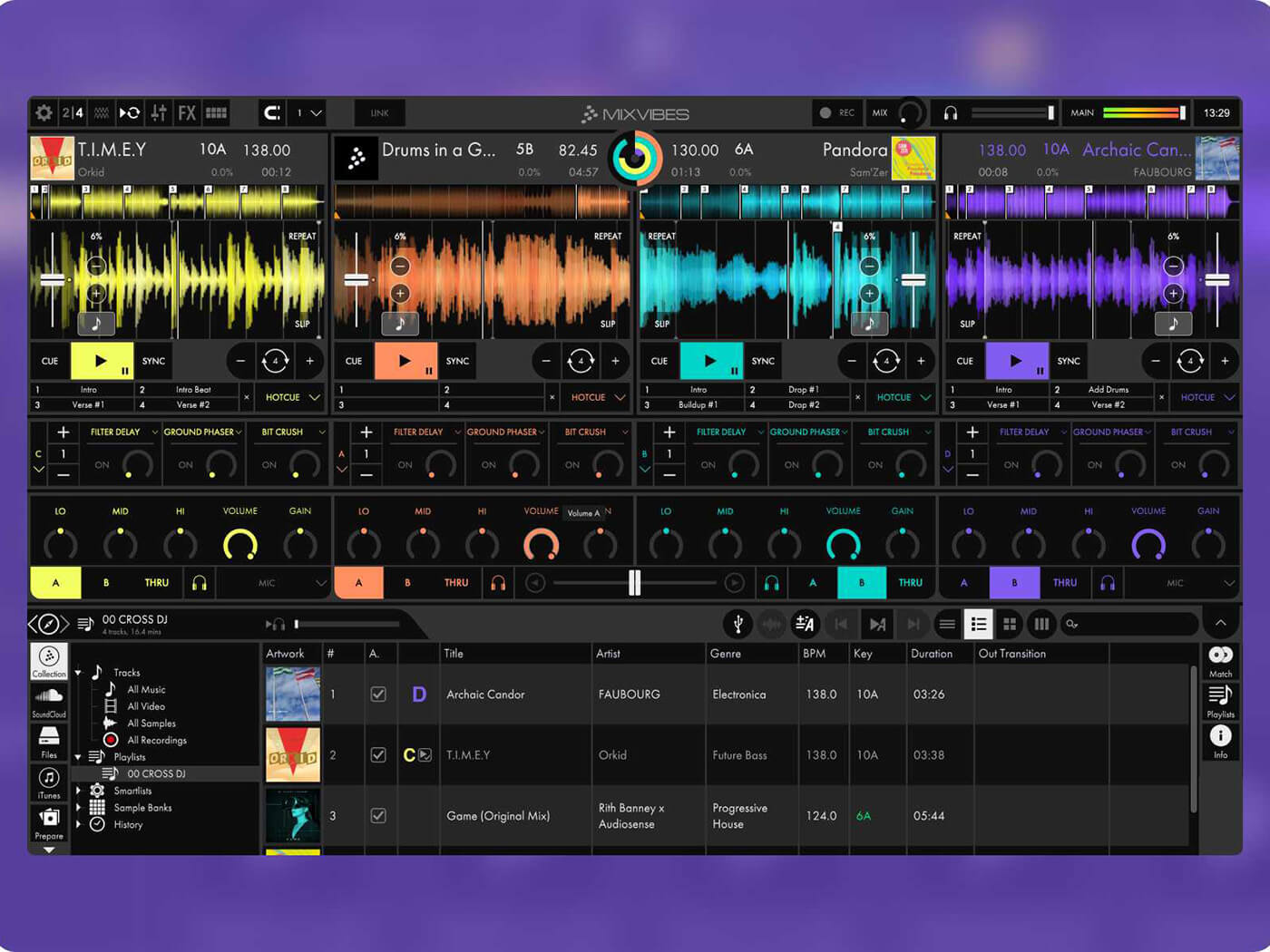
MixVibes’ CrossDJ Free is ideal if you’re passionate about mixing in key, thanks to its instant key suggestion tool. CrossDJ comes in the form of three versions, with the free edition being surprisingly capable. It provides two decks, three effects, and two fully-featured video decks with transitions, camera integration, and more. With over 80 mapped controllers from brands such as Numark and Pioneer DJ, it can stream tracks from SoundCloud, and access smart playlists based on BPM and more. A Match section helps track compatibility and shows your play history.
Pros
+ Two music decks and two video decks
+ SoundCloud streaming
+ Smart playlists and Match feature useful for all levels of DJ
+ Compatible with plenty of controllers
Cons
– Limited performance features in free version
– Have to upgrade to record mixes
– GUI could be more intuitive
Download: Mixvibes
UltraMixer
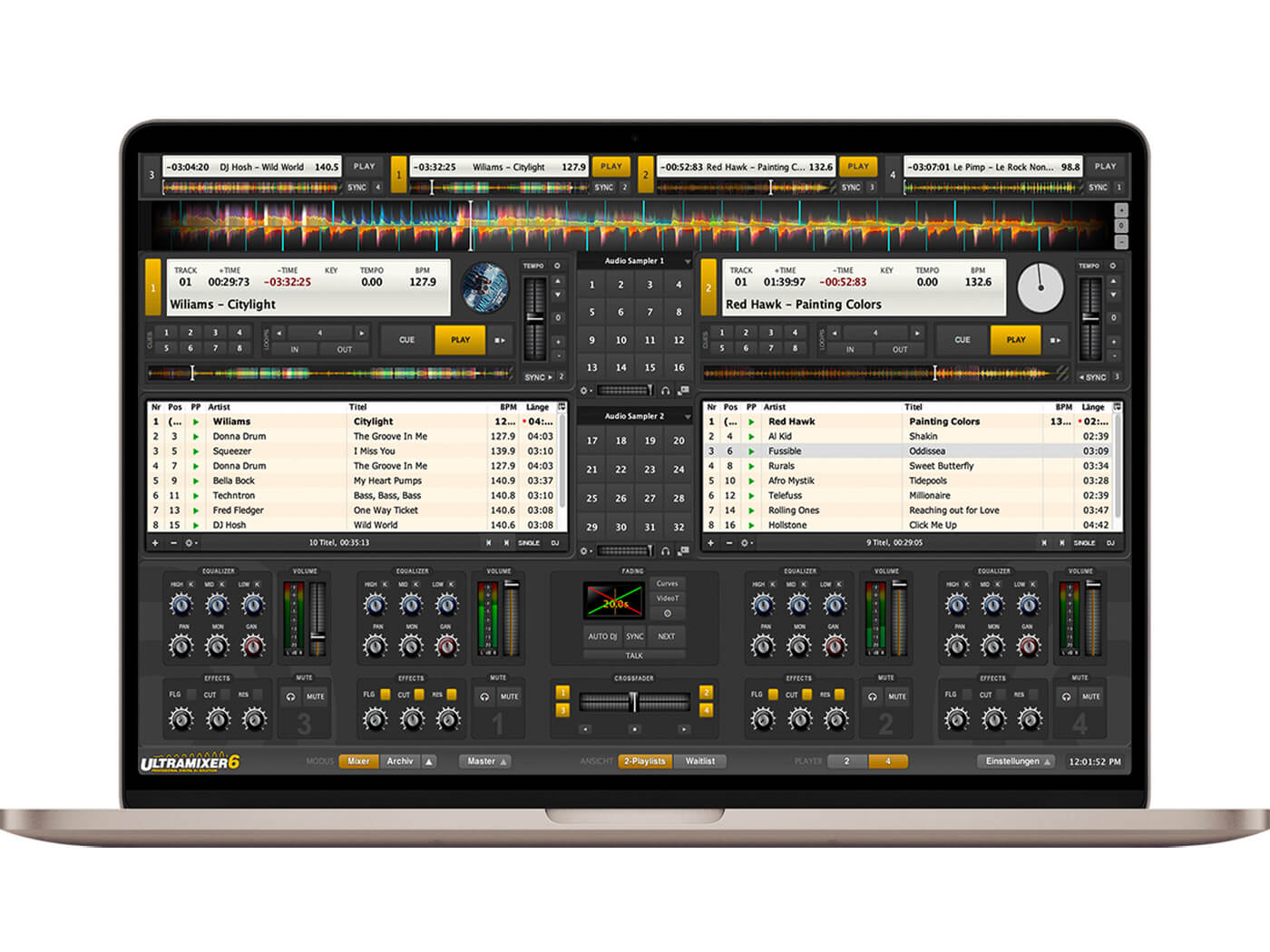
UltraMixer is for DJs that love triggering samples throughout a set. Its customisable layout moves the mixing section to the bottom of the screen and has a browser underneath each of its two decks. The central mixing section can be swapped out for two AudioSamplers, video samples, notes, and more. However, the free demo version of UltraMixer Pro Entertain has a 60-minute time limit and only offers three effects. It supports over 80 DJ controllers, so you can try new controllers before purchasing more comprehensive software.
Pros
+ Good software for learning the absolute basics
+ Customisable layout
+ Support for over 80 DJ controllers
+ Video, streaming and broadcasting support
Cons
– Free version needs rebooting after 60 mins of use
– Limited effects section
– GUI might be too different to other pro DJ software for some users
Download: UltraMixer
WeDJ
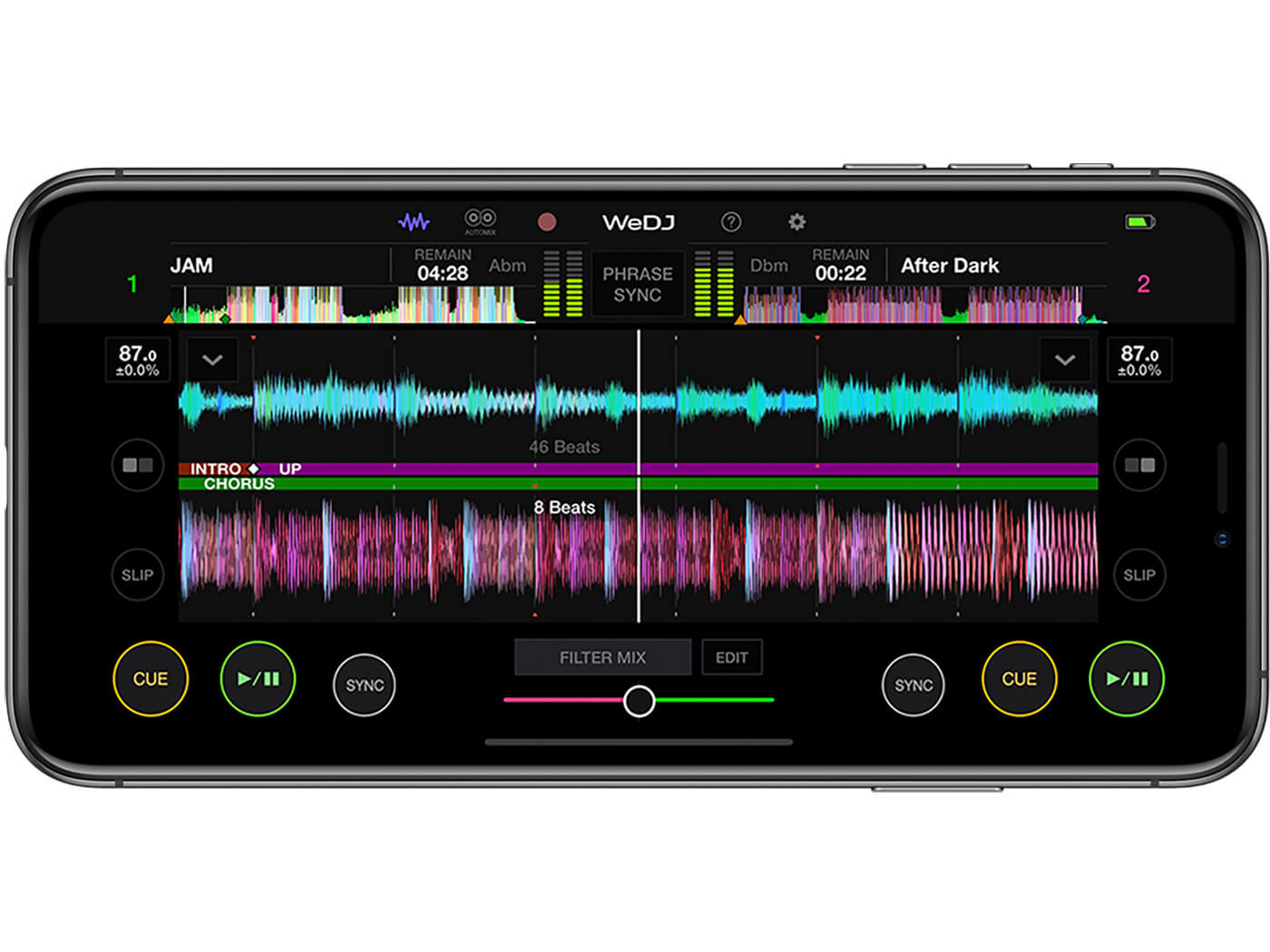
Pioneer DJ’s free WeDJ app is aimed at entry-level DJs mixing on the fly or plugging in to a controller without fuss. It has all the nuts and bolts – a two-channel mixer, effects, looping – but gives you instant access to music from streaming services Soundcloud Go+ and Beatport. WeDJ delivers for people looking for a portable, hand-held mixing solution. Plus, if you’re looking to learn the fundamentals of mixing, its helpful tutorials and pop hints come in handy.
Pros
+ Portable, handheld mixing
+ Signature Pioneer DJ design
+ Performance effects controls
+ Access to Soundcloud Go+ and Beatport
+ Useful tutorials and pop hints
Cons
– Clunky effects for pro setups
– Somewhat basic features
Download: pioneerdj.com
For more Buyer’s guides, head to MusicTech.
Get the MusicTech newsletter
Get the latest news, reviews and tutorials to your inbox.