
In the early 90s I was just a kid, and I remember watching a VHS tape about photography lighting with the great Dean Collins. I was truly amazed with the way things were arranged in the studio and how he placed the light. This was magic to me, and Dean Collins was the magician.
I watched it over and over, trying to find the little tricks behind everything he was doing. Since that day, every time I see a picture, I try to understand how it was done and how the light was placed, the quality of the light, the reflections, and the shadows it casts. What I’ve learned along the way is that a lot of the commercial images you see are done with some really simple lighting setups, and not in the big studios with the big production sets that you might imagine.
The next image is an example.
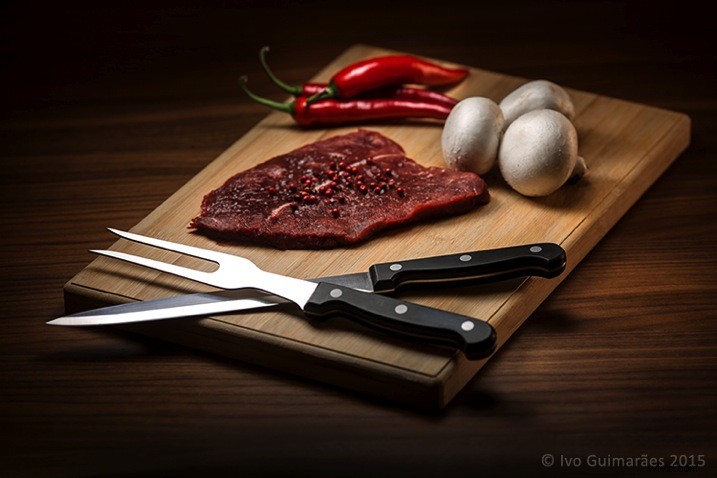
This image might look like a complicated and high-end lighting setup, but in fact, the only light sources used here were simply a tablet and a smartphone.
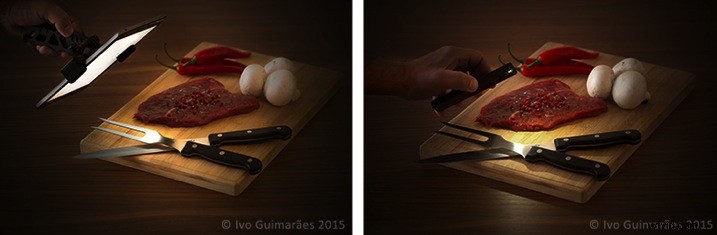
This is a typical light painting image, where the camera is placed on a tripod and the image shot at ISO 50, f/5.6 and a 4 second exposure time. I used the lowest ISO so I could make the image as clean and noiseless as possible. F/5.6 was the chosen aperture to give me the depth of field effect I was looking for, and after a couple of test shots, I realized that 4 seconds was the correct exposure time for the light I was using. It also gave me a comfortable time-frame in which I could move the light around and create the desired effect. An infrared remote shutter release was used to avoid touching the camera and keep it as steady as possible.
Light painting is a technique I use a lot in my work. I used to do it mostly with small lanterns and led light panels, but I realized that a tablet screen light and a smartphone camera led light are fantastic tools to use as light sources in this type of images. There are a few apps that can help to control what shows up on the screen, and transform your device into a mean light-painting machine, but you don’t really need them.
What I’ve done is to create my own masks in Photoshop which I have in my iPad Mini Retina’s camera roll to use when I need. Here are some examples of masks I’ve created.

These masks control the shape and colour on the screen, and the brightness can be easily controlled in the device’s screen definitions.
I took some readings with a colour meter. The iPad screen is around 5,500k and the iPhone camera LED light is around 6,500k, so it’s easy to adjust your camera to match the light source’s colour temperature or use different colours on the device’s monitor to create colour effects in the image.
The light from these screens is usually soft; you can make it even softer with some tracing paper in front of the screen and you can control the spread of light with some black card flags.
In this case I was holding the device by hand and moving it around, but you can buy cheap tablet and phone holders with ¼” thread connectors that can be mounted onto tripods, magic arms or even handles that make it easier to hold.
This particular image could have been done with only one exposure, but I decided to take it a bit further with a composition of three images with three different types of light.
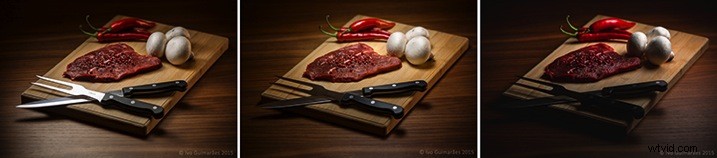
The first image (above) was created with perfect light on the knife and fork, with the iPad positioned at an angle, and with a white screen for a nice light reflection.
The second image (below) has the perfect light on the steak, chilies and mushrooms, with a circular faded mask on the iPad screen.
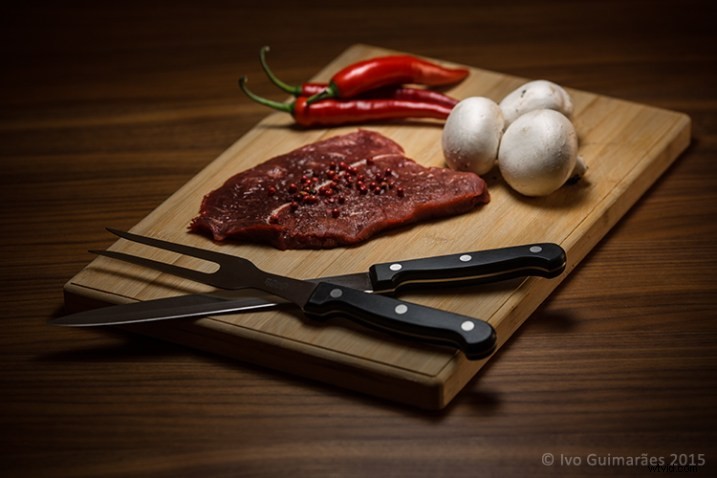
The third image (below) gives a vignette effect and some dramatic light with the LED camera light of the iPhone which is a much harder (smaller) light and therefore casts harder shadows.
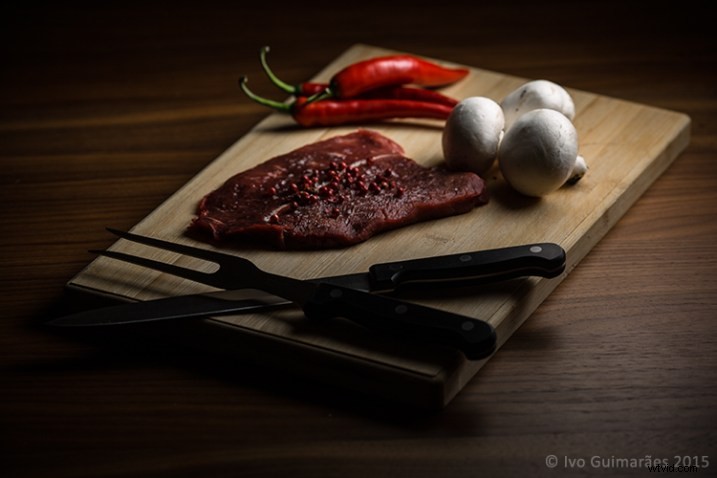
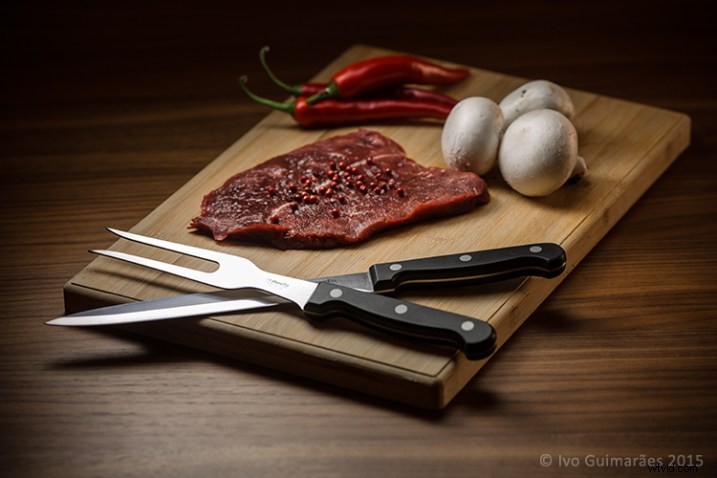
Now it’s just a matter of composing the final image in Photoshop using the best that each of these images has to offer.
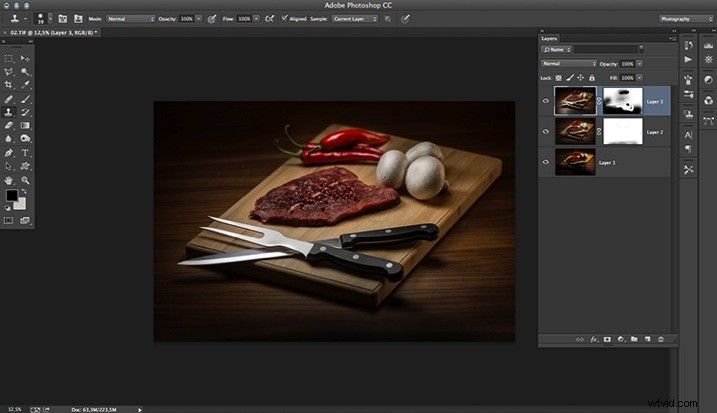
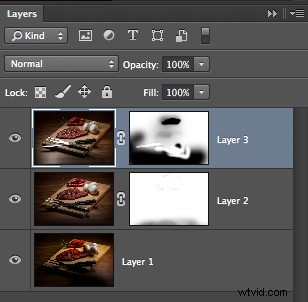
The idea here is to stack the three images and use layer masks to show the good light spots and hide the bad ones. Here is a closer look at the layers with associated masks for each one.
These lighting and composition techniques are not exactly new. This was done long before Photoshop and digital photography were around. Film with multiple exposures or darkroom masking techniques were used with similar effects a long time ago. Nowadays, things are just a lot easier with the digital advent, but the fact is that the basics and references are still there, and understanding this puts you on the right path to be a better photographer.
Have you tried this technique before? Give it a go and post any comments or questions you have below.