
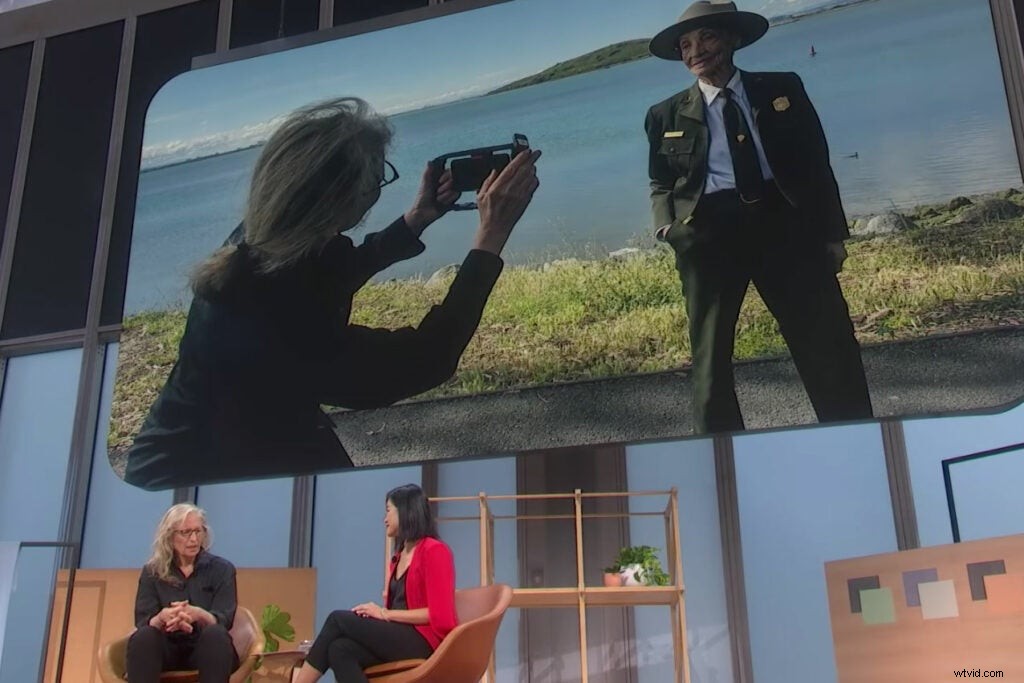
Yesterday, at an event in New York City, Google introduced its new Pixel 4 smartphone. Of all its new features, the camera updates got the most attention. And that makes sense—side from battery life, camera performance is one of the key differentiators people use to decide which smartphone to buy next. In order to really emphasize the camera updates, Google paid iconic portrait photographer, Annie Leibovitz, to travel the country making pictures with the Pixel 4 and then spoke with her about it during the event.
In videos shown during the presentation, you can see Leibovitz in action, shooting portraits in the field. She was using the Pixel 4, but she wasn’t holding it like a typical phone. Instead, she had it secured into a roughly foot-long rig with handles. It’s a piece of gear more familiar to video shooters than photographers, but adding a rig to your camera can have some noticeable benefits no matter what you’re shooting.
What’s a rig anyway?
Essentially, you’re surrounding the camera with a frame that typically makes the camera easier to hold and allows you to attach various accessories to achieve effects the camera body can’t handle on its own. High-end video shooters, for instance, typically use a larger external monitor and a device called a follow focus, which gives the photographer more precise control over changing focus or tracking objects on the screen.
Some rigs integrate stabilization mechanisms like gimbals and suspension systems. They can get complicated and extremely expensive.
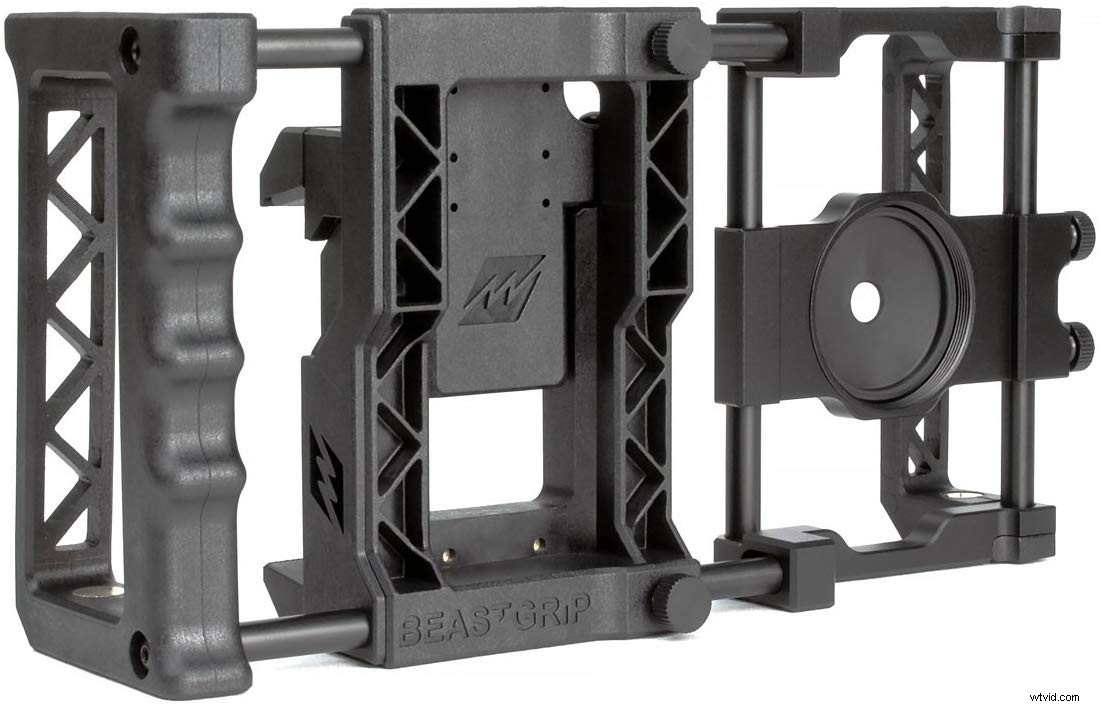
When it comes to smartphone rigs, however, things get simpler. One of its primary functions is that is makes it easier to hold the camera steady. Holding the phone with your fingers requires a lot of exertion from those relatively small muscles, which can cause them to shake. A rig, or a grip, typically has a sturdy handle so you can hold it with your entire hand and let your arms and shoulders do most of the work rather than your hands.
This is also handy for shooting video because it’s much easier to move the camera smoothly during pans and tracking shots when you have a wider grip. If you just want to change the angle a little bit, you get much finer control. Imagine trying to steer a large truck with a steering wheel the size of your smartphone. Now, imagine steering the same truck with a normal-sized wheel. The latter gives you much finer control.
You’re still shooting through the phone’s lens and watching the screen for your shots. This simply changes the way you hold it.
The other benefit of a rig comes in the form of its attachments. Microphones make a big difference when you’re recording video, or an external LED panel can really help a photo with more light, but handholding that type of equipment is the worst. Attaching everything to a rig makes it easier to manage, and also ensures that your lights or microphone will point in the exact same direction as your camera.
Which one should you buy?
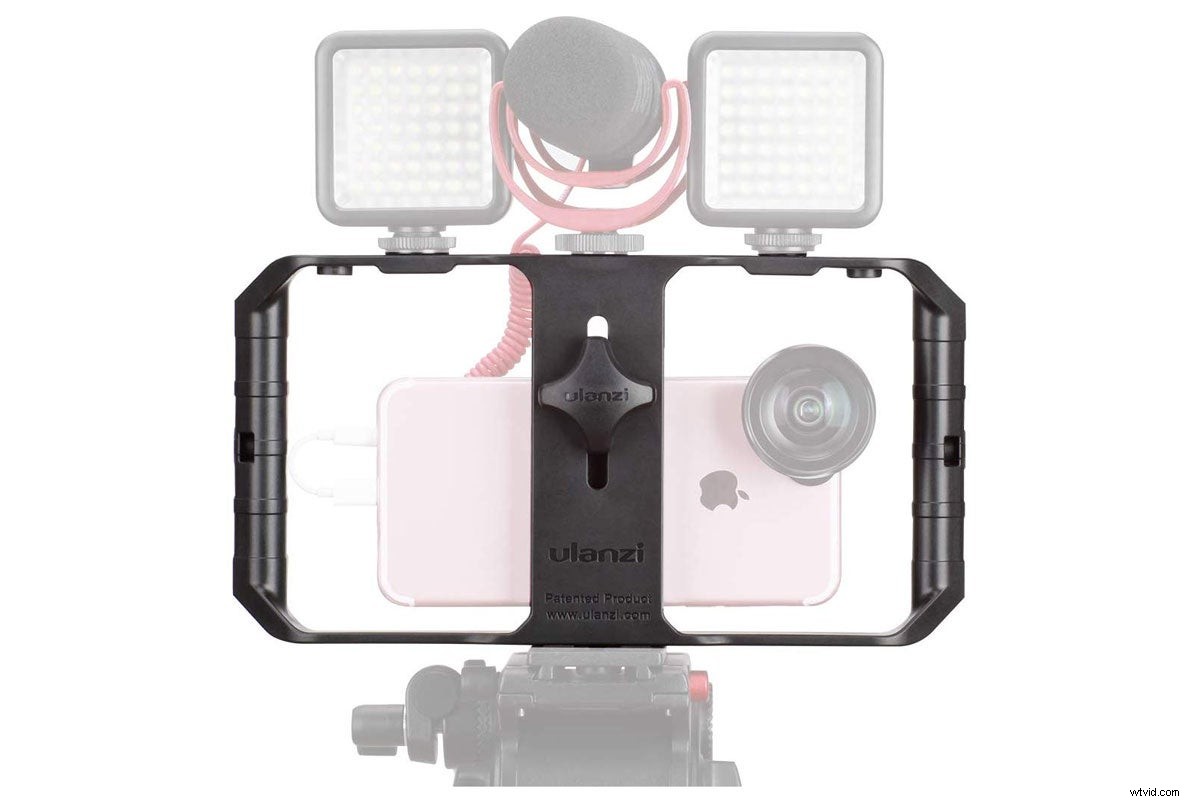
Professional camera rigs can get extremely pricey, but the smartphone models start off pretty cheap. This $16 model from Amazon is popular because it offers pretty much everything you’d need. It has three cold shoes, which is the same type of attachment you’ll usually find on top of a DSLR to hold a flash or a microphone. It also has a typical tripod mount, which is important if you plan on using any of the new night sky photography long exposure features the Pixel 4 promises.
For less than $20, it’s a solid way to try out this method of shooting. But, as you might expect, it’s made of plastic, which means you’ll be putting your expensive phone—and any other accessories—onto a frame that likely won’t survive a hard bump. Options get a lot fancier from there.
Shoulderpod makes professional-grade rigs for journalists. Many of the company’s products use wooden handles and have ample places to attach accessories. The X1 Pro Rig costs $119, but I got the chance to try it out briefly at CES a few years ago and was impressed with how sturdy it felt.
The $139 Beastgrip Pro includes a threaded mount so you can attach filters or even additional lenses to the camera. It has a single cold shoe so you can attach an accessory, and it’s big enough to hold a phone without removing it from its protective case.
I’d recommend starting with something cheap and basic to see if it fits your shooting style. Obviously, you don’t keep these on your phone at all times, so it won’t get much use unless you’re actively taking your smartphone out to exclusively shoot photos and videos. But, if you do move up, going to something with a metal frame is worth the upgrade if only to protect all your gear if it gets hit or dropped.