
RAW vs JPEG
If you’ve browsed your camera’s menu, you’ve likely seen the “Image Quality” or “File Format” option with two choices: RAW and JPEG. Many beginners leave the default JPEG, but mastering this single setting can dramatically elevate the photos you create. Let’s explore the differences in plain language.
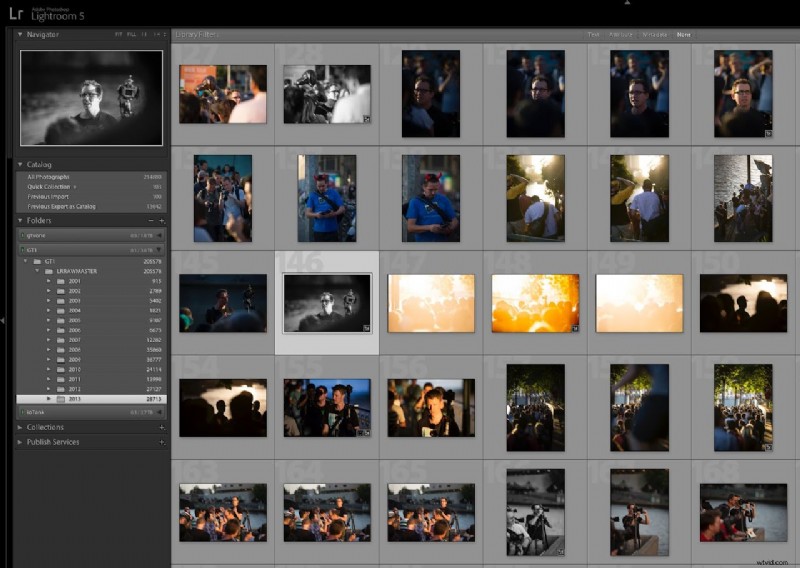
What is a RAW file?
Think of RAW as a digital negative—it captures every pixel the sensor sees, unprocessed and uncompressed. Your camera records every detail, from deep shadows to bright highlights, preserving full color nuance. The trade‑off is that RAW files are not ready to share immediately; they must be edited in software such as Adobe Lightroom, Darktable, or Capture One.
How does JPEG differ?
A JPEG is a finished image. The moment you press the shutter, the camera applies sharpening, contrast, color balance, and noise reduction, then compresses the data into a smaller file. It’s instant, but the camera makes irreversible decisions that discard a lot of image data.
Why does this matter in editing?
Consider a slightly underexposed landscape. In RAW, you can lift the exposure by a couple of stops in Lightroom, and the shadows recover naturally. In JPEG, the same adjustment often produces muddy shadows, visible noise, and banding because the lost data cannot be restored. RAW files offer roughly 4 stops of recoverable exposure in either direction, while JPEGs provide only about one stop, if the camera’s compression is gentle.
The white‑balance advantage
White balance is non‑destructive in RAW. If you shoot portraits under warm tungsten light and forget to set white balance, you can correct it later in post with zero quality loss. In JPEG, significant white‑balance changes can introduce color shifts and degrade image fidelity.
“My JPEGs look great straight out of the camera!”
Modern cameras produce high‑quality JPEGs, thanks to advanced in‑camera processing pipelines. For fast‑moving events, sports, or documentary work where you need images on the fly, JPEG remains a viable, professional choice.
Storage and speed considerations
RAW files are large—typically 30–80 MB per shot versus 5–20 MB for JPEG—so shooting in RAW requires higher‑capacity cards, more storage, and longer backup times. Because the camera writes more data, burst rates can drop, which matters for action or wildlife photography. Many cameras offer a RAW + JPEG mode, giving you both formats simultaneously—ideal for photographers who want flexibility without sacrificing speed.
Which format should you use?
Choose RAW if: you seek the highest image quality, you want to learn or practice post‑processing, you’re shooting in challenging lighting, or your work depends on meticulous editing (portraits, landscapes, fine art).
Choose JPEG if: you need images ready to use immediately, you’re shooting high‑speed action where file size matters, or your camera’s JPEG output satisfies your aesthetic and workflow.
Choose RAW + JPEG if: you want the flexibility of both formats and can manage the extra storage.
Getting started with RAW
To switch to RAW, set your camera’s image quality to RAW or RAW + JPEG. Download Lightroom (free mobile version available) or the free desktop app Darktable. Take a shot in mixed lighting—bright windows and deep shadows—and spend ten minutes adjusting sliders in your chosen software. The detail you uncover will often convince you to stick with RAW for future sessions.
Questions about RAW editing or software choices? Leave a comment below—we’re happy to help.