
Choosing the Right Photo Viewer for Windows 11, 10, 8, and 7
While Microsoft’s default Photos app handles basic viewing, many users find it sluggish, cluttered, or unreliable—especially with large folders or newer formats such as HEIC. The right photo viewer can restore speed and simplicity, no matter which Windows version you’re running.
Below is a carefully vetted list of the best photo viewers for Windows, ranging from lightweight browsers to all‑in‑one editors. Each recommendation is backed by real‑world testing on common photo collections.

Our Evaluation Method
We focused on the needs of everyday users who want fast, reliable, and easy‑to‑use photo viewers. The evaluation criteria included:
- Launch & Load Speed: How quickly the app opens and renders JPG, PNG, HEIC, and other formats.
- User Interface: Intuitive controls, clear menus, and essential actions like zoom, rotate, and slideshow.
- Format Coverage: Native support for JPEG, PNG, TIFF, GIF, HEIC, and more.
- Additional Value: Light editing, batch tools, or media library features that enhance workflow.
- Stability: No crashes, freezes, or “viewer not working” errors on Windows.
Top 3 Photo Viewers (Quick Picks)
These three tools stood out across all Windows versions for their performance, feature set, and user experience:

- Wondershare Filmora – Best Overall Viewer & Editing Platform
Filmora blends fast image browsing with powerful AI‑driven enhancement tools. It’s ideal if you view photos first and then want to edit or turn them into video projects without leaving the app.
Download
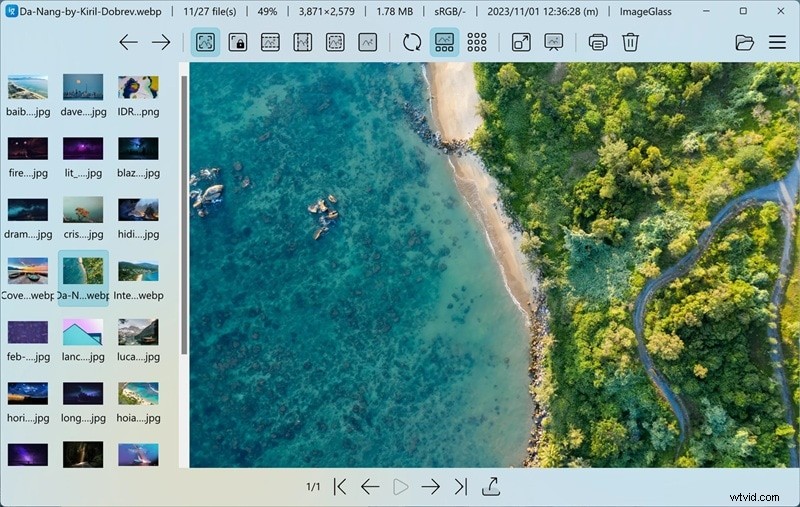
- ImageGlass – Best Lightweight and Fast Viewer
Open‑source, ad‑free, and ultra‑fast, ImageGlass delivers instant preview for modern formats, making it perfect for users who value speed over extra features.
View Details
- FastStone Image Viewer – Best for Light Editing & Library Management
FastStone balances viewing, basic editing, and folder navigation, offering batch tools and a slideshow mode while staying lightweight.
View Details
Feature Comparison at a Glance
For a quick side‑by‑side look, see how each viewer stacks up on compatibility, format support, pricing, and best use cases.
| Name | Windows Compatibility | Supported Formats | Free / Paid | Editing Controls | Best Use Case |
|---|---|---|---|---|---|
| Filmora | 11, 10, 8.1, 7 | BMP, JPG, PNG, TIFF, HEIC, WEBP, SVG, RAW | Free & Paid | Advanced, AI tools | Browse and transform photos into videos |
| ImageGlass | 11, 10 (64‑bit) | JPG, PNG, GIF, SVG, WEBP, HEIC, RAW | Free | None | Fast, distraction‑free viewing |
| One Photo Viewer | 11, 10, 8, 7 | JPEG, PNG, TIFF, BMP | Free & Paid | Basic | Screenshot review & quick edits |
| qView | 10, 11 | BMP, JPG, PNG, GIF, TIFF, WEBP | Free | None | Ultra‑light viewing |
| digiKam | 10, 11 | JPEG, PNG, TIFF, RAW, etc. | Free | Advanced | Large library management |
| XnView Classic | XP, 7, 10, 11 | JPEG, PNG, TIFF, GIF, WEBP, PSD, RAW | Free & Paid | Basic‑to‑moderate | Folder browsing & batch processing |
| Windows Photo Viewer | 7, 8, 8.1 | BMP, JPEG, PNG, GIF, TIFF | Free | None | Basic viewing on legacy systems |
| FastStone | 11, 10, 8.x, 7, XP | JPEG, PNG, GIF, PSD, TIFF, TGA | Free & Paid | Moderate | View & lightly edit photo folders |
| IrfanView | XP, 7, 8, 10, 11 | JPEG, PNG, GIF, BMP, RAW | Free | Moderate | Fast viewing & batch conversion |
| JPEGView | 11, 10, 8, 7 | JPEG, PNG, BMP, TIFF, WEBP | Free | Basic | Quick JPEG review & adjustments |
|
Show More Show Less |
 Secure Download
Best Choices for Windows 10 & 11
For modern Windows systems, the following six viewers offer the best balance of speed, features, and ease of use.
1. Wondershare Filmora
Filmora excels when you need to preview photos quickly and then jump into editing or video creation. Its AI beauty tools and extensive format support (BMP, JPG, PNG, TIFF, HEIC, WEBP, SVG, RAW) make it a one‑stop solution.
Highlights
- Instant preview inside the editor
- AI image enhancement & beauty tools
- Built‑in effects, filters, and transitions for photo projects
Compatibility: Windows 11, 10, 8.1, 7
Pricing: Free trial; paid plans start at $39.99/year
Best For: Users who turn photos into videos or social media content
Pros
- All‑in‑one editing suite
- Easy export to multiple platforms
Cons
- Not optimized for bulk browsing—requires opening files individually
2. ImageGlass
As a lightweight, open‑source viewer, ImageGlass offers instant loading and supports modern formats like HEIC and RAW without any ads.
Highlights
- Seamless support for WEBP, GIF, SVG, HEIC, RAW
- Customizable toolbar, themes, and shortcuts
- Regular updates
Compatibility: Windows 10/11 64‑bit (version 1809+)
Pricing: Free
Best For: Users who want speed and a clean interface
Pros
- Fast image switching
- Highly configurable
Cons
- No built‑in editing tools
3. One Photo Viewer
One Photo Viewer blends basic browsing with essential editing features such as crop, rotate, and resize. The Pro version adds minor extras at $2.99.

Highlights
- Slideshow, color adjustment, crop, resize, rotate
- Touch‑friendly interface
- Export to JPEG, PNG, TIFF, BMP
Compatibility: Windows 11, 10, 8, 7
Pricing: Free (Pro $2.99)
Best For: Quick edits and screenshot review
Pros
- Supports simple GIF animation creation
- Touch‑screen ready
Cons
- Pro version limited by store policies
- RAW/HEIC support inconsistent
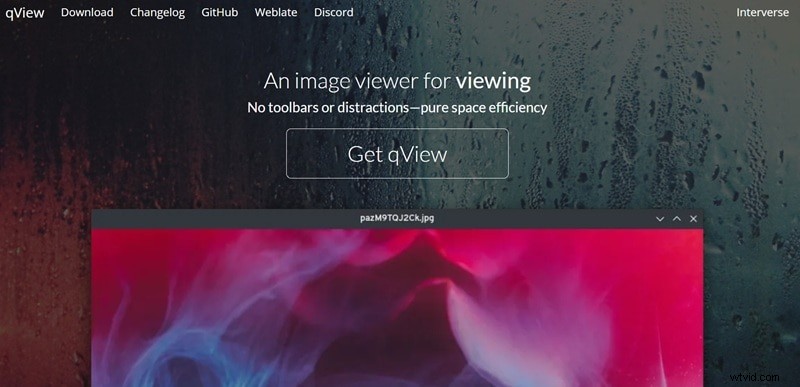
4. qView
qView is the epitome of minimalism: an ad‑free, lightweight viewer that opens images in a fraction of a second.
Highlights
- Supports BMP, GIF, JPG, PNG, TIFF, WEBP
- Animated GIF controls, file history, rotation, mirroring
- Open‑source on GitHub (GPLv3)
Compatibility: Windows 10+
Pricing: Free
Best For: Users who need ultra‑fast viewing without extra UI elements
Pros
- Low memory and CPU usage
Cons
- No gallery view or folder thumbnails
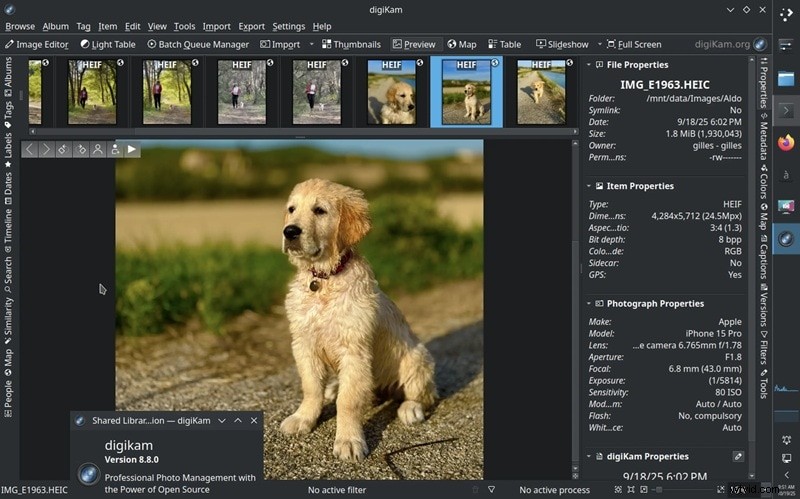
5. digiKam
digiKam is a full‑featured photo management suite ideal for photographers managing large libraries.
Highlights
- AI tagging, face detection, and advanced search
- Basic editing: color correction, crop, retouching
- Handles >100,000 images smoothly
Compatibility: Windows 10+
Pricing: Free
Best For: Photographers and hobbyists with extensive collections
Pros
- Automatic face and location tagging
Cons
- Learning curve for newcomers
- Interface can feel busy initially
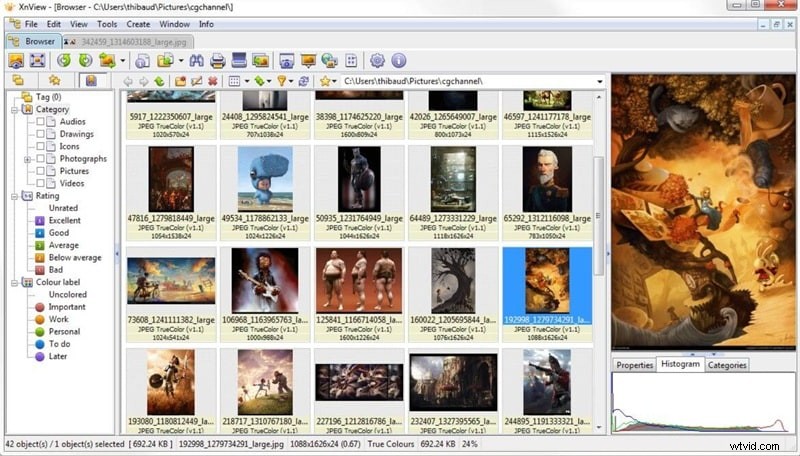
6. XnView Classic
XnView Classic remains a dependable choice for Windows 10/11, offering a wide format library and basic editing tools.
Highlights
- Supports JPEG, PNG, TIFF, GIF, WEBP, PSD, RAW, PDF, etc.
- Batch processing and multiple folder views
- Draw tools for annotations and watermarks
Compatibility: Windows XP, 7, 10, 11
Pricing: Free for personal use; paid license starts at €29.00
Best For: Photographers and designers needing quick edits and bulk tasks
Pros
- Batch image processing
Cons
- No HEIC/AVIF support
- Interface feels dated compared to newer apps
Best Choices for Windows 8 & 7
Legacy Windows users still have reliable options that are lightweight and feature‑rich.
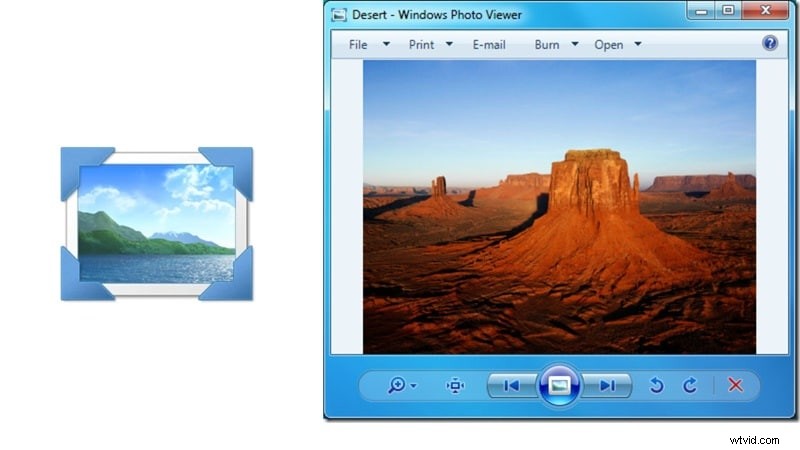
1. Windows Photo Viewer (Built‑in)
Windows 7’s default viewer offers basic functionality without any additional install.
Highlights
- Supports BMP, JPEG, PNG, GIF, TIFF
- Uses Windows Imaging Component for smooth rendering
- Single‑image view or folder slideshow
Compatibility: Windows 7, 8, 8.1
Pricing: Free
Best For: Quick photo checks and simple slideshows
Pros
- Already included with Windows
- Very lightweight on older hardware
Cons
- Outdated UI and limited features
- Animated GIFs play only the first frame
2. FastStone Image Viewer
FastStone provides a robust set of features while remaining free and actively maintained.

Highlights
- Supports BMP, JPEG, GIF, PNG, PSD, TIFF, TGA, etc.
- Explorer‑style layout with side‑by‑side comparison
- Slideshow with 150+ transitions and music support
Compatibility: Windows 11, 10, 8.x, 7, Vista, XP
Pricing: Free; lifetime license $34.95
Best For: Photographers needing light editing and slideshow tools
Pros
- Side‑by‑side image comparison
- Direct annotation tools
Cons
- Interface looks dated compared to newer apps
- Commercial license required for business use
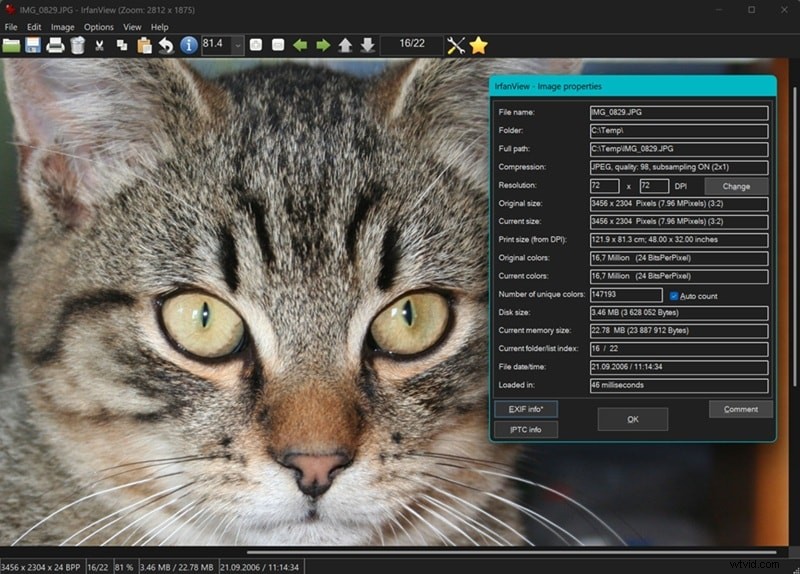
3. IrfanView
IrfanView is a venerable lightweight viewer that excels at batch processing and support for many RAW formats.
Highlights
- Supports BMP, GIF, PNG, RAW from major brands, and more
- Multilingual interface
- Advanced batch conversion with multithreading
Compatibility: Windows XP–11
Pricing: Free
Best For
- Large folder management
- Batch conversions on low‑powered PCs
Pros
- 8 MB footprint; lightning‑fast
Cons
- Some formats require plugins
- No cloud sync or tagging features
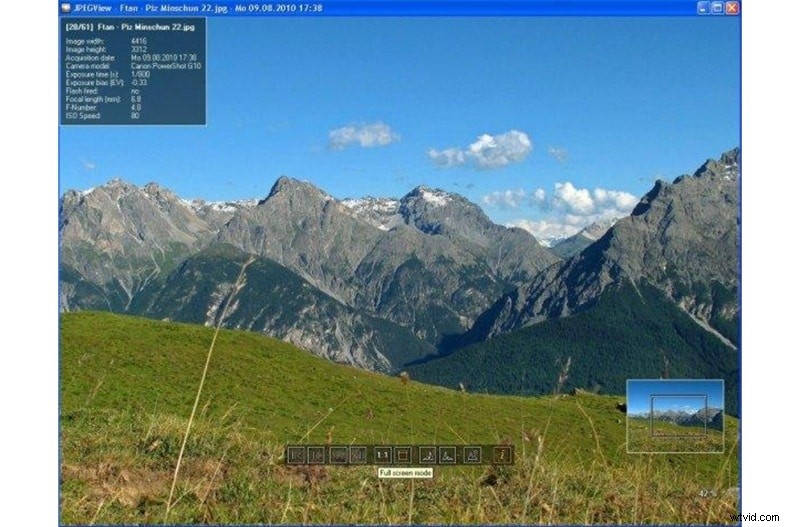
4. JPEGView
JPEGView focuses on quick JPEG review with optional on‑the‑fly adjustments.
Highlights
- Sharpness, contrast, rotation, perspective controls
- Supports JPEG, BMP, PNG, WEBP, TGA, GIF, TIFF
- High‑quality resampling for zooming
Compatibility: Windows 7–11
Pricing: Free
Best For
- Photographers reviewing large folders
Pros
- Instant adjustments without separate editor
- Movie mode slideshows
Cons
- Some TIFF files misdisplay
- No recent updates
Choosing the Right Viewer for Your Workflow
Pick the tool that aligns with your priorities:
- Pure browsing: ImageGlass, qView, JPEGView.
- Light editing: One Photo Viewer, FastStone.
- Large library management: digiKam, XnView Classic.
- Legacy Windows: Windows Photo Viewer, FastStone, IrfanView.
- Content creation (photo → video): Wondershare Filmora.
Conclusion
From the ultra‑fast ImageGlass to the all‑in‑one Filmora, Windows offers a spectrum of photo viewers that can meet any need—whether you’re on Windows 11 or still using Windows 7. Choose the one that best fits your workflow, and enjoy hassle‑free photo browsing and editing.
Secure Download
Related Articles
Top 6 Facebook Reel Makers | Fast with AI
Explore the best Facebook reel creators. Filmora’s Facebook Reel Creator helps you produce engaging, professional‑looking reels for free.