
While the music itself is what ultimately matters, the album cover is the first visual cue that potential listeners encounter. A dull or uninspired cover can deter clicks and lower streams, so a compelling image is essential for any release.
Indie musicians and independent creators increasingly turn to AI‑powered generators to produce visuals that reflect their sound and set their work apart. Yet the market is saturated with tools—some deliver true value, others fall short.
This guide evaluates the leading AI album‑cover generators for 2026, including free options, and covers every genre—from rap to metal. You’ll learn how to craft commercial‑ready designs for Spotify, Apple Music, and beyond using Filmora and other top solutions.
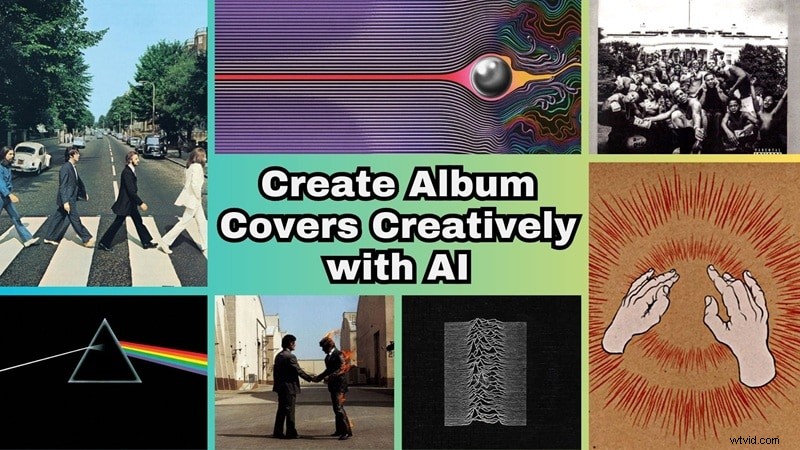
Part 1. Why You Should Use an AI Album Cover Maker Instead of Templates
Streaming giants like Spotify and Apple Music are crowded with releases. To stand out, avoid generic templates; an AI‑driven creator generates unique artwork that aligns with your musical identity.
An AI cover maker doesn’t merely replace text on a preset; it constructs the artwork from the ground up, considering genre, mood, color palette, brand, and your own prompts.
- Your music genre
- The mood of the track
- The colors that match your vibe
- Your artist identity
- The prompts you give it
This is especially important in genres like hip hop and metal, where the cover art is part of your identity. If you’re making music in those styles, it makes sense to use a gritty rap generator or a dark fantasy metal generator that truly reflects the energy of your sound.
Part 2. Top 5 AI Album Cover Art Generators (Tested & Reviewed)
We tested five popular tools, evaluating image quality, speed, usability, and commercial licensing. Here are the ones that truly deliver.
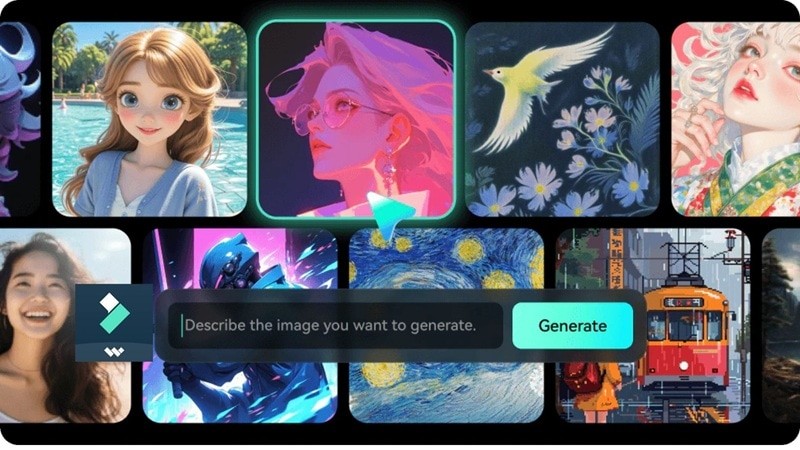
1. Wondershare Filmora: All‑in‑One AI Album Cover & Motion Art Maker
Filmora is best known as a video editor, but its AI image generation module transforms it into a powerful cover‑creation tool. It’s ideal if you want more than a static image.
Features You'll Love
- AI Image Generator: Create 3000x3000px high‑resolution covers from simple text prompts.
- AI Image to Video (Sora 2 & Veo 3.1): Turn static art into moving visuals for Spotify Canvas.
- Built‑in Image Enhancer to clean up and sharpen AI artwork.
- Social‑media‑optimized export settings for every platform.
- Full editing timeline for tweaking lighting, text, overlays, and textures.
Platforms
- Windows, macOS, iOS, Android.
Price
- Free version available; paid plans start at $39.99 per year.
Best For
- Artists who want both static and animated covers.
Pros & Cons
Pros
- Full editing control after generation.
- Commercial‑ready exports.
- Cross‑platform support.
- Animated covers bring life to your artwork.
Cons
- Free version adds a watermark to exported images.
2. Midjourney
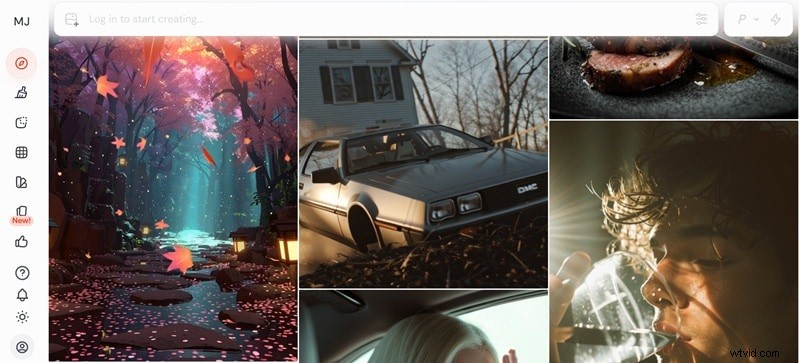
Midjourney excels at delivering artistic, cinematic visuals. Its prompt‑based system yields highly detailed, surreal covers that resonate with experimental and metal audiences.
Features You'll Love
- Instant image and short video generation from simple prompts.
- Strong visual depth and realistic lighting.
- Detailed textures that bring concepts to life.
Platforms
- Discord (web, Windows, macOS, iOS, Android).
Price
- Paid plans only, starting at $10 per month.
Best For
- Artistic, surreal, cinematic covers.
Pros & Cons
Pros
- Extremely creative freedom via prompts.
- Ideal for metal and experimental genres.
Cons
- Requires a Discord account.
- No free trial.
3. Canva
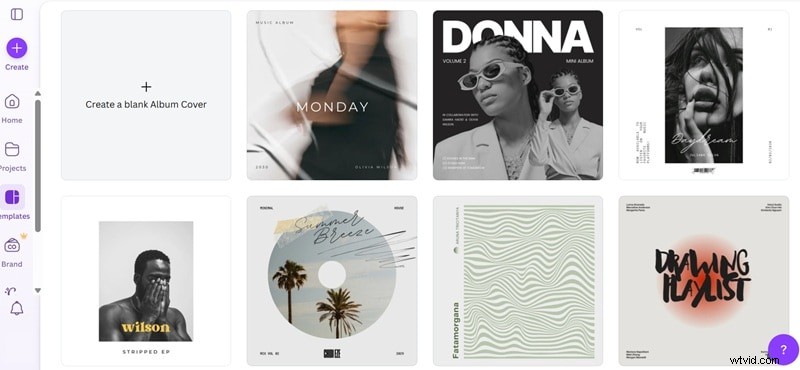
Canva’s AI image generator and extensive template library make it a quick, beginner‑friendly option. While its AI output isn’t as deep as some tools, it delivers clean, trend‑ready covers.
Features You'll Love
- Built‑in AI image generator from prompts.
- Ready‑made album layouts sized for streaming platforms.
- Huge library of stickers, graphics, fonts, and backgrounds.
Platforms
- Web, iOS, Android.
Price
- Free tier available; paid plans start at $15 per month.
Best For
- Beginners who want speed and a template‑style look.
Pros & Cons
Pros
- Intuitive drag‑and‑drop interface.
- Quick for Spotify‑ready covers.
Cons
- Template feel if not heavily customized.
- AI image detail lower than advanced tools.
4. Kapwing
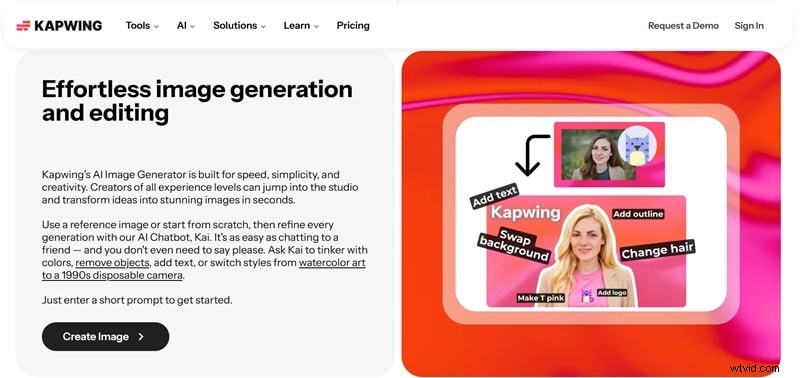
Kapwing’s browser‑based AI image generator offers a simple workflow and full commercial rights. It’s ideal for creators who need a quick cover and occasional promo video.
Features You'll Love
- Custom AI images with commercial usage rights.
- Generate a cover in seconds with a single prompt.
- Browser‑based collaboration makes teamwork easy.
Platforms
- Web.
Price
- Free tier available; paid plans start at $24 per month.
Best For
- Quick covers and short promo videos.
Pros & Cons
Pros
- Reference image upload for precise direction.
- AI feedback loop refines results.
Cons
- Watermark in free version.
- Focus on video, less on advanced image editing.
5. Neural Frames
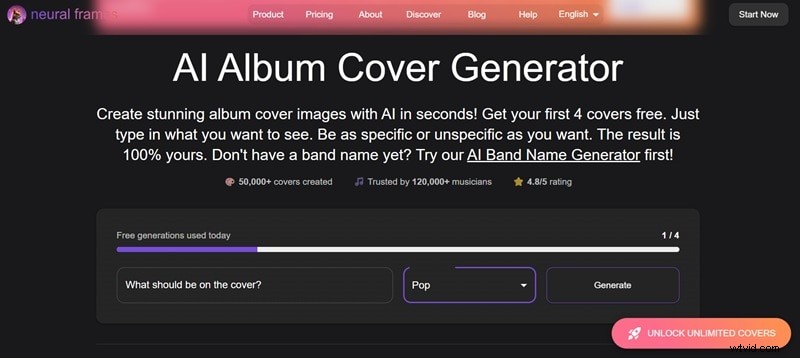
Neural Frames is a great free‑trial option for testing concepts before committing to a paid plan. It uses Stable Diffusion XL to deliver sharp, detailed visuals and offers genre‑specific prompts.
Features You'll Love
- Stable Diffusion XL‑based generation for clarity.
- AI Album Name Cover feature for title integration.
- Wide genre selection: pop, metal, rap, jazz, and more.
Platforms
- Web.
Price
- Free trial available; paid plans start at $19 per month.
Best For
- Experimental and animated visuals that deviate from standard static designs.
Pros & Cons
Pros
- Genre‑guided generation ensures stylistic relevance.
- Commercial use without attribution required.
Cons
- No built‑in editor for post‑generation tweaks.
- Prompt accuracy can vary.
Part 3. Step‑by‑Step: How to Use Filmora as Your AI Album Cover Generator
Filmora streamlines the entire process: generate, polish, animate, and export—all within a single platform.

Step 1: Access the AI Image Feature
- Download and install the latest Filmora version.
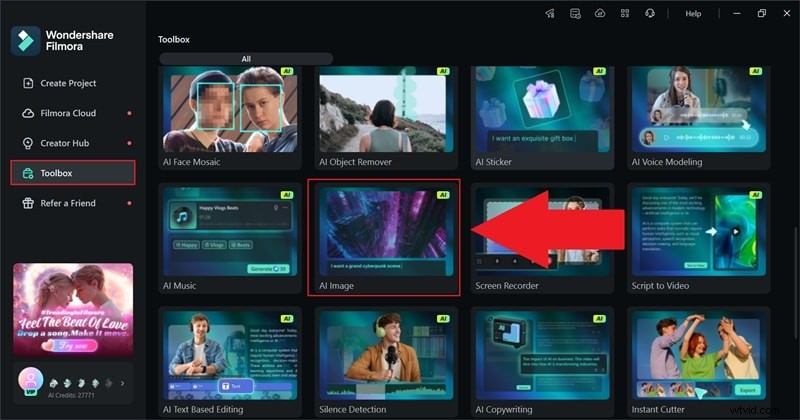
- Open the app and go to the Toolbox on the main screen.
- Click AI Image to start creating your cover.
Step 2: Write Your Prompt and Generate
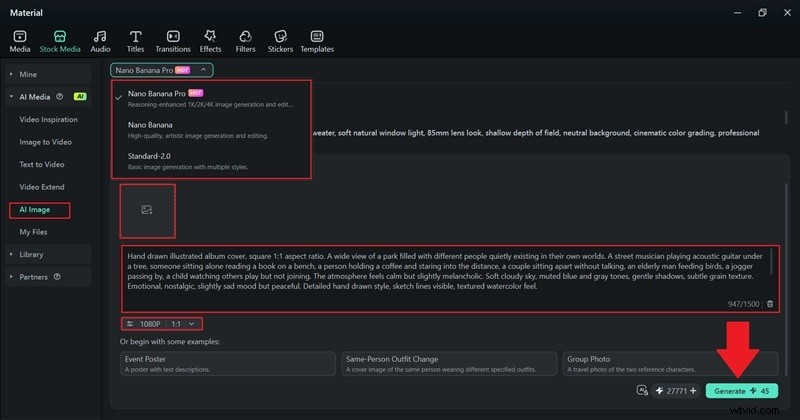
- Select Nano Banana Pro for higher quality or Standard for more style control.
- Optionally upload a reference image.
- Describe your cover with a clear prompt.
- Set the aspect ratio to 1:1 and click Generate.
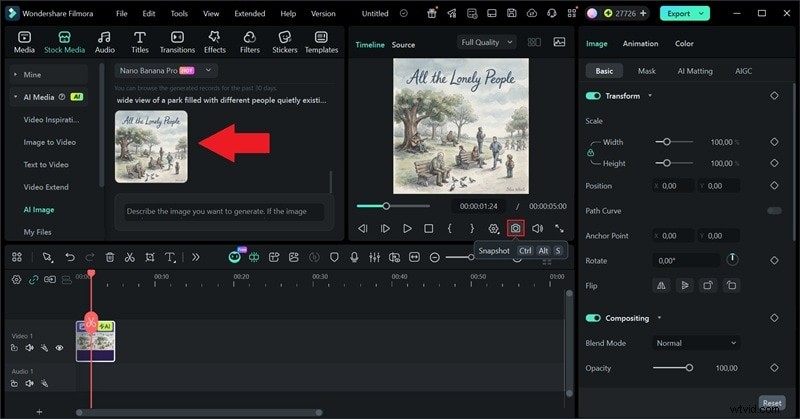
Step 3: Save the Album Cover
Once satisfied, click the camera icon to download the image. The AI often includes the album title and artist name, reducing typography work.
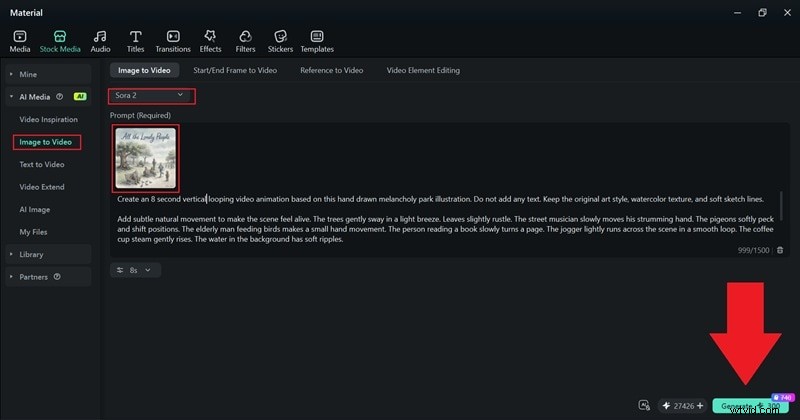
Step 4: Turn Cover Into a Short Clip
- Open Image to Video and choose Sora 2 for higher quality.
- Upload your generated cover.
- Specify the desired movement and generate.
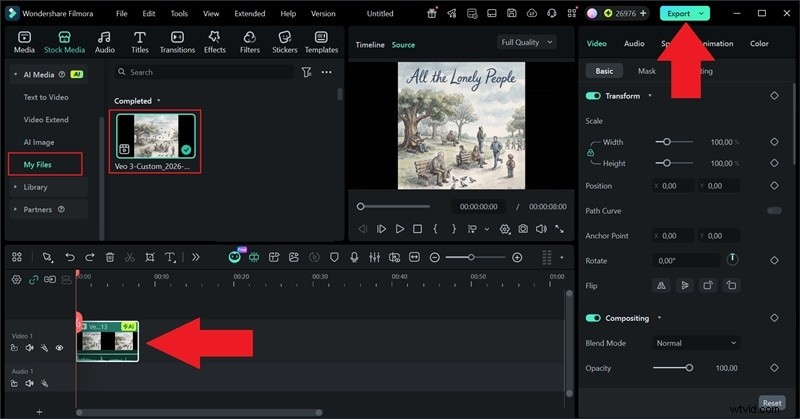
Step 5: Edit and Export the Clip
- Locate the AI‑generated video in My Files, then drag it into the timeline.
- Add or adjust background music, effects, or filters as needed.
- Export the final video to your device.
With this workflow, you can create a professional cover and a looping visual for Spotify Canvas without switching tools.
Part 4. 2026 Trending Album Cover Styles by Genre
Below is a quick reference to help you match your design to current trends, color palettes, and prompt suggestions.
| Genre | 2026 Trend | Color Palette | Visual Style | AI Prompt Tip |
| Rap | Cinematic street realism | Neon + Dark blues | Urban night scenes | "moody city rooftop, 35mm film grain" |
| Metal | Dark fantasy surrealism | Black, crimson, silver | Gothic landscapes | "epic medieval battlefield, dramatic lighting" |
| Pop | Minimalist hyper‑clean | Pastel gradients | Soft blur portraits | "dreamy soft focus portrait, pastel background" |
| Indie | Retro 90s nostalgia | Warm faded tones | Polaroid textures | "vintage photo texture, subtle light leaks" |
| Electronic | Futuristic glitch art | Purple, cyan, chrome | Cyberpunk visuals | "cyberpunk skyline, holographic glow" |
|
Show More Show Less |
Adjusting your prompt to align with these trends can instantly modernize your cover and boost discoverability.
Part 5. Important: Copyright & Commercial Use of AI Covers
Before uploading your track, confirm that your chosen AI tool grants full commercial rights. Most paid plans include this, but always verify the terms.

- You own the prompts and the final image.
- No restrictions tied to copyrighted training data.
- No attribution required.
Double‑check the licensing before release to avoid future complications.
Conclusion
The album cover is your music’s visual brand. An AI generator gives you a fast, creative, and commercial‑ready solution, especially if you want both static and animated covers. Filmora emerges as the most comprehensive option, allowing you to generate, refine, animate, and export all in one place.
FAQs
-
What is the best free AI album cover generator?
Canva and Kapwing offer limited free features, while Filmora’s free trial delivers higher‑quality output. Always check export resolution limits before choosing.
-
How do I make a meme‑style cover?
Upload a humorous photo, add bold typography, apply grain or retro filters, and experiment with prompts like "dramatic renaissance painting style but modern meme energy." Both Filmora and Canva make this straightforward.
-
What is the official Spotify album cover size for 2026?
Spotify requires a square image, 1:1 aspect ratio, 640–10,000 px resolution, sRGB color space, 24‑bit depth, and lossless PNG or JPEG. Avoid upscaling low‑quality images or embedding metadata.