
AI has gone a long way and has finally reached a point where everyday people can use it to their advantage. With the power of AI, upscaling videos to 4k is not a difficult thing anymore. They can remove artifacts, restore old videos, and improve the overall quality of the video.
No, this is not a gimmick; these tools allow you to polish your videos quickly without much effort. Even better, there are many free online video upscalers you can use.
However, some are unreliable and won't do a good job. That's why we've created a list of the ten best free online AI video upscalers to help you with your search and share relevant information so you know what to expect.
In this article
-
- Fotor AI Video Upscaler
- HitPaw AI Video Upscaler
- AirBrush
- TensorPix
- Vmake AI Video Upscaler
- ClipMove
- Vidscale.Pro
- Vidnoz
- AVClabs AI Video Upscaler
- CapCut
-
- Stunning Features:
- How to Use a Desktop AI Video Upscaler?
A Quick Look of the Best Free Online AI Video Upscalers
| AI Video Upscalers | Supported File Formats | Price |
| Fotor | MP4, MOV, WebM; | Free trial, $8.99 per month, and $19.99 per month; |
| HitPaw | MP4, MOV, GIF, AVI, M4V, MKV; | Free trial, $9.99 weekly, $29.99 monthly, $179.99 yearly; |
| Airbrush | MP4, 3GP, F4V, MOV, M4V; | Free trial, $9 per month; |
| TensorPix | Apple ProRes, Avid DNxHD, H.264/AVC, H.265/HEVC, MP4, MOV, AVI; | Free trial, $5,5 per month, $12.42 per month, $30.25 per month; |
| Vmake AI Video Upscaler | 3GP, M4V, MOV, MP4; | Free trial, $0.25 per credit subscription, $0.80 per credit pay as you go; |
| ClipMove | MP4 | Free trial, $24 per month, $42 per month, $139 per month; |
| Vidscale.Pro | MP4, MKV, MOV; | Free |
| Vidnoz | M4V, MP4, WebM, MOV; | Free trial, $13.50 per month, $56.99 per month; |
| AVClabs AI Video Upscaler | WebM, DV, MOV, MP4, M4V, MPG, MTS, DVIX, FLV, 3GP, WMV; | Free trial, $39.95 per month, $95.96 annually; |
| CapCut | MOV, AVI, MP4; | Free |
Best 10 Free Online AI Video Upscalers
1. Fotor AI Video Upscaler
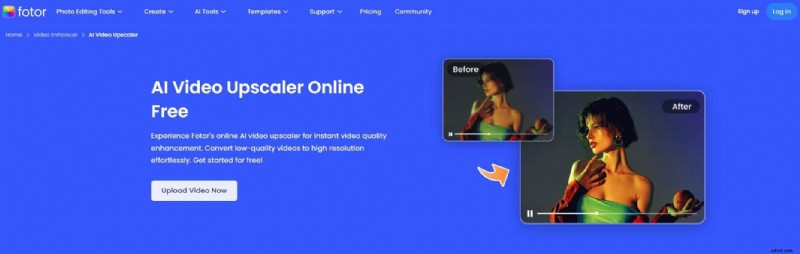
Fotor is a powerful online AI video upscaler that is also a comprehensive video editing suite offering many features. It utilizes AI to detect and improve imperfections, reducing blurriness online and restoring clarity. Therefore you can upscale videos to HD and 4K, depending on the video's original quality. It's easy to use and grants simple access to different users.
Pros- It is very easy to use.
- It supports uploading 4k videos.
- It supports popular video formats such as MP4, WebM, and MOV.
- Limited resolution with the free plan.
- Limited to 500MB files.
- It can only download videos in two formats.
2. HitPaw AI Video Upscaler
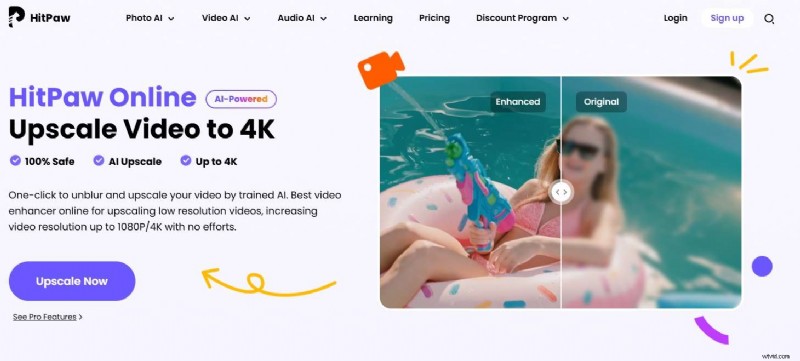
HitPaw is a known name in the world of video editing. It provides a free online AI video upscaler specializing in improving compressed or low-resolution videos and sometimes bringing them up to 8K.
It also has deep learning capabilities to add colors to black-and-white videos. It offers 7 different models to improve video quality such as face model, animation model, general denoise model, colorized model, etc. You can apply multiple models to the same video.
Pros- Upscales videos up to 8K.
- Several AI models.
- Simple user interface ideal for beginners.
- Batch processing option.
- Preview the videos while processing.
- Leaves watermarks on processed videos.
- Have to pay if you want to download the videos.
- Processing times can sometimes get really long.
3. AirBrush
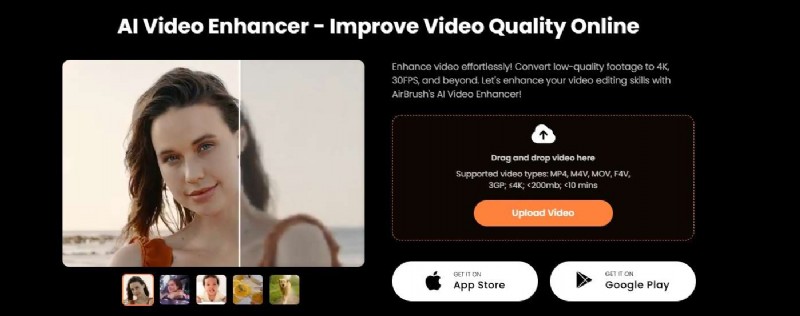
AirBrush is a free online AI video upscaler that can fix blurry videos. You can use it to revive old family videos to restore memories and enhance YouTube video content to captivate audiences, upgrade business videos to 4k quality to attract more customers, and save time in video editing. Although it has a limit of 10 minutes, it is enough for users with basic needs. This upscaler can improve footage up to 4K with 30FPS. It works with all the most common video files and has a similar mobile app for iPhone and Android devices.
AirBrush corrects any imperfections identified in your videos, improves the resolution, adjusts colors, and brightens dark videos.
Pros- One-click AI video upscaling.
- Available online or as a mobile app.
- Integrates with other AirBrush editing tools.
- Simple to use.
- It supports 5 different formats such as MP4, M4V, MOV, F4V, and 3GP.
- It has a 10-minute video limit.
- Videos are limited to 200MB.
- It can only preview the first 5 seconds for free.
- You need to pay to process the full video.
4. TensorPix
TensorPix is a free online AI video upscaler that can be used anywhere at any given moment, regardless of the device. It can upscale videos up to 4K and rejuvenate grainy old content. It has a preview option that allows you to see the results before starting the upscaling process.
It's an entirely web-based solution and delivers results in around three minutes, which is good enough for a free tool. It removes blurry elements and artifacts effectively and has additional tools like noise reduction, film cleaning, etc.
Pros- Upscales videos up to 4K.
- Offers batch processing.
- Supports uploading videos from Dropbox, OneDrive, and pasting links.
- Easy to use.
- You can only enhance videos for 10s for the free version.
- The output video will be watermarked by using the free trial.
5. Vmake AI Video Upscaler
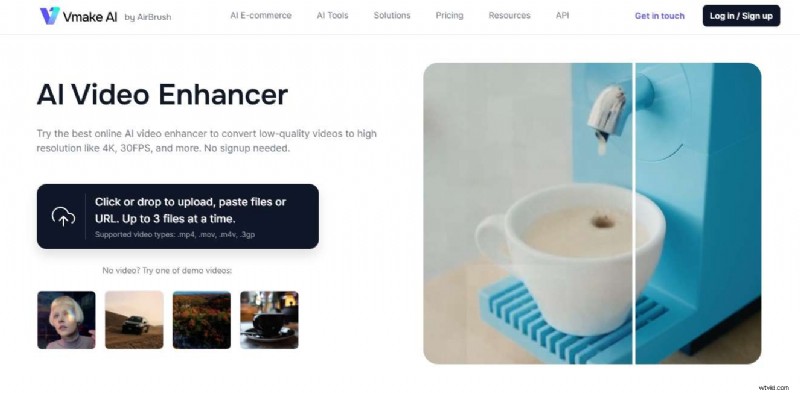
Vmake AI Video Enhancer is a powerful free online AI video upscaler to convert low-quality videos to high resolutions. It supports uploading 3 files at a time to batch processing. It also offers other video editing tools like image upscaling.
It removes unwanted artifacts from the background, improves the definition of the video, and upgrades the resolution. The Vmake suite also offers various other video editing tools to help you improve your videos. It's super-easy to use, but the processing time can sometimes be lengthy.
Pros- Very easy to use.
- Solid results.
- Can be used for different applications.
- Improves color.
- Sign up to get 5 credits for free.
- Requires users to sign up.
- Has multiple limitations with the free plan.
- It takes some time to upscale the videos.
6. ClipMove
ClipMove is a large AI platform designed to help users create content. It can be used to upscale videos to 4k, and reduce noise and blur, and sharp visuals. This free AI video upscaler gives quality upscaling results with the option of recovering all the fine details.
In addition to being a video upscaler, ClipMove also offers the feature to replace video backgrounds with ease for different uses.
Pros- User-friendly interface.
- Upscale videos to 4k.
- Multi-functional video editing tool.
- The maximum file size for the free version is 100 MB.
- You can only upload MP4 format videos and it should be less than 2 minutes with the free trial.
7. Vidscale.Pro
Vidscale.Pro is a free online AI video upscaler designed to improve the quality of videos through increased resolution. It stands out as one of the rare upscalers that can improve the resolution up to 24K. It offers an extreme level of detail with exceptional quality. Aside from upscaling video resolutions, it can also be used to enhance slow-motion videos, remove noises from videos to make them sharp, and restore old ones.
Pros- Upscales resolution up to 24K.
- No limitations.
- Free forever.
- Results aren't always ideal.
- It only supports 3 different video formats.
- Sometimes, you cannot upload videos successfully.
8. Vidnoz
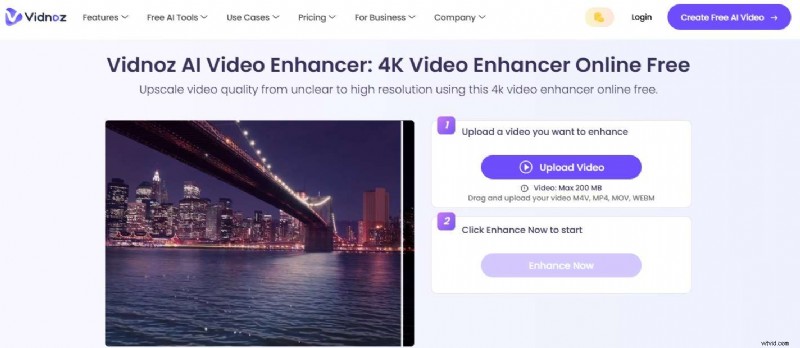
As a popular online video enhancer, Vidnoz is a powerful AI video upscaler that can upscale videos up to 4K in one click and has many other video creation tools.
Unlike some other online AI video upscalers which may only offer a free trial time total, the Vidnoz AI video enhancer lets you use the free version every day to improve a 3-minute long video. Apart from improving the resolution of your videos, it also corrects any blurs, balances brightness, and improves the colors in your videos.
Pros- Upscales up to 4K.
- Improves colors and brightness.
- User-friendly.
- It offers 3 minutes for free every day.
- The free credits are limited.
- Advanced features aren't available with the free option.
- It takes a relatively long time to enhance videos.
- The free version leaves a watermark.
9. AVClabs AI Video Upscaler
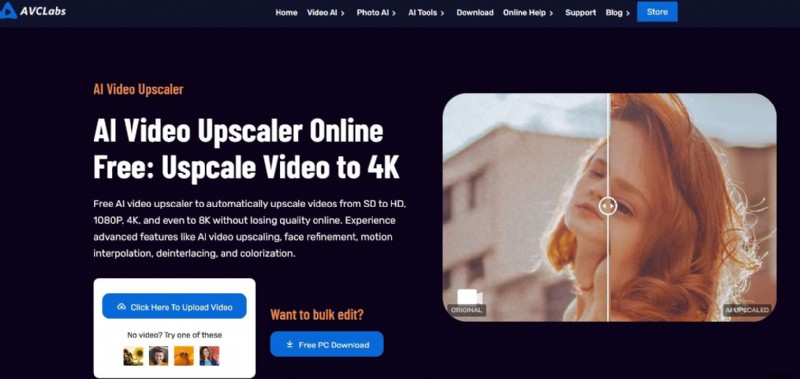
AVClabs is an AI video editing software that offers a free online AI video upscaler that can help improve resolution and quality. It can upscale videos up to 8K, and the paid version comes with frame-by-frame editing capabilities. It's very simple to use and has a fully automated video upscaling process. You can also use it to unblur videos, remove grains, make face recovery or refinements, etc.
Pros- Upscales videos up to 8K.
- Frame-by-frame editing.
- Has a face refinement feature.
- Very easy to use.
- The free version leaves watermarks.
- Processing can be a little slow.
- It was a little bit expensive.
10. CapCut
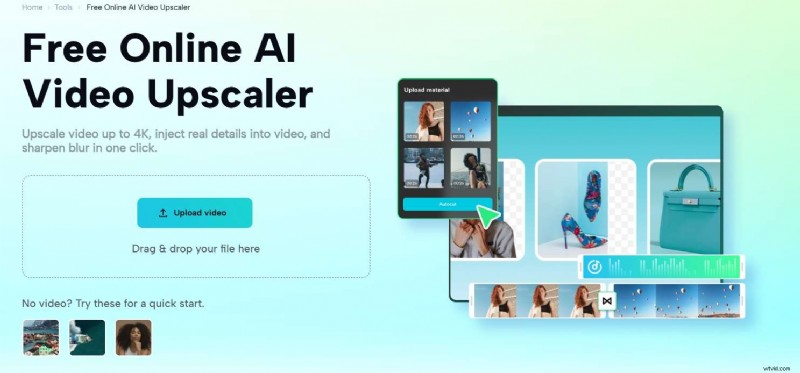
CapCut's free online AI video upscaler is built for quick video enhancement. It upscales videos up to 4K and drastically improves the overall quality. You only need to upload the video to the platform, and then click 2x to upscale the video quality. However, it doesn't allow you to choose the resolution.
Pros- Upscales videos up to 4K.
- Completely free.
- Has a deblurring feature.
- Doesn't leave watermarks.
- Doesn't offer batch processing.
- Limited format support.
- Take a long time to load and process videos.
- Cannot choose the upscaling resolution.
How to Use an Online AI Video Upscaler?
Most of the tools on our list have similar steps, and they're all easy to use. We've used Fotor as an example for this post.
- Go to Fotor's AI Video Upscaler page and click Upload Video Now.

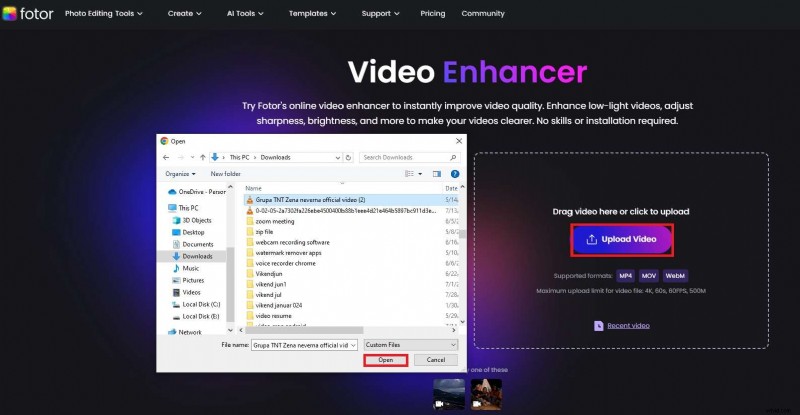
- Click Upload Video, select the video you want to upscale, and click Open.
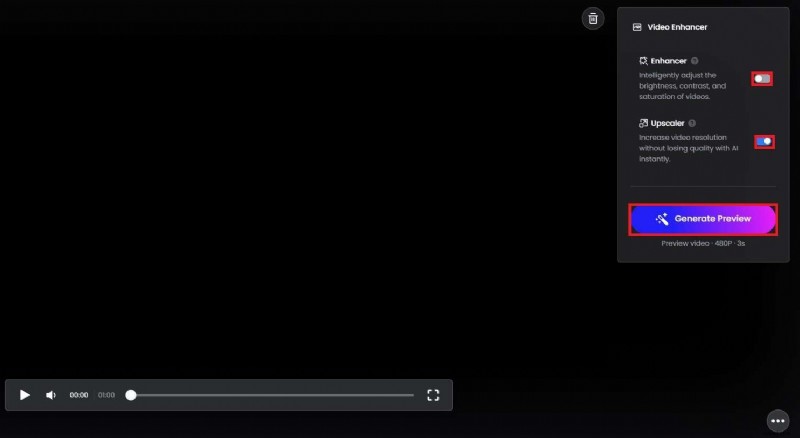
- When the video is uploaded, ensure the Upscaler option is enabled. You can also enable the Enhancer setting if needed. When ready, click Generate Preview.
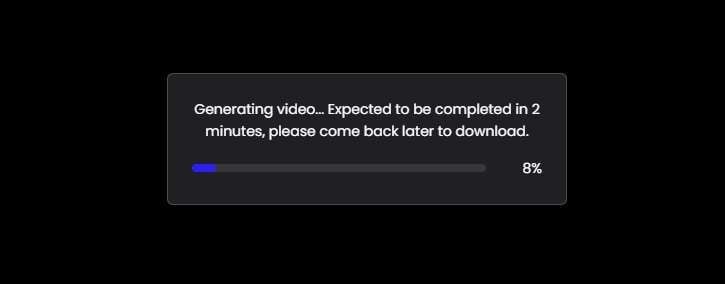
- Wait until the process is complete.
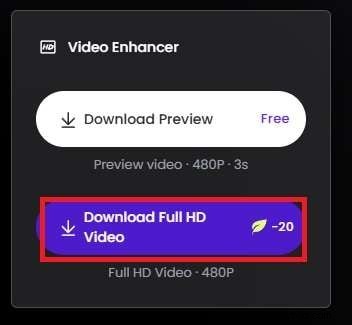
- When done, click Download Full HD Video.
Bonus: Best Desktop AI Video Upscaler
Even though free online AI video enhancers offer accessibility and quick results, most of them support limited file formats and lack the advanced capabilities and editing features that can give your videos that spark in terms of detail, effects, resolution, and crispiness.
Luckily, Wondershare Filmora can not only upscale videos to 4k in one click with its AI video enhancer but also support various formats. In addition to that, as a comprehensive video editor, it offers many more features.


Stunning Features:
- AI Video Enhancer - Fix blurry YouTube videos, restore old cherished videos, and brighten dark videos with ease.
- Video Denoise - Remove grain from videos by customizing the smooth level from weak, normal to strong.
- AI Frame Interpolation - Increase the low frame rate automatically to enhance video visuals.
- AI Video Compressor - Compress videos with no quality loss and save them in small sizes.
- Smart Short Clips - Split long videos into shorts and automatically extract highlights from videos.
- Smart BGM Generator - Generate background music intelligently by analyzing the contents of the videos.
How to Use a Desktop AI Video Upscaler?
After downloading and installing Filmora on your device, follow these steps to upscale your videos with ai and bring the resolution up while improving details:
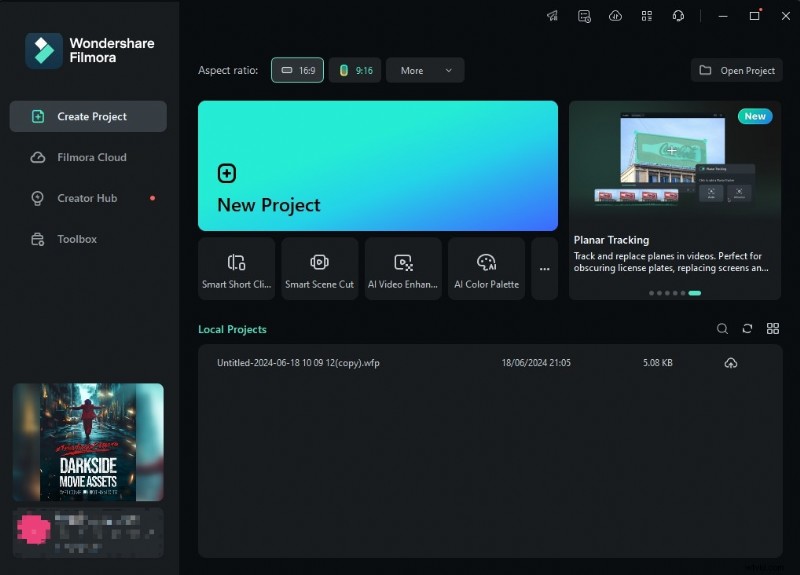
- Launch Filmora and select New Project in the opening window.
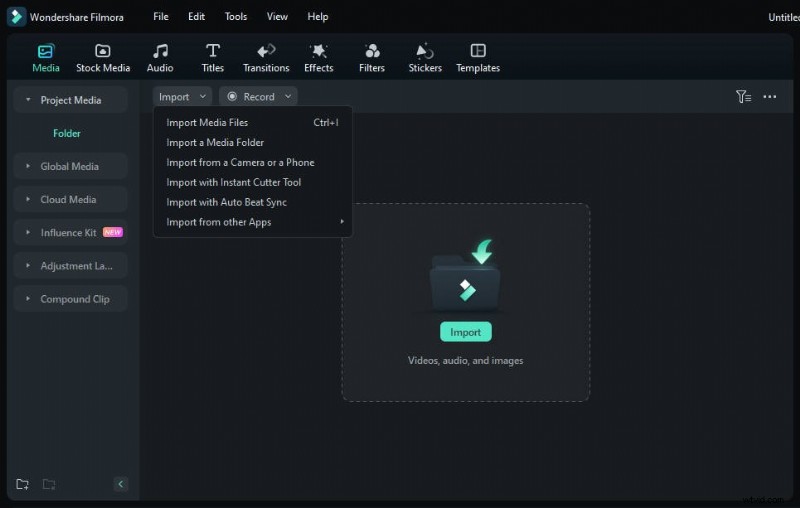
- Select Import and choose the video you want to upscale. Drag the video to the timeline.
- Select the video, navigate to Video > AI Tools > AI video enhancer, then click Generate to start enhancing videos.

- Wait until the process finishes, and you can preview the video.

- When ready, click Export in the upper right corner. Select the Format of your video, and set the resolution according to your preference. Click Export to save your video.
Conclusion
Free online AI video upscalers are useful to quickly improve the quality of your video content. However, most of them support limited file formats and video duration, if you may look for an alternative that cannot only upscale videos but also make further edits, compatible with more file formats, try Wondershare Filmora!
AI has gone a long way and has finally reached a point where everyday people can use it to their advantage. With the power of AI, upscaling videos to 4k is not a difficult thing anymore. They can remove artifacts, restore old videos, and improve the overall quality of the video.
No, this is not a gimmick; these tools allow you to polish your videos quickly without much effort. Even better, there are many free online video upscalers you can use.
However, some are unreliable and won't do a good job. That's why we've created a list of the ten best free online AI video upscalers to help you with your search and share relevant information so you know what to expect.
In this article
-
- Fotor AI Video Upscaler
- HitPaw AI Video Upscaler
- AirBrush
- TensorPix
- Vmake AI Video Upscaler
- ClipMove
- Vidscale.Pro
- Vidnoz
- AVClabs AI Video Upscaler
- CapCut
-
- Stunning Features:
- How to Use a Desktop AI Video Upscaler?
A Quick Look of the Best Free Online AI Video Upscalers
| AI Video Upscalers | Supported File Formats | Price |
| Fotor | MP4, MOV, WebM; | Free trial, $8.99 per month, and $19.99 per month; |
| HitPaw | MP4, MOV, GIF, AVI, M4V, MKV; | Free trial, $9.99 weekly, $29.99 monthly, $179.99 yearly; |
| Airbrush | MP4, 3GP, F4V, MOV, M4V; | Free trial, $9 per month; |
| TensorPix | Apple ProRes, Avid DNxHD, H.264/AVC, H.265/HEVC, MP4, MOV, AVI; | Free trial, $5,5 per month, $12.42 per month, $30.25 per month; |
| Vmake AI Video Upscaler | 3GP, M4V, MOV, MP4; | Free trial, $0.25 per credit subscription, $0.80 per credit pay as you go; |
| ClipMove | MP4 | Free trial, $24 per month, $42 per month, $139 per month; |
| Vidscale.Pro | MP4, MKV, MOV; | Free |
| Vidnoz | M4V, MP4, WebM, MOV; | Free trial, $13.50 per month, $56.99 per month; |
| AVClabs AI Video Upscaler | WebM, DV, MOV, MP4, M4V, MPG, MTS, DVIX, FLV, 3GP, WMV; | Free trial, $39.95 per month, $95.96 annually; |
| CapCut | MOV, AVI, MP4; | Free |
Best 10 Free Online AI Video Upscalers
1. Fotor AI Video Upscaler
Fotor is a powerful online AI video upscaler that is also a comprehensive video editing suite offering many features. It utilizes AI to detect and improve imperfections, reducing blurriness online and restoring clarity. Therefore you can upscale videos to HD and 4K, depending on the video's original quality. It's easy to use and grants simple access to different users.
Pros- It is very easy to use.
- It supports uploading 4k videos.
- It supports popular video formats such as MP4, WebM, and MOV.
- Limited resolution with the free plan.
- Limited to 500MB files.
- It can only download videos in two formats.
2. HitPaw AI Video Upscaler
HitPaw is a known name in the world of video editing. It provides a free online AI video upscaler specializing in improving compressed or low-resolution videos and sometimes bringing them up to 8K.
It also has deep learning capabilities to add colors to black-and-white videos. It offers 7 different models to improve video quality such as face model, animation model, general denoise model, colorized model, etc. You can apply multiple models to the same video.
Pros- Upscales videos up to 8K.
- Several AI models.
- Simple user interface ideal for beginners.
- Batch processing option.
- Preview the videos while processing.
- Leaves watermarks on processed videos.
- Have to pay if you want to download the videos.
- Processing times can sometimes get really long.
3. AirBrush
AirBrush is a free online AI video upscaler that can fix blurry videos. You can use it to revive old family videos to restore memories and enhance YouTube video content to captivate audiences, upgrade business videos to 4k quality to attract more customers, and save time in video editing. Although it has a limit of 10 minutes, it is enough for users with basic needs. This upscaler can improve footage up to 4K with 30FPS. It works with all the most common video files and has a similar mobile app for iPhone and Android devices.
AirBrush corrects any imperfections identified in your videos, improves the resolution, adjusts colors, and brightens dark videos.
Pros- One-click AI video upscaling.
- Available online or as a mobile app.
- Integrates with other AirBrush editing tools.
- Simple to use.
- It supports 5 different formats such as MP4, M4V, MOV, F4V, and 3GP.
- It has a 10-minute video limit.
- Videos are limited to 200MB.
- It can only preview the first 5 seconds for free.
- You need to pay to process the full video.
4. TensorPix
TensorPix is a free online AI video upscaler that can be used anywhere at any given moment, regardless of the device. It can upscale videos up to 4K and rejuvenate grainy old content. It has a preview option that allows you to see the results before starting the upscaling process.
It's an entirely web-based solution and delivers results in around three minutes, which is good enough for a free tool. It removes blurry elements and artifacts effectively and has additional tools like noise reduction, film cleaning, etc.
Pros- Upscales videos up to 4K.
- Offers batch processing.
- Supports uploading videos from Dropbox, OneDrive, and pasting links.
- Easy to use.
- You can only enhance videos for 10s for the free version.
- The output video will be watermarked by using the free trial.
5. Vmake AI Video Upscaler
Vmake AI Video Enhancer is a powerful free online AI video upscaler to convert low-quality videos to high resolutions. It supports uploading 3 files at a time to batch processing. It also offers other video editing tools like image upscaling.
It removes unwanted artifacts from the background, improves the definition of the video, and upgrades the resolution. The Vmake suite also offers various other video editing tools to help you improve your videos. It's super-easy to use, but the processing time can sometimes be lengthy.
Pros- Very easy to use.
- Solid results.
- Can be used for different applications.
- Improves color.
- Sign up to get 5 credits for free.
- Requires users to sign up.
- Has multiple limitations with the free plan.
- It takes some time to upscale the videos.
6. ClipMove
ClipMove is a large AI platform designed to help users create content. It can be used to upscale videos to 4k, and reduce noise and blur, and sharp visuals. This free AI video upscaler gives quality upscaling results with the option of recovering all the fine details.
In addition to being a video upscaler, ClipMove also offers the feature to replace video backgrounds with ease for different uses.
Pros- User-friendly interface.
- Upscale videos to 4k.
- Multi-functional video editing tool.
- The maximum file size for the free version is 100 MB.
- You can only upload MP4 format videos and it should be less than 2 minutes with the free trial.
7. Vidscale.Pro
Vidscale.Pro is a free online AI video upscaler designed to improve the quality of videos through increased resolution. It stands out as one of the rare upscalers that can improve the resolution up to 24K. It offers an extreme level of detail with exceptional quality. Aside from upscaling video resolutions, it can also be used to enhance slow-motion videos, remove noises from videos to make them sharp, and restore old ones.
Pros- Upscales resolution up to 24K.
- No limitations.
- Free forever.
- Results aren't always ideal.
- It only supports 3 different video formats.
- Sometimes, you cannot upload videos successfully.
8. Vidnoz
As a popular online video enhancer, Vidnoz is a powerful AI video upscaler that can upscale videos up to 4K in one click and has many other video creation tools.
Unlike some other online AI video upscalers which may only offer a free trial time total, the Vidnoz AI video enhancer lets you use the free version every day to improve a 3-minute long video. Apart from improving the resolution of your videos, it also corrects any blurs, balances brightness, and improves the colors in your videos.
Pros- Upscales up to 4K.
- Improves colors and brightness.
- User-friendly.
- It offers 3 minutes for free every day.
- The free credits are limited.
- Advanced features aren't available with the free option.
- It takes a relatively long time to enhance videos.
- The free version leaves a watermark.
9. AVClabs AI Video Upscaler
AVClabs is an AI video editing software that offers a free online AI video upscaler that can help improve resolution and quality. It can upscale videos up to 8K, and the paid version comes with frame-by-frame editing capabilities. It's very simple to use and has a fully automated video upscaling process. You can also use it to unblur videos, remove grains, make face recovery or refinements, etc.
Pros- Upscales videos up to 8K.
- Frame-by-frame editing.
- Has a face refinement feature.
- Very easy to use.
- The free version leaves watermarks.
- Processing can be a little slow.
- It was a little bit expensive.
10. CapCut
CapCut's free online AI video upscaler is built for quick video enhancement. It upscales videos up to 4K and drastically improves the overall quality. You only need to upload the video to the platform, and then click 2x to upscale the video quality. However, it doesn't allow you to choose the resolution.
Pros- Upscales videos up to 4K.
- Completely free.
- Has a deblurring feature.
- Doesn't leave watermarks.
- Doesn't offer batch processing.
- Limited format support.
- Take a long time to load and process videos.
- Cannot choose the upscaling resolution.
How to Use an Online AI Video Upscaler?
Most of the tools on our list have similar steps, and they're all easy to use. We've used Fotor as an example for this post.
- Go to Fotor's AI Video Upscaler page and click Upload Video Now.
- Click Upload Video, select the video you want to upscale, and click Open.
- When the video is uploaded, ensure the Upscaler option is enabled. You can also enable the Enhancer setting if needed. When ready, click Generate Preview.
- Wait until the process is complete.
- When done, click Download Full HD Video.
Bonus: Best Desktop AI Video Upscaler
Even though free online AI video enhancers offer accessibility and quick results, most of them support limited file formats and lack the advanced capabilities and editing features that can give your videos that spark in terms of detail, effects, resolution, and crispiness.
Luckily, Wondershare Filmora can not only upscale videos to 4k in one click with its AI video enhancer but also support various formats. In addition to that, as a comprehensive video editor, it offers many more features.
Stunning Features:
- AI Video Enhancer - Fix blurry YouTube videos, restore old cherished videos, and brighten dark videos with ease.
- Video Denoise - Remove grain from videos by customizing the smooth level from weak, normal to strong.
- AI Frame Interpolation - Increase the low frame rate automatically to enhance video visuals.
- AI Video Compressor - Compress videos with no quality loss and save them in small sizes.
- Smart Short Clips - Split long videos into shorts and automatically extract highlights from videos.
- Smart BGM Generator - Generate background music intelligently by analyzing the contents of the videos.
How to Use a Desktop AI Video Upscaler?
After downloading and installing Filmora on your device, follow these steps to upscale your videos and bring the resolution up while improving details:
- Launch Filmora and select New Project in the opening window.
- Select Import and choose the video you want to upscale. Drag the video to the timeline.
- Select the video, navigate to Video > AI Tools > AI video enhancer, then click Generate to start enhancing videos.
- Wait until the process finishes, and you can preview the video.
- When ready, click Export in the upper right corner. Select the Format of your video, and set the resolution according to your preference. Click Export to save your video.
Conclusion
Free online AI video upscalers are useful to quickly improve the quality of your video content. However, most of them support limited file formats and video duration, if you may look for an alternative that cannot only upscale videos but also make further edits, compatible with more file formats, try Wondershare Filmora!